
当前最佳位置
#21
跨越4个商店
峰值
#16跟踪天数
49评分
6,471 图表历史
49 天由我们记录
商店
今天在4中绘制图表
评分
6,471 在App Store上
价格
在我们的窗口中更改了7次
安装和收入
苹果没有发布 — 我们不猜测
历史
基于 Astrina 自己的每日快照构建 — 每天一个数据点。
图表位置 — 🇬🇧 付费榜单
31.07 25.08 23.09
显示数字
| 天 | 位置 |
|---|---|
| 31.07 | #34 |
| 02.08 | #34 |
| 07.08 | #23 |
| 08.08 | #24 |
| 09.08 | #53 |
| 13.08 | #46 |
| 15.08 | #34 |
| 17.08 | #35 |
| 24.08 | #28 |
| 25.08 | #30 |
| 26.08 | #20 |
| 29.08 | #21 |
| 30.08 | #59 |
| 31.08 | #32 |
| 04.09 | #34 |
| 07.09 | #24 |
| 09.09 | #30 |
| 18.09 | #40 |
| 23.09 | #21 |
评分数量
01.09 07.09 16.09
显示数字
| 天 | 评分 |
|---|---|
| 01.09 | 929 |
| 02.09 | 929 |
| 05.09 | 929 |
| 07.09 | 929 |
| 10.09 | 929 |
| 11.09 | 929 |
| 14.09 | 929 |
| 16.09 | 929 |
截图
关于此应用
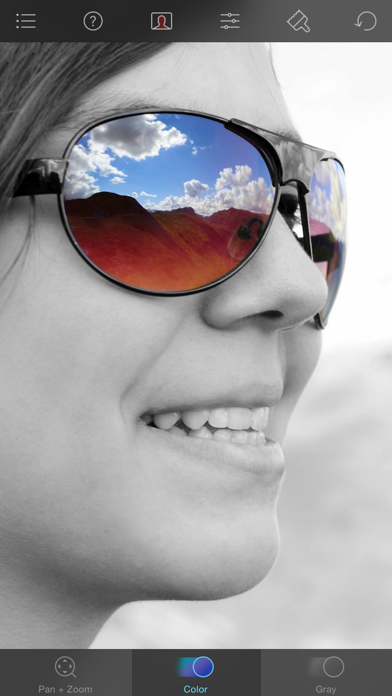
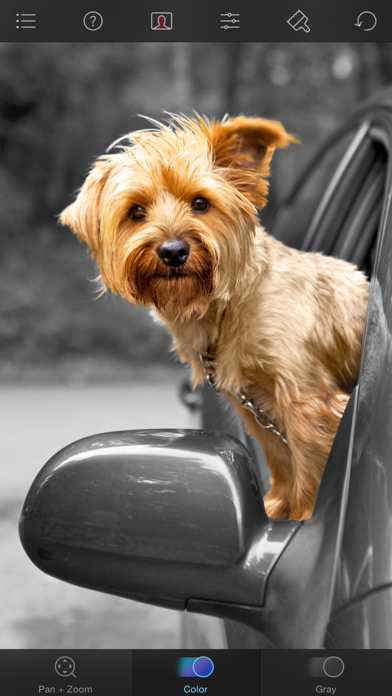
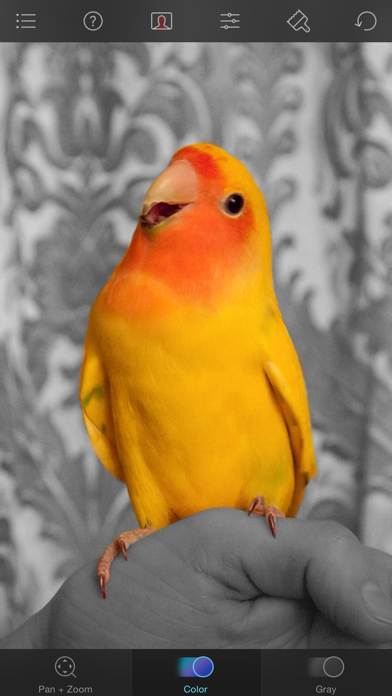
Color Splash lets you give photos a dramatic look by converting them to black and white, while keeping your chosen details in color. This effect draws the viewers' attention to the colored areas, creating striking images.
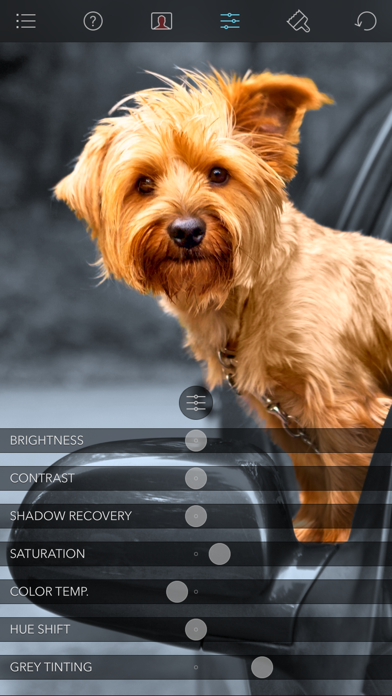
The intuitive and responsive multi-touch user interface makes Color Splash amazingly easy and fun to use. Use your finger as a brush to "paint" sections of your image black and white, or to bring back the original color. Zooming in and out using the two-finger pinching gesture allows you to work on details with pixel-accuracy.
Features:
- Short tutorial videos explain the use of all features and will have you editing your images in minutes.
- Choose photos to edit from your iPhone photo library or from Dropbox or Flickr.
- Save multiple sessions to resume your work later.
- Email your creations to friends, share them on Flickr or save them to your Dropbox.
- Undo any number of accidental brush strokes.
- An alternative view mode highlights the regions that will remain in color with a red tint. This makes it easier to see and adjust the boundaries between color and black & white regions.
- Choose from 4 different brushes (hard or soft edged, opaque or transparent) and adjust the brush size.
- Hide the toolbars in full screen mode.
The intuitive and responsive multi-touch user interface makes Color Splash amazingly easy and fun to use. Use your finger as a brush to "paint" sections of your image black and white, or to bring back the original color. Zooming in and out using the two-finger pinching gesture allows you to work on details with pixel-accuracy.
Features:
- Short tutorial videos explain the use of all features and will have you editing your images in minutes.
- Choose photos to edit from your iPhone photo library or from Dropbox or Flickr.
- Save multiple sessions to resume your work later.
- Email your creations to friends, share them on Flickr or save them to your Dropbox.
- Undo any number of accidental brush strokes.
- An alternative view mode highlights the regions that will remain in color with a red tint. This makes it easier to see and adjust the boundaries between color and black & white regions.
- Choose from 4 different brushes (hard or soft edged, opaque or transparent) and adjust the brush size.
- Hide the toolbars in full screen mode.
详情
| 开发者 | Pocket Pixels Inc. |
|---|---|
| 类别 | 照片与视频 |
| 价格 | $1.99 |
| 年龄评级 | 4+ |
| 版本 | 3.14 |
| 大小 | 37.7 MB |
| 最低 iOS | 15.6 |
| 包 ID | com.hkueck.colorsplash |
| 发布 | 2009-02-15 |
| 最后更新 | 2024-09-20 |
| 语言 | 3 语言 |
此页面回答的问题
- Color Splash 应用评论
- Color Splash 应用评级
- Color Splash 下载
- Color Splash 应用商店排名
- Color Splash 评论
- Color Splash 评论和评分
- Color Splash 是否合法
- Color Splash 是否是骗局
- Color Splash 真实用户评论
- Color Splash 评分
- Color Splash 投诉
- 人们对 Color Splash 的看法
- Color Splash 应用 评论
- Color Splash 优缺点
- Color Splash 经验
- 我应该信任 Color Splash 吗
- Color Splash 反馈
- Color Splash 评论 2026
- Color Splash 检查
- Color Splash 安全检查
