
Color Splash
Pocket Pixels Inc. Photo et Vidéo 4+ $1.99
4.86 · 6,471 évaluations
Meilleure position maintenant
#21
à travers 4 vitrines
Pic
#16Jours suivis
49Évaluations
6,471 Historique des graphiques
49 jours enregistrés par nous
Vitrines
graphique en 4 aujourd'hui
Évaluations
6,471 sur l'App Store
Prix
changé 7 fois dans notre fenêtre
Installations et revenus
Apple ne publie rien — nous ne devinons pas
Actuellement dans le classement
Historique
Construit à partir des propres instantanés quotidiens d'Astrina — un point par jour.
Position dans le graphique — 🇬🇧 Meilleurs payants
31.07 25.08 23.09
Afficher les chiffres
| Jour | Position |
|---|---|
| 31.07 | #34 |
| 02.08 | #34 |
| 07.08 | #23 |
| 08.08 | #24 |
| 09.08 | #53 |
| 13.08 | #46 |
| 15.08 | #34 |
| 17.08 | #35 |
| 24.08 | #28 |
| 25.08 | #30 |
| 26.08 | #20 |
| 29.08 | #21 |
| 30.08 | #59 |
| 31.08 | #32 |
| 04.09 | #34 |
| 07.09 | #24 |
| 09.09 | #30 |
| 18.09 | #40 |
| 23.09 | #21 |
Nombre d'évaluations
01.09 07.09 16.09
Afficher les chiffres
| Jour | Évaluations |
|---|---|
| 01.09 | 929 |
| 02.09 | 929 |
| 05.09 | 929 |
| 07.09 | 929 |
| 10.09 | 929 |
| 11.09 | 929 |
| 14.09 | 929 |
| 16.09 | 929 |
Captures d'écran
À propos de cette application
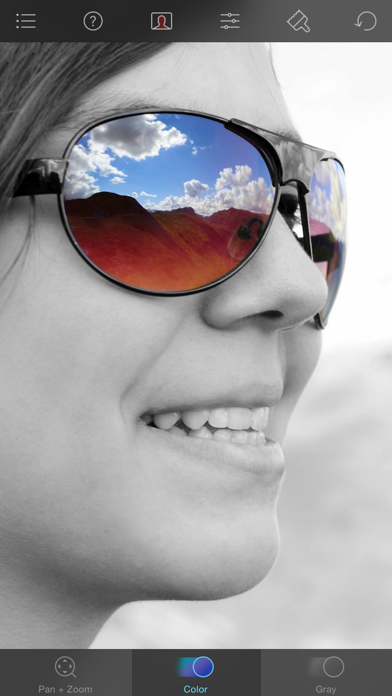
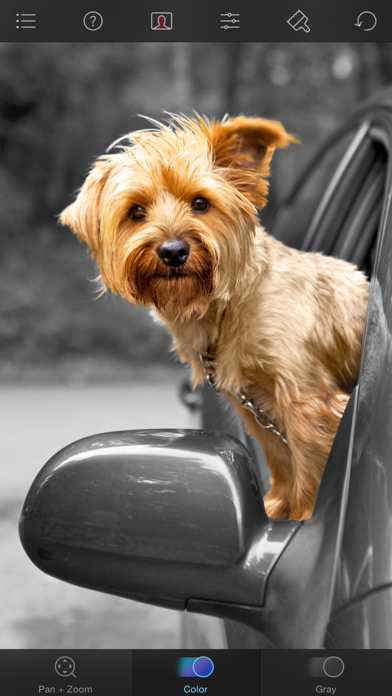
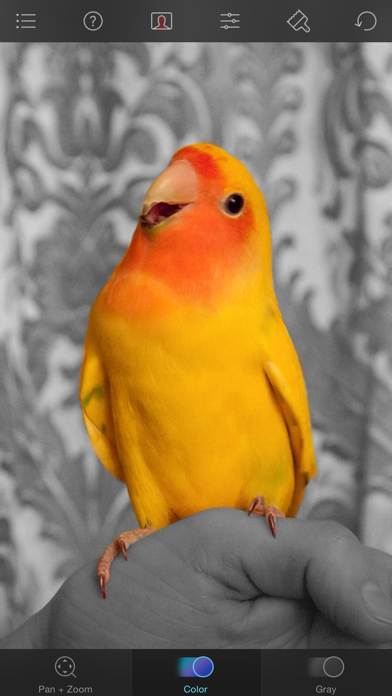
Color Splash lets you give photos a dramatic look by converting them to black and white, while keeping your chosen details in color. This effect draws the viewers' attention to the colored areas, creating striking images.
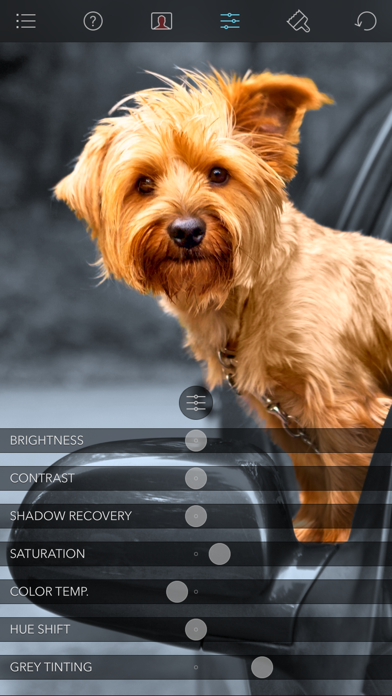
The intuitive and responsive multi-touch user interface makes Color Splash amazingly easy and fun to use. Use your finger as a brush to "paint" sections of your image black and white, or to bring back the original color. Zooming in and out using the two-finger pinching gesture allows you to work on details with pixel-accuracy.
Features:
- Short tutorial videos explain the use of all features and will have you editing your images in minutes.
- Choose photos to edit from your iPhone photo library or from Dropbox or Flickr.
- Save multiple sessions to resume your work later.
- Email your creations to friends, share them on Flickr or save them to your Dropbox.
- Undo any number of accidental brush strokes.
- An alternative view mode highlights the regions that will remain in color with a red tint. This makes it easier to see and adjust the boundaries between color and black & white regions.
- Choose from 4 different brushes (hard or soft edged, opaque or transparent) and adjust the brush size.
- Hide the toolbars in full screen mode.
The intuitive and responsive multi-touch user interface makes Color Splash amazingly easy and fun to use. Use your finger as a brush to "paint" sections of your image black and white, or to bring back the original color. Zooming in and out using the two-finger pinching gesture allows you to work on details with pixel-accuracy.
Features:
- Short tutorial videos explain the use of all features and will have you editing your images in minutes.
- Choose photos to edit from your iPhone photo library or from Dropbox or Flickr.
- Save multiple sessions to resume your work later.
- Email your creations to friends, share them on Flickr or save them to your Dropbox.
- Undo any number of accidental brush strokes.
- An alternative view mode highlights the regions that will remain in color with a red tint. This makes it easier to see and adjust the boundaries between color and black & white regions.
- Choose from 4 different brushes (hard or soft edged, opaque or transparent) and adjust the brush size.
- Hide the toolbars in full screen mode.
Détails
| Développeur | Pocket Pixels Inc. |
|---|---|
| Catégorie | Photo et Vidéo |
| Prix | $1.99 |
| Classification par âge | 4+ |
| Version | 3.14 |
| Taille | 37.7 MB |
| iOS minimum | 15.6 |
| ID de bundle | com.hkueck.colorsplash |
| Publié | 2009-02-15 |
| Dernière mise à jour | 2024-09-20 |
| Langues | 3 langues |
Ce que cette page répond
- Color Splash critiques d'application
- Color Splash évaluation d'application
- Color Splash téléchargement
- Color Splash classement de l'App Store
- avis sur Color Splash
- avis et évaluations de Color Splash
- est Color Splash légitime
- est Color Splash une arnaque
- avis d'utilisateurs réels de Color Splash
- évaluation de Color Splash
- plaintes concernant Color Splash
- ce que les gens disent de Color Splash
- avis Color Splash application
- avantages et inconvénients de Color Splash
- expérience de Color Splash
- devrais-je faire confiance à Color Splash
- retour d'expérience de Color Splash
- avis sur Color Splash 2026
- vérification de Color Splash
- vérification de sécurité de Color Splash
