
当前最佳位置
#30
跨越4个商店
峰值
#11跟踪天数
33评分
58 图表历史
33 天由我们记录
商店
今天在4中绘制图表
评分
58 在App Store上
价格
在我们的窗口中更改了5次
安装和收入
苹果没有发布 — 我们不猜测
历史
基于 Astrina 自己的每日快照构建 — 每天一个数据点。
图表位置 — 🇫🇷 付费榜单
21.08 07.09 23.09
显示数字
| 天 | 位置 |
|---|---|
| 21.08 | #20 |
| 22.08 | #12 |
| 23.08 | #26 |
| 24.08 | #40 |
| 25.08 | #51 |
| 07.09 | #12 |
| 08.09 | #22 |
| 09.09 | #34 |
| 21.09 | #11 |
| 22.09 | #19 |
| 23.09 | #30 |
评分数量
01.09 11.09 17.09
显示数字
| 天 | 评分 |
|---|---|
| 01.09 | 11 |
| 02.09 | 11 |
| 11.09 | 11 |
| 12.09 | 11 |
| 16.09 | 11 |
| 17.09 | 11 |
截图

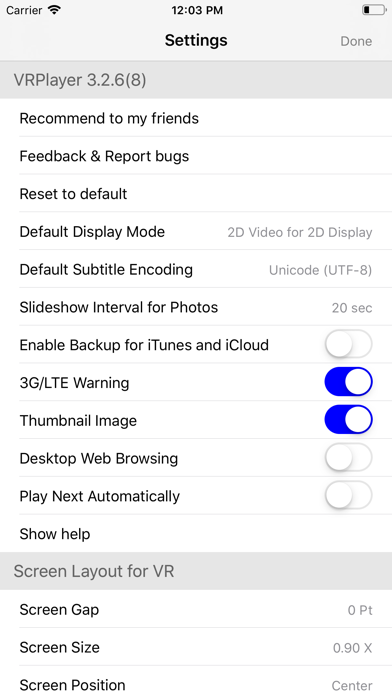
关于此应用
● VRPlayer can record screen/audio of your desktop and streaming it to VRPlayer via VRPlayer Helper.
- to use this feature "VRPlayer Helper" should be installed and executed on your desktop.
please select or add "VRPlayer Helper" item on vrplayer app and follow instruction first.
- this feature is experimental for now.
so there might be considerable amount of latency and unstability depends on network environment and system spec where helper is running
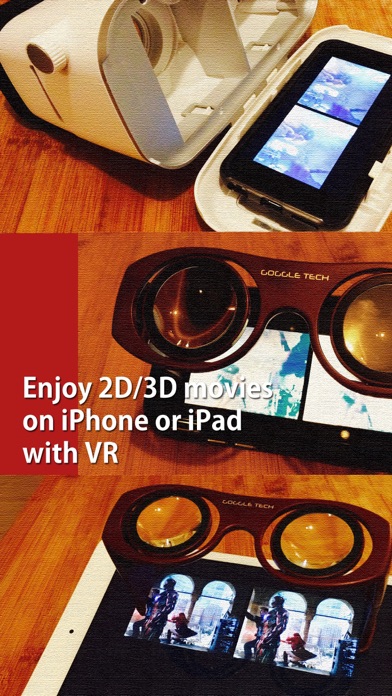
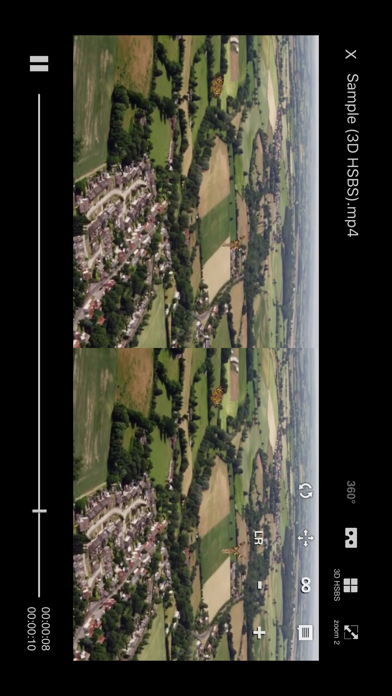
● VRPlayer can play not only general 2D movies but also 3D movies (half side by side or over and under) for VR (google cardboard)
● and support the following file formats.
- video : mp4, mov, DRM free m4v
- subtitle : smi, srt
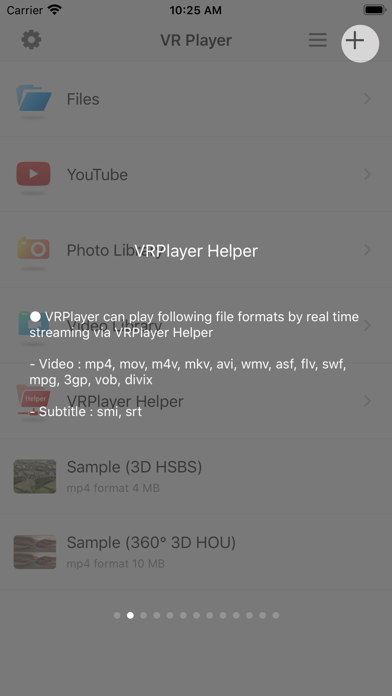
● VRPlayer can play following file formats by real time streaming via VRPlayer Helper
- Video : mp4, mov, m4v, mkv, avi, wmv, asf, flv, swf, mpg, 3gp, vob, divix
- Subtitle : smi, srt
※ this app can not play DRM protected videos purchased from iTunes store.
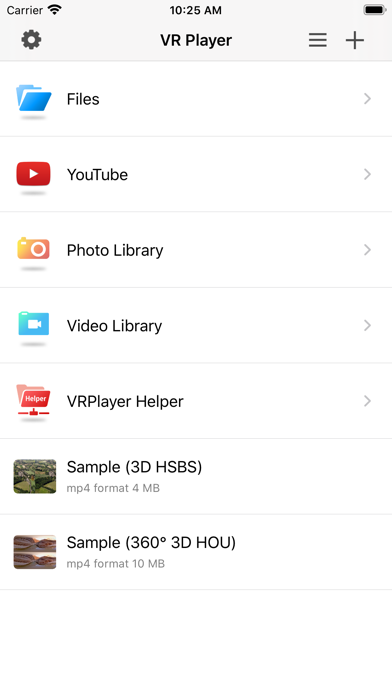
● You can add or access following items
- VRPlayer Helper (streaming server)
- Folder
- FTP Server
- GoogleDrive, Dropbox
- Video Library
※ VRPlayer Helper is embedded in your own VRPlayer app and the download URL provided by VRPlayer is your own iPhone's IP address itself not an external web server.
so iPhone and the server PC should be in the same wifi network to download Helper.
tap the "+"button at top right corner of VRPlayer and select VRPlayer Helper then you will see the URL from which you can download helper.
● You can control VRPlayer with keyboard
- Bluetooth Keyboard
- USB Keyboard (connected by camera kit)
- Keyboard of PC on which VRPlayer Helper is installed
※ while navigating
- up / down : move cursor by item
- up / down + shift : move cursor by page
- right / enter / space : select item
- left / esc : back to previous
※ while playing
- up / down : move cursor by button
- enter : select button & do action
- esc : stop & back to list
- space : play & pause
- right : move forward 5 seconds
- left : move backward 5 seconds
- right + shift : move forward 1 minute
- left + shift : move backward 1 minute
- up + shift : play previous video
- down + shift : play next video
- [ : slow down the playback rate
- ] : speed up the playback rate
- 1 : Toggle 360°/180° Video
- 2 : Toggle VR Mode
- 3 : Change 2D/3D Mode
- 4 : Zoom In/Out
- 5 : Back To Center / Motion Tracking
- 6 : Motion Tracking Constraint
- 7 : Loop
- 8 : Audio/Subtitle
● You can control VRPlayer with Game Controller
※ supported controller
- XBox controller
- Playstation Dualshock controller
- Other MFi certified game controller
※ while navigating
- up / down : move cursor by item
- up / down + RB : move cursor by page
- right / A : select item
- left / B : back to previous
※ while playing
- up / down : move cursor by button
- A : select button & do action
- B : stop & back to list
- X : play & pause
- right : move forward 5 seconds
- left : move backward 5 seconds
- right + RB : move forward 1 minute
- left + RB : move backward 1 minute
- up + RB : play previous video
- down + RB : play next video
● support panorama photo
- enjoy your own panorama photos in VR
● Use multiple gestures to control playing
- Tap the screen with two fingers to change 2D/3D screen mode.
- Double tap the screen to zoom in/out.
- Swipe right to skip forward 5 seconds.
- Swipe left to skip back 5 seconds.
- Swipe right with two fingers to speed up the playback rate.
- Swipe left with two fingers to slow down the playback rate.
- Long press with one finger to select audio or subtitle.
- Drag & drop subtitle to change position.
- Pinch in or out screen to change font size of subtitle.
- to use this feature "VRPlayer Helper" should be installed and executed on your desktop.
please select or add "VRPlayer Helper" item on vrplayer app and follow instruction first.
- this feature is experimental for now.
so there might be considerable amount of latency and unstability depends on network environment and system spec where helper is running
● VRPlayer can play not only general 2D movies but also 3D movies (half side by side or over and under) for VR (google cardboard)
● and support the following file formats.
- video : mp4, mov, DRM free m4v
- subtitle : smi, srt
● VRPlayer can play following file formats by real time streaming via VRPlayer Helper
- Video : mp4, mov, m4v, mkv, avi, wmv, asf, flv, swf, mpg, 3gp, vob, divix
- Subtitle : smi, srt
※ this app can not play DRM protected videos purchased from iTunes store.
● You can add or access following items
- VRPlayer Helper (streaming server)
- Folder
- FTP Server
- GoogleDrive, Dropbox
- Video Library
※ VRPlayer Helper is embedded in your own VRPlayer app and the download URL provided by VRPlayer is your own iPhone's IP address itself not an external web server.
so iPhone and the server PC should be in the same wifi network to download Helper.
tap the "+"button at top right corner of VRPlayer and select VRPlayer Helper then you will see the URL from which you can download helper.
● You can control VRPlayer with keyboard
- Bluetooth Keyboard
- USB Keyboard (connected by camera kit)
- Keyboard of PC on which VRPlayer Helper is installed
※ while navigating
- up / down : move cursor by item
- up / down + shift : move cursor by page
- right / enter / space : select item
- left / esc : back to previous
※ while playing
- up / down : move cursor by button
- enter : select button & do action
- esc : stop & back to list
- space : play & pause
- right : move forward 5 seconds
- left : move backward 5 seconds
- right + shift : move forward 1 minute
- left + shift : move backward 1 minute
- up + shift : play previous video
- down + shift : play next video
- [ : slow down the playback rate
- ] : speed up the playback rate
- 1 : Toggle 360°/180° Video
- 2 : Toggle VR Mode
- 3 : Change 2D/3D Mode
- 4 : Zoom In/Out
- 5 : Back To Center / Motion Tracking
- 6 : Motion Tracking Constraint
- 7 : Loop
- 8 : Audio/Subtitle
● You can control VRPlayer with Game Controller
※ supported controller
- XBox controller
- Playstation Dualshock controller
- Other MFi certified game controller
※ while navigating
- up / down : move cursor by item
- up / down + RB : move cursor by page
- right / A : select item
- left / B : back to previous
※ while playing
- up / down : move cursor by button
- A : select button & do action
- B : stop & back to list
- X : play & pause
- right : move forward 5 seconds
- left : move backward 5 seconds
- right + RB : move forward 1 minute
- left + RB : move backward 1 minute
- up + RB : play previous video
- down + RB : play next video
● support panorama photo
- enjoy your own panorama photos in VR
● Use multiple gestures to control playing
- Tap the screen with two fingers to change 2D/3D screen mode.
- Double tap the screen to zoom in/out.
- Swipe right to skip forward 5 seconds.
- Swipe left to skip back 5 seconds.
- Swipe right with two fingers to speed up the playback rate.
- Swipe left with two fingers to slow down the playback rate.
- Long press with one finger to select audio or subtitle.
- Drag & drop subtitle to change position.
- Pinch in or out screen to change font size of subtitle.
详情
| 开发者 | LEE DONG WON |
|---|---|
| 类别 | 娱乐 |
| 价格 | $1.99 |
| 年龄评级 | 17+ |
| 版本 | 3.3.5 |
| 大小 | 110 MB |
| 最低 iOS | 15.6 |
| 包 ID | com.mobixn.vrplayerpro |
| 发布 | 2015-12-17 |
| 最后更新 | 2025-06-03 |
| 语言 | 8 语言 |
此页面回答的问题
- VRPlayer Pro : 2D 3D 360°Video 应用评论
- VRPlayer Pro : 2D 3D 360°Video 应用评级
- VRPlayer Pro : 2D 3D 360°Video 下载
- VRPlayer Pro : 2D 3D 360°Video 应用商店排名
- VRPlayer Pro : 2D 3D 360°Video 评论
- VRPlayer Pro : 2D 3D 360°Video 评论和评分
- VRPlayer Pro : 2D 3D 360°Video 是否合法
- VRPlayer Pro : 2D 3D 360°Video 是否是骗局
- VRPlayer Pro : 2D 3D 360°Video 真实用户评论
- VRPlayer Pro : 2D 3D 360°Video 评分
- VRPlayer Pro : 2D 3D 360°Video 投诉
- 人们对 VRPlayer Pro : 2D 3D 360°Video 的看法
- VRPlayer Pro : 2D 3D 360°Video 应用 评论
- VRPlayer Pro : 2D 3D 360°Video 优缺点
- VRPlayer Pro : 2D 3D 360°Video 经验
- 我应该信任 VRPlayer Pro : 2D 3D 360°Video 吗
- VRPlayer Pro : 2D 3D 360°Video 反馈
- VRPlayer Pro : 2D 3D 360°Video 评论 2026
- VRPlayer Pro : 2D 3D 360°Video 检查
- VRPlayer Pro : 2D 3D 360°Video 安全检查
