
当前最佳位置
#36
跨越3个商店
峰值
#13跟踪天数
13评分
357 图表历史
13 天由我们记录
商店
今天在3中绘制图表
评分
357 在App Store上
价格
在我们的窗口中更改了2次
安装和收入
苹果没有发布 — 我们不猜测
历史
基于 Astrina 自己的每日快照构建 — 每天一个数据点。
图表位置 — 🇩🇪 付费榜单
19.08 24.08 24.09
显示数字
| 天 | 位置 |
|---|---|
| 19.08 | #24 |
| 23.08 | #49 |
| 24.08 | #32 |
| 10.09 | #20 |
| 14.09 | #54 |
| 24.09 | #36 |
评分数量
10.09 14.09 24.09
显示数字
| 天 | 评分 |
|---|---|
| 10.09 | 357 |
| 14.09 | 357 |
| 24.09 | 357 |
截图
关于此应用
Oilist: the Artist in your pocket.
Make Fine Art based on your pictures!
"Oilist is an artist in your phone, one that you watch sketch, paint, and craft a unique version of a photo you’ve shot." - MacStories, May 2017
"App of the week: Oilist review - Hypnotic, engaging, with a longevity that escapes most filter apps, and with high-res output so you can use it to create real-world art." - Stuff Magazine, April 2017
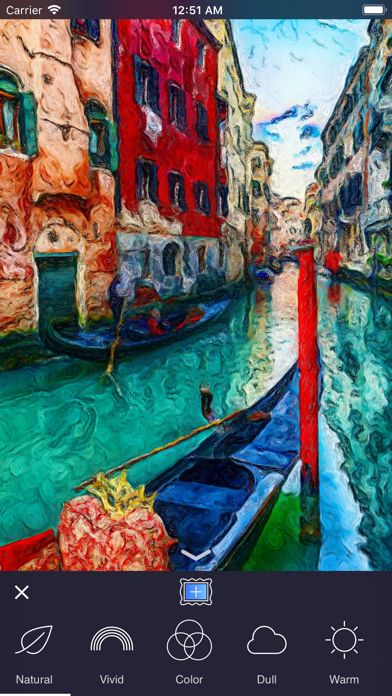
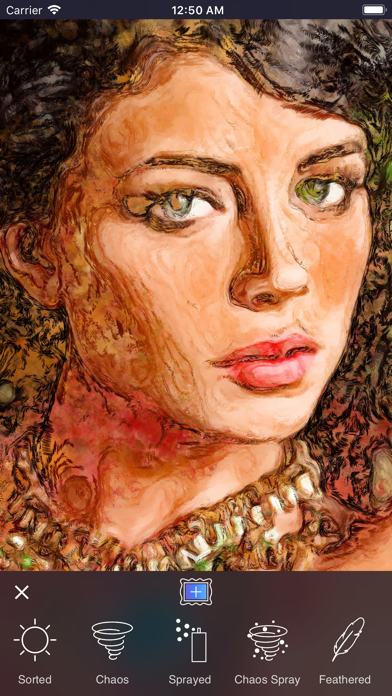
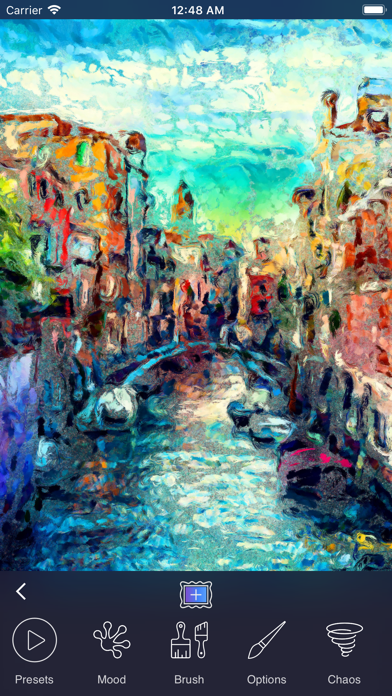
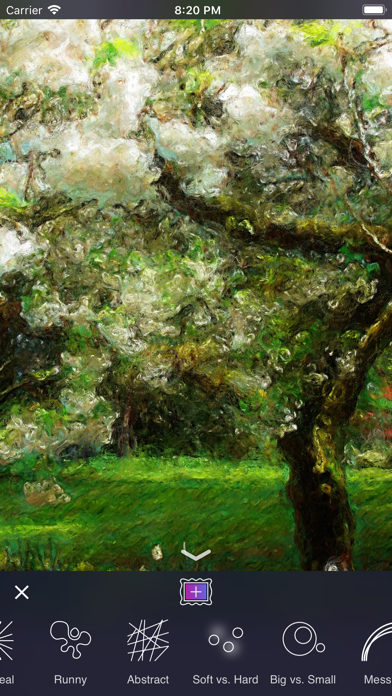
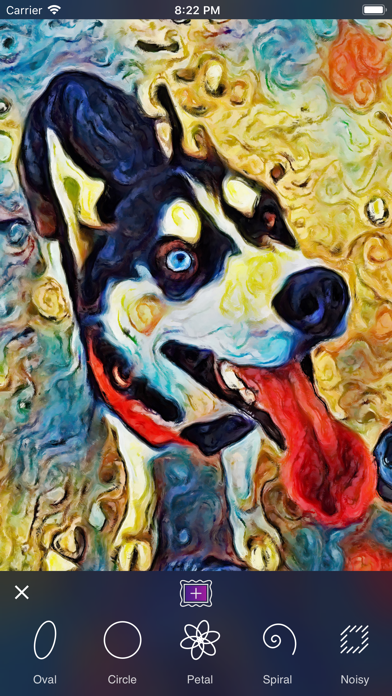
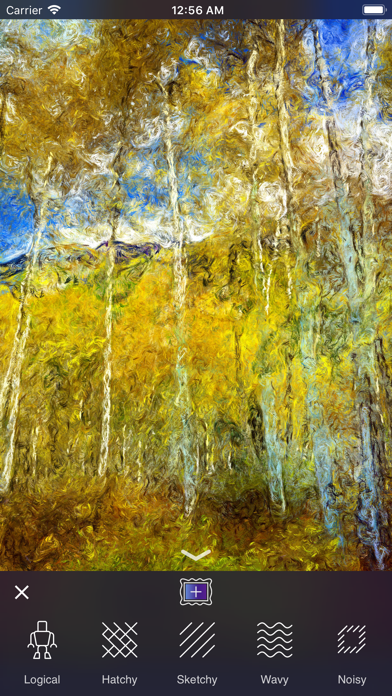
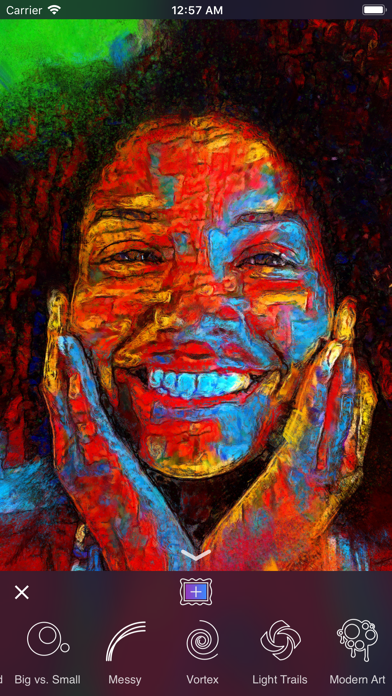
Give Oilist an image, and it will automatically generate a genuine and unique work of art based on it. Painted for you in real time! Participate or spectate it's up to you, Oilist will delight! All saved at canvas-worthy 4k resolution.
Oilist comes with 48 infinitely customizable styles; from photo-realist to impressionist, to abstract. Every style except for our photo-realist style offers three different levels of abstraction.
Oilist is not a photo filter. Unlike most filter apps, Oilist will never generate the same results twice, and in fact, each brush stroke is unique. Instead of applying a fixed formula to an image as photo filters typically do, Oilist analyzes the supplied image using computer vision technology, then paints simulated paint particles that are applied using various brush strokes and techniques.
At any time during the painting process, 4k resolution images may be captured as often as desired.
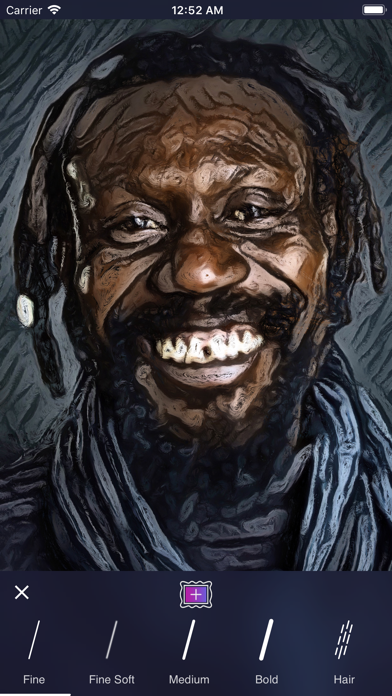
When Oilist is painting, styles can be infinitely customized with 17 different presets (these were called Styles in previous versions of Oilist), 13 different painting moods, 15 different brushes, setting brush options such as the size and spacing, and by splashing paint with our exciting Chaos tool. Control paint gravity by tilting your device and brush angles by yawing (rotating) the device.
Obtain new and exciting results by alternating settings with new settings painted on top of the previous settings. For instance, first, paint a layer using the Warm mood followed by a layer using the Cool mood. The use of large brushes tend to create more abstract artwork, and smaller brushes work best for high definition detail.
Oilist will automatically provide smaller brush strokes and greater photo-realism to detected faces.
Check out #oilist and follow us @3dtopo on Instagram and Twitter!
Make Fine Art based on your pictures!
"Oilist is an artist in your phone, one that you watch sketch, paint, and craft a unique version of a photo you’ve shot." - MacStories, May 2017
"App of the week: Oilist review - Hypnotic, engaging, with a longevity that escapes most filter apps, and with high-res output so you can use it to create real-world art." - Stuff Magazine, April 2017
Give Oilist an image, and it will automatically generate a genuine and unique work of art based on it. Painted for you in real time! Participate or spectate it's up to you, Oilist will delight! All saved at canvas-worthy 4k resolution.
Oilist comes with 48 infinitely customizable styles; from photo-realist to impressionist, to abstract. Every style except for our photo-realist style offers three different levels of abstraction.
Oilist is not a photo filter. Unlike most filter apps, Oilist will never generate the same results twice, and in fact, each brush stroke is unique. Instead of applying a fixed formula to an image as photo filters typically do, Oilist analyzes the supplied image using computer vision technology, then paints simulated paint particles that are applied using various brush strokes and techniques.
At any time during the painting process, 4k resolution images may be captured as often as desired.
When Oilist is painting, styles can be infinitely customized with 17 different presets (these were called Styles in previous versions of Oilist), 13 different painting moods, 15 different brushes, setting brush options such as the size and spacing, and by splashing paint with our exciting Chaos tool. Control paint gravity by tilting your device and brush angles by yawing (rotating) the device.
Obtain new and exciting results by alternating settings with new settings painted on top of the previous settings. For instance, first, paint a layer using the Warm mood followed by a layer using the Cool mood. The use of large brushes tend to create more abstract artwork, and smaller brushes work best for high definition detail.
Oilist will automatically provide smaller brush strokes and greater photo-realism to detected faces.
Check out #oilist and follow us @3dtopo on Instagram and Twitter!
详情
| 开发者 | 3DTOPO Inc. |
|---|---|
| 类别 | 照片与视频 |
| 价格 | 2,99 € |
| 年龄评级 | 4+ |
| 版本 | 2.5.0 |
| 大小 | 152 MB |
| 最低 iOS | 17.6 |
| 包 ID | com.3DTOPO.oilist |
| 发布 | 2017-04-20 |
| 最后更新 | 2026-06-23 |
| 语言 | 1 语言 |
此页面回答的问题
- Oilist 应用评论
- Oilist 应用评级
- Oilist 下载
- Oilist 应用商店排名
- Oilist 评论
- Oilist 评论和评分
- Oilist 是否合法
- Oilist 是否是骗局
- Oilist 真实用户评论
- Oilist 评分
- Oilist 投诉
- 人们对 Oilist 的看法
- Oilist 应用 评论
- Oilist 优缺点
- Oilist 经验
- 我应该信任 Oilist 吗
- Oilist 反馈
- Oilist 评论 2026
- Oilist 检查
- Oilist 安全检查
