当前最佳位置
#49
跨越3个商店
峰值
#24跟踪天数
9评分
2 图表历史
9 天由我们记录
商店
今天在3中绘制图表
评分
2 在App Store上
价格
在我们的窗口中更改了3次
安装和收入
苹果没有发布 — 我们不猜测
历史
基于 Astrina 自己的每日快照构建 — 每天一个数据点。
图表位置 — 🇫🇷 付费榜单
10.09 11.09 24.09
显示数字
| 天 | 位置 |
|---|---|
| 10.09 | #24 |
| 11.09 | #51 |
| 23.09 | #28 |
| 24.09 | #49 |
评分数量
10.09 11.09 24.09
显示数字
| 天 | 评分 |
|---|---|
| 10.09 | 2 |
| 11.09 | 2 |
| 23.09 | 2 |
| 24.09 | 2 |
截图

关于此应用
Important: please read the app's description before acquiring the app.
The manual sliding functionality is only available inside the app (you will not be able to drag the slider after sharing the slideshow video on a social platform).
The app is compatible with iPhone 5s, iPad 5th gen, iPad Mini 2nd gen or newer devices.
Try before you buy: look for Before and After Photo Compare
Main features of Before and After Pro Slider:
- no ads
- easy to use with detailed How To Use screen
- English and Russian language support
- the settings and slides are automatically saved and will be used when you start the app again
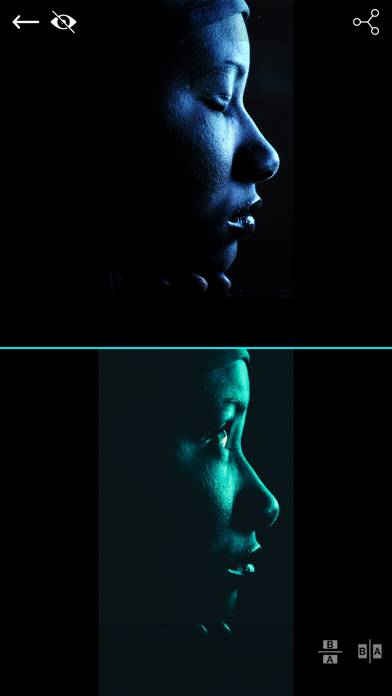
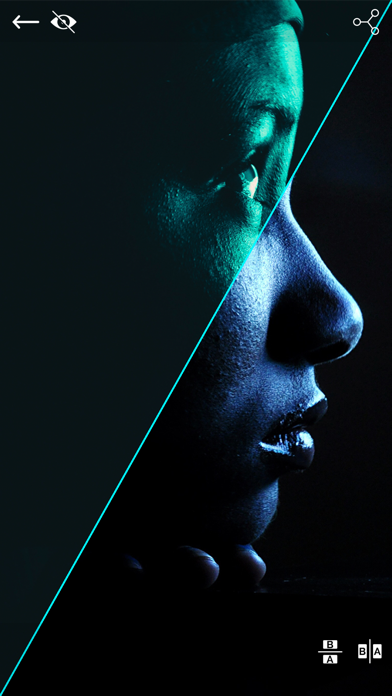
- 2 Image Compare mode where you can manually drag the slider (vertically, horizontally, oblique or reverted oblique). In this screen you can access the Side by Side mode by pressing the button in the bottom right corner
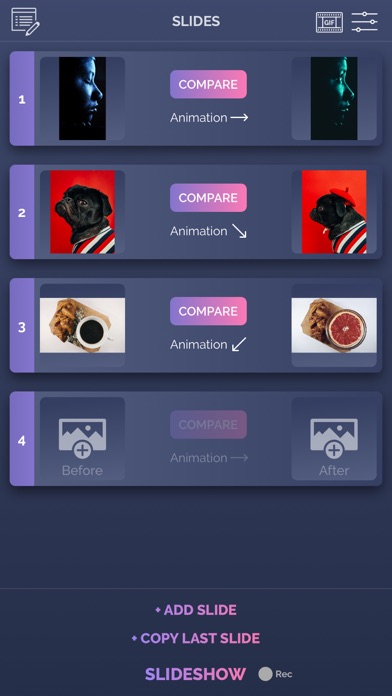
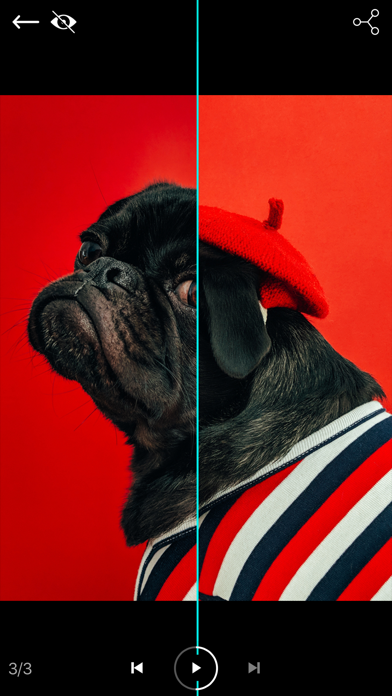
- Slideshow mode where you can present your before/after slides (30 max) in an animated way. The reveal animation will run by itself for each slide.
- you can preview the existing before/after image when taking a new picture
- you can control the direction of each slide in the slideshow and also you can duplicate the last slide
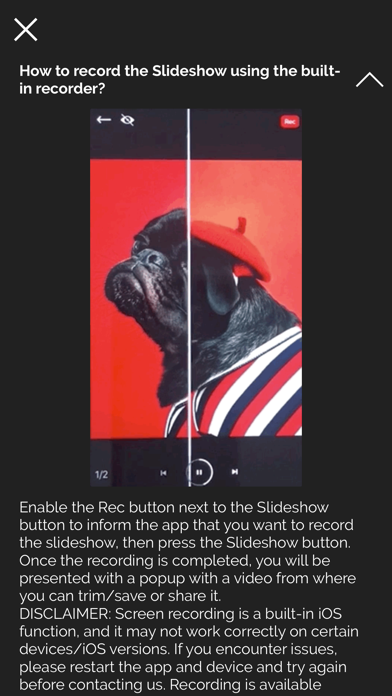
- you can record the slideshow and then trim it before saving or sharing it.
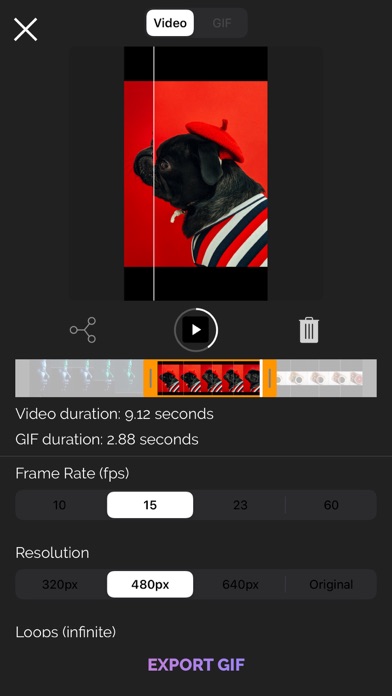
- you can convert your recorded slideshow (or any other video) to an animated GIF
- ability to save/share a snapshot of the current slide. Only a screenshot will be saved/shared, so you won't have the slider functionality when you perform this operation.The recording feature is built into iOS and it can behave strangely sometimes, so please be aware of this. If you experience issues, a device restart is required.
How to use:
- tap on the before/after image slots to load the images from the Library (or take a new one with the camera). You can load both before/after images at the same time (if both slots are open). Optionally, you can load a logo (for best results, use a png image with transparency) that will be shown in one of the corners when you are in Slideshow mode
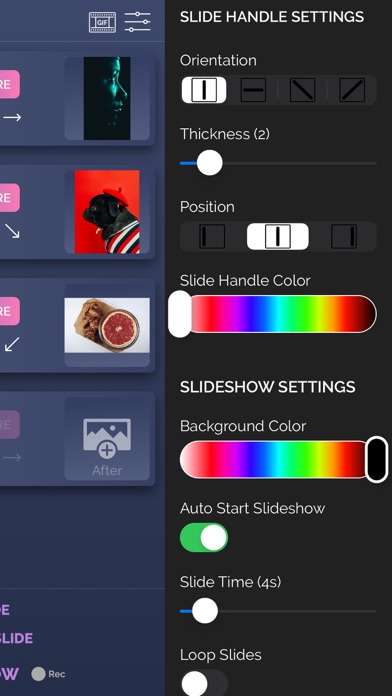
- modify the slide handle/slideshow settings to match your needs
- once both images are loaded, tap on the Compare button and drag the slider with your finger
- to create Slideshow, the before and after images for the current slide must be present (valid only for the first slide). Once the images are loaded and you altered to settings to match your preferenes, tap on the Slideshow button and watch it run automatically. To add a new slide, tap on the Add Slide button at the bottom of the screen and then add images to it. You can edit the slides order by going into the Edit mode (top left button)
- to add background music to the Slideshow, from the side menu, tap the Pick Song button and load a song from your device's library. Next time you press the Slideshow button, the song will play.
- to hide the top and bottom control bars in 2 Image Compare/Slideshow mode, tap on the eye icon in the top right corner. To show them again, double tap or long press on the device's screen
- To record, activate the Rec button and then press the Slideshow button. The recording will stop once the slideshow is finished, and you will be presented with the resulting video. From there you will be able to trim it before saving/sharing it.
- To export a slideshow recording to GIF, then press the GIF button in the top right corner, load the slideshow video, trim it (20 seconds maximum), then press EXPORT GIF button and then save/share it.
The app is suitable for those who want to compare the before and after images (to see weight loss or diet/fitness program results, makeup or aesthetic transformation etc) or to impress their friends/bosses/clients with the work they've done, by presenting them the stages of their work in a cool way.
If you're having trouble loading images, try turning on the User Regular Image Picker switch in the side menu settings.
Enjoy this app and don't forget to contact us through the app's contact form if you have something to say!
The manual sliding functionality is only available inside the app (you will not be able to drag the slider after sharing the slideshow video on a social platform).
The app is compatible with iPhone 5s, iPad 5th gen, iPad Mini 2nd gen or newer devices.
Try before you buy: look for Before and After Photo Compare
Main features of Before and After Pro Slider:
- no ads
- easy to use with detailed How To Use screen
- English and Russian language support
- the settings and slides are automatically saved and will be used when you start the app again
- 2 Image Compare mode where you can manually drag the slider (vertically, horizontally, oblique or reverted oblique). In this screen you can access the Side by Side mode by pressing the button in the bottom right corner
- Slideshow mode where you can present your before/after slides (30 max) in an animated way. The reveal animation will run by itself for each slide.
- you can preview the existing before/after image when taking a new picture
- you can control the direction of each slide in the slideshow and also you can duplicate the last slide
- you can record the slideshow and then trim it before saving or sharing it.
- you can convert your recorded slideshow (or any other video) to an animated GIF
- ability to save/share a snapshot of the current slide. Only a screenshot will be saved/shared, so you won't have the slider functionality when you perform this operation.The recording feature is built into iOS and it can behave strangely sometimes, so please be aware of this. If you experience issues, a device restart is required.
How to use:
- tap on the before/after image slots to load the images from the Library (or take a new one with the camera). You can load both before/after images at the same time (if both slots are open). Optionally, you can load a logo (for best results, use a png image with transparency) that will be shown in one of the corners when you are in Slideshow mode
- modify the slide handle/slideshow settings to match your needs
- once both images are loaded, tap on the Compare button and drag the slider with your finger
- to create Slideshow, the before and after images for the current slide must be present (valid only for the first slide). Once the images are loaded and you altered to settings to match your preferenes, tap on the Slideshow button and watch it run automatically. To add a new slide, tap on the Add Slide button at the bottom of the screen and then add images to it. You can edit the slides order by going into the Edit mode (top left button)
- to add background music to the Slideshow, from the side menu, tap the Pick Song button and load a song from your device's library. Next time you press the Slideshow button, the song will play.
- to hide the top and bottom control bars in 2 Image Compare/Slideshow mode, tap on the eye icon in the top right corner. To show them again, double tap or long press on the device's screen
- To record, activate the Rec button and then press the Slideshow button. The recording will stop once the slideshow is finished, and you will be presented with the resulting video. From there you will be able to trim it before saving/sharing it.
- To export a slideshow recording to GIF, then press the GIF button in the top right corner, load the slideshow video, trim it (20 seconds maximum), then press EXPORT GIF button and then save/share it.
The app is suitable for those who want to compare the before and after images (to see weight loss or diet/fitness program results, makeup or aesthetic transformation etc) or to impress their friends/bosses/clients with the work they've done, by presenting them the stages of their work in a cool way.
If you're having trouble loading images, try turning on the User Regular Image Picker switch in the side menu settings.
Enjoy this app and don't forget to contact us through the app's contact form if you have something to say!
详情
| 开发者 | Bogdan Dobrea |
|---|---|
| 类别 | 照片与视频 |
| 价格 | 0,99 € |
| 年龄评级 | 4+ |
| 版本 | 3.2.4 |
| 大小 | 76.3 MB |
| 最低 iOS | 12.2 |
| 包 ID | com.arjunaweb.beforeAfterProSlideriPhone |
| 发布 | 2013-08-07 |
| 最后更新 | 2023-06-19 |
| 语言 | 2 语言 |
此页面回答的问题
- Before and After Pro Slider 应用评论
- Before and After Pro Slider 应用评级
- Before and After Pro Slider 下载
- Before and After Pro Slider 应用商店排名
- Before and After Pro Slider 评论
- Before and After Pro Slider 评论和评分
- Before and After Pro Slider 是否合法
- Before and After Pro Slider 是否是骗局
- Before and After Pro Slider 真实用户评论
- Before and After Pro Slider 评分
- Before and After Pro Slider 投诉
- 人们对 Before and After Pro Slider 的看法
- Before and After Pro Slider 应用 评论
- Before and After Pro Slider 优缺点
- Before and After Pro Slider 经验
- 我应该信任 Before and After Pro Slider 吗
- Before and After Pro Slider 反馈
- Before and After Pro Slider 评论 2026
- Before and After Pro Slider 检查
- Before and After Pro Slider 安全检查
