
图表历史
59 天由我们记录
商店
今天在5中绘制图表
评分
158 在App Store上
价格
在我们的窗口中更改了33次
安装和收入
苹果没有发布 — 我们不猜测
历史
基于 Astrina 自己的每日快照构建 — 每天一个数据点。
图表位置 — 🇳🇱 免费榜单
23.07 26.08 24.09
显示数字
| 天 | 位置 |
|---|---|
| 23.07 | #22 |
| 24.07 | #24 |
| 25.07 | #29 |
| 31.07 | #26 |
| 01.08 | #26 |
| 02.08 | #50 |
| 03.08 | #39 |
| 04.08 | #21 |
| 05.08 | #21 |
| 06.08 | #22 |
| 07.08 | #27 |
| 08.08 | #37 |
| 09.08 | #43 |
| 10.08 | #41 |
| 11.08 | #23 |
| 12.08 | #26 |
| 13.08 | #35 |
| 14.08 | #33 |
| 15.08 | #40 |
| 16.08 | #57 |
| 17.08 | #49 |
| 18.08 | #31 |
| 19.08 | #26 |
| 20.08 | #25 |
| 21.08 | #38 |
| 22.08 | #38 |
| 23.08 | #45 |
| 24.08 | #31 |
| 25.08 | #21 |
| 26.08 | #24 |
| 27.08 | #22 |
| 28.08 | #25 |
| 29.08 | #38 |
| 30.08 | #49 |
| 31.08 | #32 |
| 01.09 | #23 |
| 02.09 | #30 |
| 03.09 | #27 |
| 04.09 | #26 |
| 05.09 | #20 |
| 06.09 | #52 |
| 07.09 | #22 |
| 08.09 | #15 |
| 09.09 | #17 |
| 10.09 | #19 |
| 11.09 | #19 |
| 12.09 | #23 |
| 13.09 | #39 |
| 14.09 | #23 |
| 15.09 | #10 |
| 16.09 | #12 |
| 17.09 | #14 |
| 18.09 | #19 |
| 19.09 | #24 |
| 20.09 | #50 |
| 21.09 | #21 |
| 22.09 | #12 |
| 23.09 | #14 |
| 24.09 | #20 |
评分数量
23.07 13.08 30.08
显示数字
| 天 | 评分 |
|---|---|
| 23.07 | 144 |
| 24.07 | 144 |
| 25.07 | 145 |
| 31.07 | 147 |
| 01.08 | 147 |
| 02.08 | 147 |
| 03.08 | 147 |
| 04.08 | 147 |
| 05.08 | 147 |
| 06.08 | 147 |
| 07.08 | 147 |
| 08.08 | 147 |
| 09.08 | 148 |
| 10.08 | 148 |
| 11.08 | 148 |
| 12.08 | 150 |
| 13.08 | 150 |
| 14.08 | 151 |
| 15.08 | 151 |
| 16.08 | 151 |
| 17.08 | 151 |
| 18.08 | 151 |
| 19.08 | 151 |
| 20.08 | 152 |
| 21.08 | 152 |
| 22.08 | 152 |
| 23.08 | 153 |
| 24.08 | 153 |
| 25.08 | 153 |
| 26.08 | 153 |
| 27.08 | 153 |
| 28.08 | 153 |
| 29.08 | 153 |
| 30.08 | 154 |
截图
关于此应用
Use the UK ETA app to apply for an electronic travel authorisation (ETA) to come to the UK.
Who can apply
Find out if you need an ETA to travel to the UK at: https://www.gov.uk/electronic-travel-authorisation.
How to apply on the UK ETA app
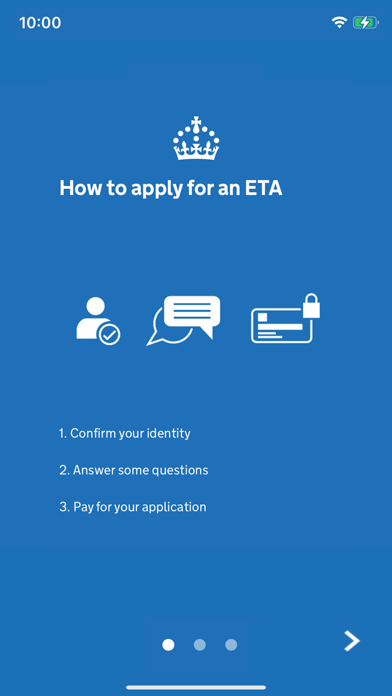
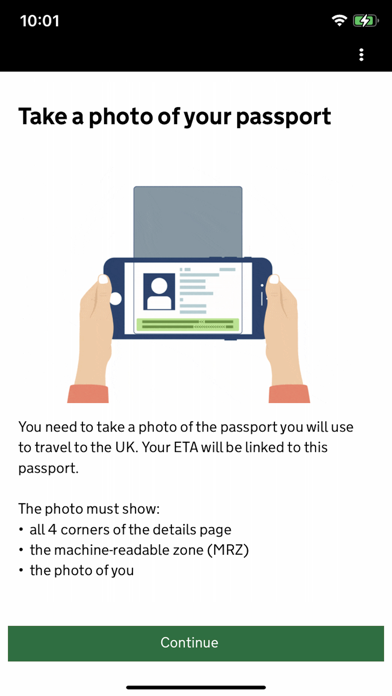
1. Take a photo of your passport.
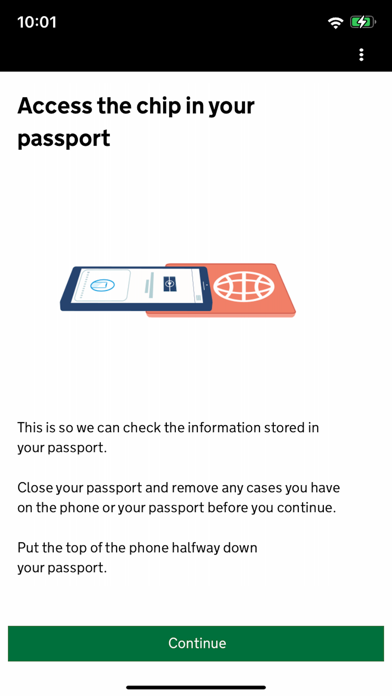
2. Scan the chip in your passport.
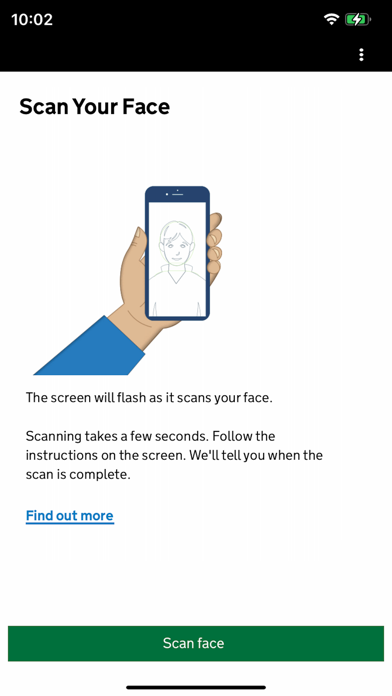
3. Scan your face.
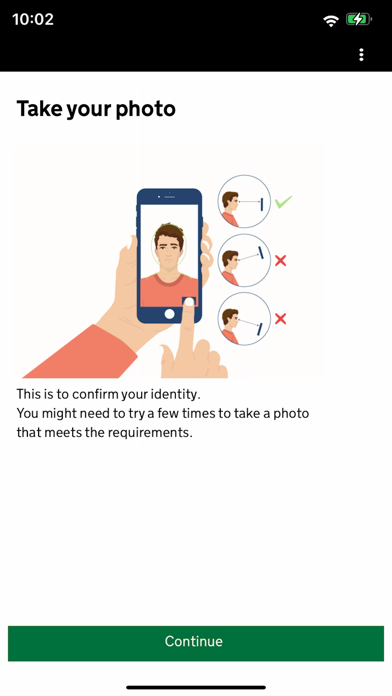
4. Take a photo of yourself.
5. Answer some questions about yourself.
6. Pay for your application.
It should only take 10 minutes to apply.
You do not need to enter your travel details.
Before you start
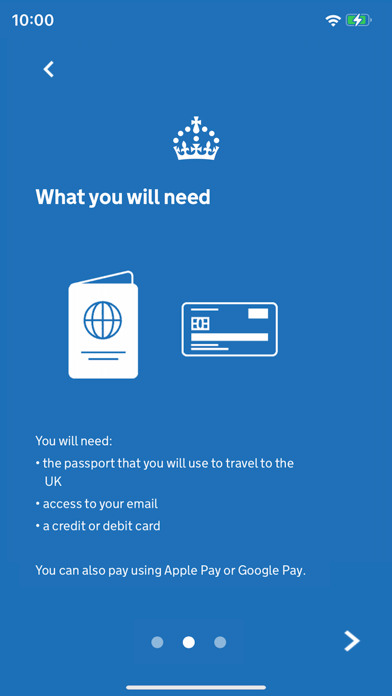
To apply you will need:
• an iPhone 8 or newer with IOS 16 or later
• the passport you will use to travel to the UK
• a credit card, debit card or Apple Pay
• access to your emails
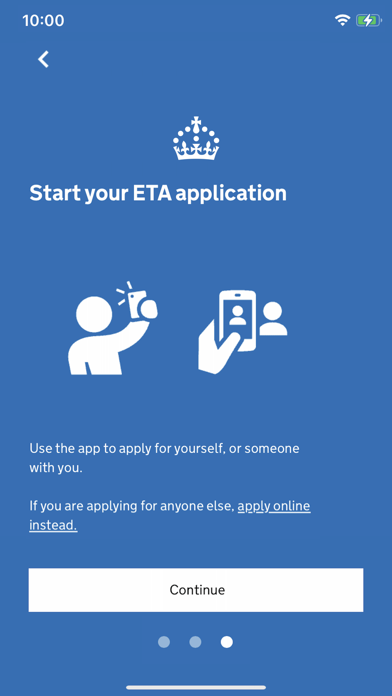
If you're applying for someone else they must be with you. If they are not, you should apply online at: https://www.gov.uk/electronic-travel-authorisation.
After you apply
You’ll get a decision by email from UK Visas and Immigration (UKVI), usually within a day. Allow up to 3 working days (Monday to Friday) to get a decision, but it may arrive much sooner.
The email will contain your 16 digit ETA reference number.
You must wait until you get an email confirming you have an ETA before you travel to the UK.
If you have not received a decision after 3 working days, check your spam or junk email folder before contacting UKVI.
You may get decisions at different times to other people you applied for.
Your ETA will be linked to the passport you applied with. You only need to show your passport when you travel to the UK.
Privacy and security
The app is safe and secure. No information is stored on the app or your phone after you close it. You can delete the app after you have completed your application.
For information on staying safe online visit the UK Cyber Aware website: https://www.ncsc.gov.uk/cyberaware/home
Accessibility
You can read our accessibility statement at: https://confirm-your-identity.homeoffice.gov.uk/register/eta-app-accessibility
Who can apply
Find out if you need an ETA to travel to the UK at: https://www.gov.uk/electronic-travel-authorisation.
How to apply on the UK ETA app
1. Take a photo of your passport.
2. Scan the chip in your passport.
3. Scan your face.
4. Take a photo of yourself.
5. Answer some questions about yourself.
6. Pay for your application.
It should only take 10 minutes to apply.
You do not need to enter your travel details.
Before you start
To apply you will need:
• an iPhone 8 or newer with IOS 16 or later
• the passport you will use to travel to the UK
• a credit card, debit card or Apple Pay
• access to your emails
If you're applying for someone else they must be with you. If they are not, you should apply online at: https://www.gov.uk/electronic-travel-authorisation.
After you apply
You’ll get a decision by email from UK Visas and Immigration (UKVI), usually within a day. Allow up to 3 working days (Monday to Friday) to get a decision, but it may arrive much sooner.
The email will contain your 16 digit ETA reference number.
You must wait until you get an email confirming you have an ETA before you travel to the UK.
If you have not received a decision after 3 working days, check your spam or junk email folder before contacting UKVI.
You may get decisions at different times to other people you applied for.
Your ETA will be linked to the passport you applied with. You only need to show your passport when you travel to the UK.
Privacy and security
The app is safe and secure. No information is stored on the app or your phone after you close it. You can delete the app after you have completed your application.
For information on staying safe online visit the UK Cyber Aware website: https://www.ncsc.gov.uk/cyberaware/home
Accessibility
You can read our accessibility statement at: https://confirm-your-identity.homeoffice.gov.uk/register/eta-app-accessibility
详情
| 开发者 | Home Office |
|---|---|
| 类别 | 工具 |
| 价格 | 免费 |
| 年龄评级 | 4+ |
| 版本 | 2.42.909 |
| 大小 | 225 MB |
| 最低 iOS | 16.0 |
| 包 ID | uk.gov.HomeOffice.ho3 |
| 发布 | 2023-10-23 |
| 最后更新 | 2026-08-19 |
| 语言 | 1 语言 |
此页面回答的问题
- UK ETA 应用评论
- UK ETA 应用评级
- UK ETA 下载
- UK ETA 应用商店排名
- UK ETA 评论
- UK ETA 评论和评分
- UK ETA 是否合法
- UK ETA 是否是骗局
- UK ETA 真实用户评论
- UK ETA 评分
- UK ETA 投诉
- 人们对 UK ETA 的看法
- UK ETA 应用 评论
- UK ETA 优缺点
- UK ETA 经验
- 我应该信任 UK ETA 吗
- UK ETA 反馈
- UK ETA 评论 2026
- UK ETA 检查
- UK ETA 安全检查
