
图表历史
41 天由我们记录
商店
今天在1中绘制图表
评分
716,369 在App Store上
价格
在我们的窗口中更改了24次
安装和收入
苹果没有发布 — 我们不猜测
当前上榜
历史
基于 Astrina 自己的每日快照构建 — 每天一个数据点。
图表位置 — 🇺🇸 免费榜单
23.07 25.08 23.09
显示数字
| 天 | 位置 |
|---|---|
| 23.07 | #70 |
| 24.07 | #48 |
| 25.07 | #53 |
| 31.07 | #60 |
| 01.08 | #58 |
| 04.08 | #76 |
| 05.08 | #52 |
| 06.08 | #56 |
| 07.08 | #50 |
| 08.08 | #67 |
| 11.08 | #64 |
| 12.08 | #49 |
| 13.08 | #52 |
| 14.08 | #47 |
| 15.08 | #72 |
| 18.08 | #70 |
| 19.08 | #51 |
| 20.08 | #48 |
| 21.08 | #65 |
| 22.08 | #64 |
| 25.08 | #81 |
| 26.08 | #70 |
| 27.08 | #67 |
| 28.08 | #68 |
| 29.08 | #78 |
| 01.09 | #69 |
| 02.09 | #64 |
| 03.09 | #59 |
| 04.09 | #66 |
| 05.09 | #62 |
| 09.09 | #84 |
| 10.09 | #51 |
| 11.09 | #68 |
| 12.09 | #56 |
| 15.09 | #69 |
| 16.09 | #44 |
| 17.09 | #56 |
| 18.09 | #51 |
| 19.09 | #66 |
| 22.09 | #75 |
| 23.09 | #45 |
评分数量
23.07 13.08 29.08
显示数字
| 天 | 评分 |
|---|---|
| 23.07 | 685,653 |
| 24.07 | 686,112 |
| 25.07 | 686,766 |
| 31.07 | 689,714 |
| 01.08 | 690,095 |
| 04.08 | 691,462 |
| 05.08 | 692,077 |
| 06.08 | 692,601 |
| 07.08 | 693,298 |
| 08.08 | 693,930 |
| 11.08 | 694,944 |
| 12.08 | 695,498 |
| 13.08 | 696,173 |
| 14.08 | 696,887 |
| 15.08 | 697,430 |
| 18.08 | 698,539 |
| 19.08 | 698,985 |
| 20.08 | 699,727 |
| 21.08 | 700,136 |
| 22.08 | 700,907 |
| 25.08 | 701,999 |
| 26.08 | 702,557 |
| 27.08 | 703,104 |
| 28.08 | 703,857 |
| 29.08 | 704,414 |
截图
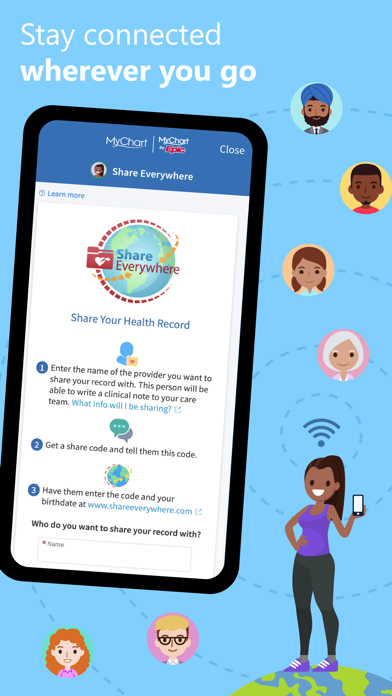
关于此应用
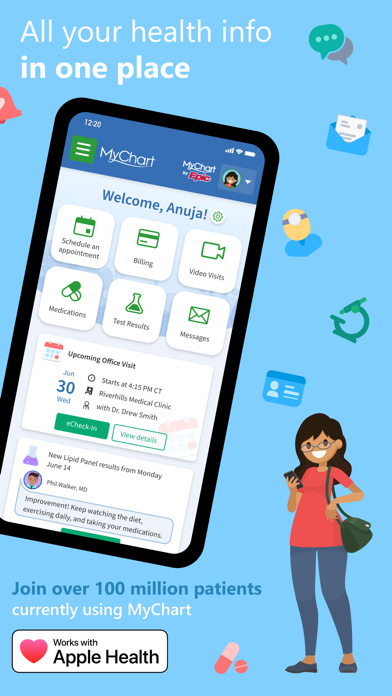
MyChart puts your health information in the palm of your hand and helps you conveniently manage care for yourself and your family members. With MyChart you can:
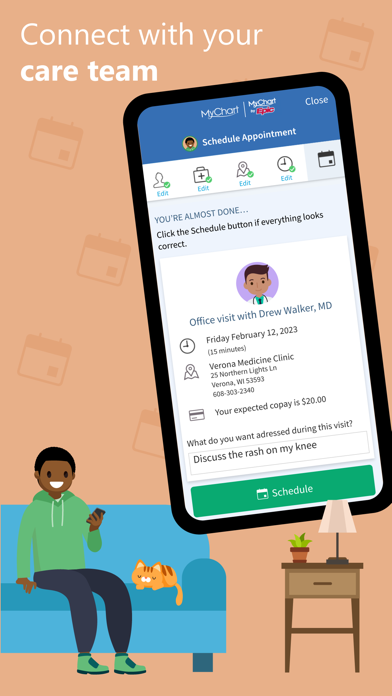
• Communicate with your care team.
• Review test results, medications, immunization history, and other health information.
• Connect your account to Apple Health to pull health-related data from your personal devices right into MyChart.
• View your After Visit Summary® for past visits and hospital stays, along with any clinical notes your provider has recorded and shared with you.
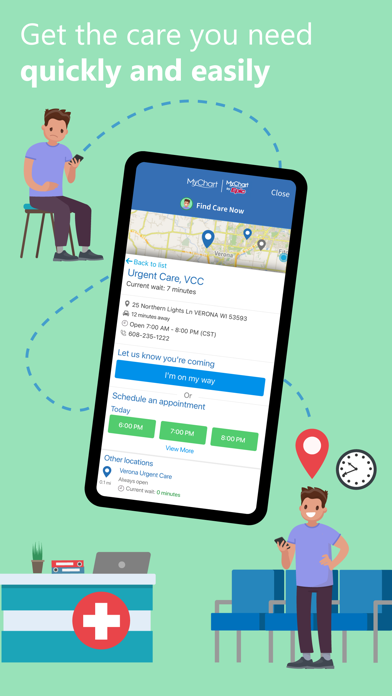
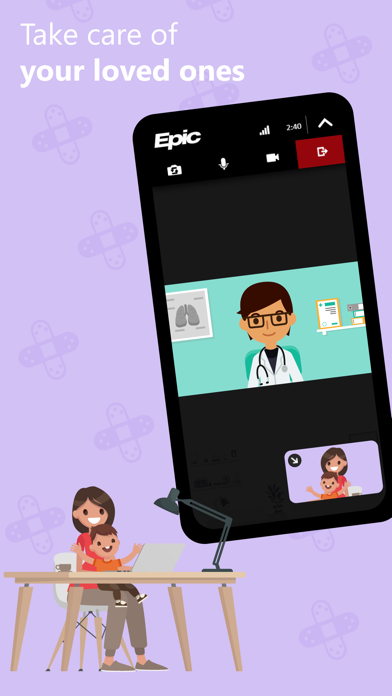
• Schedule and manage appointments, including in-person visits and video visits.
• Get price estimates for the cost of care.
• View and pay your medical bills.
• Securely share your medical record from anywhere with anyone who has Internet access.
• Connect your accounts from other healthcare organizations so you can see all your health information in one place, even if you've been seen at multiple healthcare organizations.
• Receive push notifications when new information is available in MyChart. You can check whether push notifications are enabled under the Account Settings within the app.
Select features are also available on Apple Watch.
Note that what you can see and do within the MyChart app depends on which features your healthcare organization has enabled and whether they’re using the latest version of Epic software. If you have questions about what’s available, contact your healthcare organization.
To access MyChart, you must create an account with your healthcare organization. To sign up for an account, download the app and search for your healthcare organization or go to your healthcare organization’s MyChart website. After you’ve signed up, turn on Face ID, Touch ID, or a four-digit passcode to quickly log in without needing to use your MyChart username and password each time. Then, make sure you have push notifications enabled to receive updates on your device when new information is available in MyChart.
For more information about MyChart’s features or to find a healthcare organization that offers MyChart, visit www.mychart.org.
Have feedback about the app? Email us at [email protected].
• Communicate with your care team.
• Review test results, medications, immunization history, and other health information.
• Connect your account to Apple Health to pull health-related data from your personal devices right into MyChart.
• View your After Visit Summary® for past visits and hospital stays, along with any clinical notes your provider has recorded and shared with you.
• Schedule and manage appointments, including in-person visits and video visits.
• Get price estimates for the cost of care.
• View and pay your medical bills.
• Securely share your medical record from anywhere with anyone who has Internet access.
• Connect your accounts from other healthcare organizations so you can see all your health information in one place, even if you've been seen at multiple healthcare organizations.
• Receive push notifications when new information is available in MyChart. You can check whether push notifications are enabled under the Account Settings within the app.
Select features are also available on Apple Watch.
Note that what you can see and do within the MyChart app depends on which features your healthcare organization has enabled and whether they’re using the latest version of Epic software. If you have questions about what’s available, contact your healthcare organization.
To access MyChart, you must create an account with your healthcare organization. To sign up for an account, download the app and search for your healthcare organization or go to your healthcare organization’s MyChart website. After you’ve signed up, turn on Face ID, Touch ID, or a four-digit passcode to quickly log in without needing to use your MyChart username and password each time. Then, make sure you have push notifications enabled to receive updates on your device when new information is available in MyChart.
For more information about MyChart’s features or to find a healthcare organization that offers MyChart, visit www.mychart.org.
Have feedback about the app? Email us at [email protected].
详情
| 开发者 | Epic |
|---|---|
| 类别 | 医疗 |
| 价格 | 免费 |
| 年龄评级 | 17+ |
| 版本 | 11.9.3 |
| 大小 | 125 MB |
| 最低 iOS | 18.0 |
| 包 ID | com.epic.mychart |
| 发布 | 2010-09-14 |
| 最后更新 | 2026-09-21 |
| 语言 | 13 语言 |
此页面回答的问题
- MyChart 应用评论
- MyChart 应用评级
- MyChart 下载
- MyChart 应用商店排名
- MyChart 评论
- MyChart 评论和评分
- MyChart 是否合法
- MyChart 是否是骗局
- MyChart 真实用户评论
- MyChart 评分
- MyChart 投诉
- 人们对 MyChart 的看法
- MyChart 应用 评论
- MyChart 优缺点
- MyChart 经验
- 我应该信任 MyChart 吗
- MyChart 反馈
- MyChart 评论 2026
- MyChart 检查
- MyChart 安全检查
