
Screen Mirroring to iPad
DAMIRCHE CA LLC Photo et Vidéo 4+ $14.99
4.82 · 108 évaluations
Meilleure position maintenant
#24
à travers 2 vitrines
Pic
#24Jours suivis
6Évaluations
108 Historique des graphiques
6 jours enregistrés par nous
Vitrines
graphique en 2 aujourd'hui
Évaluations
108 sur l'App Store
Prix
changé 2 fois dans notre fenêtre
Installations et revenus
Apple ne publie rien — nous ne devinons pas
Actuellement dans le classement
Historique
Construit à partir des propres instantanés quotidiens d'Astrina — un point par jour.
Position dans le graphique — 🇬🇧 Meilleurs payants
31.07 09.09 18.09
Afficher les chiffres
| Jour | Position |
|---|---|
| 31.07 | #49 |
| 09.09 | #56 |
| 18.09 | #24 |
Nombre d'évaluations
31.07 04.08 05.08
Afficher les chiffres
| Jour | Évaluations |
|---|---|
| 31.07 | 19 |
| 04.08 | 100 |
| 05.08 | 100 |
Captures d'écran

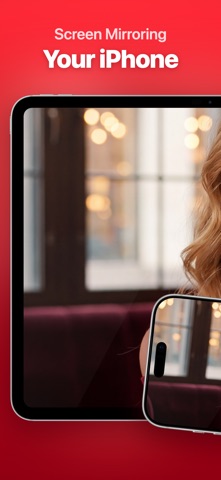

À propos de cette application
Screen Mirroring to iPad (formerly VlogMonitor) is trusted by thousands of users around the globe, with a 4.8-star rating from 100+ ratings in the US alone. All because I’ve worked extremely hard to achieve the best quality with minimal latency — leveraging my 10+ years of experience in mobile app development, with a specialization in video apps.
---
Do you love taking stunning selfies, photos, or videos? Maybe you want to make them all (just a bit) envious. :-)
VIDEO
Gain confidence shooting high-quality videos with your iPhone’s main camera — while seeing yourself live on your iPad. VlogMonitor makes it easy.
PHOTO
Take your best selfies ever using the iPhone’s main camera. Forget endless retakes — now you can see yourself in real time on your iPad.
HOW DOES IT WORK?
1. Open the app on your iPhone and tap the red button to start streaming.
2. Make sure both devices are on the same Wi-Fi network. Then, on your iPad, open the app and tap the blue button to receive the stream.
3. That’s it. It just works.
SCREEN MIRRORING
Your whole iPhone screen shows up on your iPad — apps, photos, the browser, a presentation. The camera monitoring above is one thing people use it for, not the only thing.
A FEW REASONS NOT TO BUY
If you record 4K@60. Your phone cannot encode 4K at 60 FPS and mirror at the same time. 4K@30 works well, and that's what experts recommend for talking-head videos.
Netflix, Prime Video, Disney+, and similar video streaming services will show a black screen. That's DRM, and no mirroring app can get past it.
BONUS
You can also connect using the iPhone’s Personal Hotspot — or a USB-C cable (if both devices support it). This makes VlogMonitor perfect for filming outdoors.
---
From creators to creators, give it a try and see the difference!
---
Do you love taking stunning selfies, photos, or videos? Maybe you want to make them all (just a bit) envious. :-)
VIDEO
Gain confidence shooting high-quality videos with your iPhone’s main camera — while seeing yourself live on your iPad. VlogMonitor makes it easy.
PHOTO
Take your best selfies ever using the iPhone’s main camera. Forget endless retakes — now you can see yourself in real time on your iPad.
HOW DOES IT WORK?
1. Open the app on your iPhone and tap the red button to start streaming.
2. Make sure both devices are on the same Wi-Fi network. Then, on your iPad, open the app and tap the blue button to receive the stream.
3. That’s it. It just works.
SCREEN MIRRORING
Your whole iPhone screen shows up on your iPad — apps, photos, the browser, a presentation. The camera monitoring above is one thing people use it for, not the only thing.
A FEW REASONS NOT TO BUY
If you record 4K@60. Your phone cannot encode 4K at 60 FPS and mirror at the same time. 4K@30 works well, and that's what experts recommend for talking-head videos.
Netflix, Prime Video, Disney+, and similar video streaming services will show a black screen. That's DRM, and no mirroring app can get past it.
BONUS
You can also connect using the iPhone’s Personal Hotspot — or a USB-C cable (if both devices support it). This makes VlogMonitor perfect for filming outdoors.
---
From creators to creators, give it a try and see the difference!
Détails
| Développeur | DAMIRCHE CA LLC |
|---|---|
| Catégorie | Photo et Vidéo |
| Prix | $14.99 |
| Classification par âge | 4+ |
| Version | 1.5.0 |
| Taille | 34.3 MB |
| iOS minimum | 17.0 |
| ID de bundle | com.damirche.vlog.monitor |
| Publié | 2024-06-21 |
| Dernière mise à jour | 2026-09-16 |
| Langues | 3 langues |
Ce que cette page répond
- Screen Mirroring to iPad critiques d'application
- Screen Mirroring to iPad évaluation d'application
- Screen Mirroring to iPad téléchargement
- Screen Mirroring to iPad classement de l'App Store
- avis sur Screen Mirroring to iPad
- avis et évaluations de Screen Mirroring to iPad
- est Screen Mirroring to iPad légitime
- est Screen Mirroring to iPad une arnaque
- avis d'utilisateurs réels de Screen Mirroring to iPad
- évaluation de Screen Mirroring to iPad
- plaintes concernant Screen Mirroring to iPad
- ce que les gens disent de Screen Mirroring to iPad
- avis Screen Mirroring to iPad application
- avantages et inconvénients de Screen Mirroring to iPad
- expérience de Screen Mirroring to iPad
- devrais-je faire confiance à Screen Mirroring to iPad
- retour d'expérience de Screen Mirroring to iPad
- avis sur Screen Mirroring to iPad 2026
- vérification de Screen Mirroring to iPad
- vérification de sécurité de Screen Mirroring to iPad
