
Screen Mirroring to iPad
DAMIRCHE CA LLC Photo & Video 4+ $14.99
4.82 · 108 ratings
Best position now
#24
across 2 storefronts
Peak
#24Days tracked
6Ratings
108 Chart history
6 days recorded by us
Storefronts
charting in 2 today
Ratings
108 on the App Store
Price
changed 2 time(s) in our window
Installs and revenue
Apple publishes none — we do not guess
Currently charting
History
Built from Astrina’s own daily snapshots — one point per day.
Chart position — 🇬🇧 Top Paid
31.07 09.09 18.09
Show the numbers
| Day | Position |
|---|---|
| 31.07 | #49 |
| 09.09 | #56 |
| 18.09 | #24 |
Number of ratings
31.07 04.08 05.08
Show the numbers
| Day | Ratings |
|---|---|
| 31.07 | 19 |
| 04.08 | 100 |
| 05.08 | 100 |
Screenshots

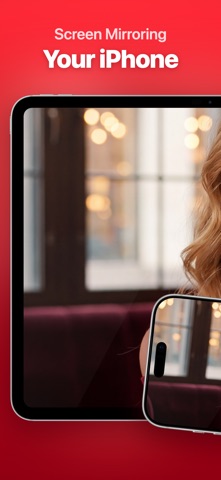

About this app
Screen Mirroring to iPad (formerly VlogMonitor) is trusted by thousands of users around the globe, with a 4.8-star rating from 100+ ratings in the US alone. All because I’ve worked extremely hard to achieve the best quality with minimal latency — leveraging my 10+ years of experience in mobile app development, with a specialization in video apps.
---
Do you love taking stunning selfies, photos, or videos? Maybe you want to make them all (just a bit) envious. :-)
VIDEO
Gain confidence shooting high-quality videos with your iPhone’s main camera — while seeing yourself live on your iPad. VlogMonitor makes it easy.
PHOTO
Take your best selfies ever using the iPhone’s main camera. Forget endless retakes — now you can see yourself in real time on your iPad.
HOW DOES IT WORK?
1. Open the app on your iPhone and tap the red button to start streaming.
2. Make sure both devices are on the same Wi-Fi network. Then, on your iPad, open the app and tap the blue button to receive the stream.
3. That’s it. It just works.
SCREEN MIRRORING
Your whole iPhone screen shows up on your iPad — apps, photos, the browser, a presentation. The camera monitoring above is one thing people use it for, not the only thing.
A FEW REASONS NOT TO BUY
If you record 4K@60. Your phone cannot encode 4K at 60 FPS and mirror at the same time. 4K@30 works well, and that's what experts recommend for talking-head videos.
Netflix, Prime Video, Disney+, and similar video streaming services will show a black screen. That's DRM, and no mirroring app can get past it.
BONUS
You can also connect using the iPhone’s Personal Hotspot — or a USB-C cable (if both devices support it). This makes VlogMonitor perfect for filming outdoors.
---
From creators to creators, give it a try and see the difference!
---
Do you love taking stunning selfies, photos, or videos? Maybe you want to make them all (just a bit) envious. :-)
VIDEO
Gain confidence shooting high-quality videos with your iPhone’s main camera — while seeing yourself live on your iPad. VlogMonitor makes it easy.
PHOTO
Take your best selfies ever using the iPhone’s main camera. Forget endless retakes — now you can see yourself in real time on your iPad.
HOW DOES IT WORK?
1. Open the app on your iPhone and tap the red button to start streaming.
2. Make sure both devices are on the same Wi-Fi network. Then, on your iPad, open the app and tap the blue button to receive the stream.
3. That’s it. It just works.
SCREEN MIRRORING
Your whole iPhone screen shows up on your iPad — apps, photos, the browser, a presentation. The camera monitoring above is one thing people use it for, not the only thing.
A FEW REASONS NOT TO BUY
If you record 4K@60. Your phone cannot encode 4K at 60 FPS and mirror at the same time. 4K@30 works well, and that's what experts recommend for talking-head videos.
Netflix, Prime Video, Disney+, and similar video streaming services will show a black screen. That's DRM, and no mirroring app can get past it.
BONUS
You can also connect using the iPhone’s Personal Hotspot — or a USB-C cable (if both devices support it). This makes VlogMonitor perfect for filming outdoors.
---
From creators to creators, give it a try and see the difference!
Details
| Developer | DAMIRCHE CA LLC |
|---|---|
| Category | Photo & Video |
| Price | $14.99 |
| Age rating | 4+ |
| Version | 1.5.0 |
| Size | 34.3 MB |
| Minimum iOS | 17.0 |
| Bundle ID | com.damirche.vlog.monitor |
| Released | 2024-06-21 |
| Last updated | 2026-09-16 |
| Languages | 3 languages |
What this page answers
- Screen Mirroring to iPad app reviews
- Screen Mirroring to iPad app rating
- Screen Mirroring to iPad download
- Screen Mirroring to iPad app store rank
- Screen Mirroring to iPad reviews
- Screen Mirroring to iPad reviews and ratings
- is Screen Mirroring to iPad legit
- is Screen Mirroring to iPad a scam
- Screen Mirroring to iPad real user reviews
- Screen Mirroring to iPad rating
- Screen Mirroring to iPad complaints
- what people say about Screen Mirroring to iPad
- Screen Mirroring to iPad pros and cons
- Screen Mirroring to iPad experience
- should I trust Screen Mirroring to iPad
- Screen Mirroring to iPad feedback
- Screen Mirroring to iPad review 2026
- Screen Mirroring to iPad check
- Screen Mirroring to iPad safety check
- reviews about Screen Mirroring to iPad
