
Meilleure position maintenant
#5
à travers 13 vitrines
Pic
#2Jours suivis
59Évaluations
22 Historique des graphiques
59 jours enregistrés par nous
Vitrines
graphique en 13 aujourd'hui
Évaluations
22 sur l'App Store
Prix
changé 24 fois dans notre fenêtre
Installations et revenus
Apple ne publie rien — nous ne devinons pas
Actuellement dans le classement
#5 🇺🇸 Meilleurs payants · Musique #11 🇬🇧 Meilleurs payants · Musique #18 🇩🇪 Meilleurs payants · Musique #44 🇨🇦 Meilleurs payants #50 🇫🇷 Meilleurs payants · Musique #54 🇺🇸 Meilleurs payants #55 🇮🇹 Meilleurs payants #80 🇳🇱 Meilleurs payants #83 🇫🇷 Meilleurs payants #90 🇬🇧 Meilleurs payants #91 🇩🇪 Meilleurs payants #91 🇧🇷 Meilleurs payants #96 🇦🇺 Meilleurs payants
Historique
Construit à partir des propres instantanés quotidiens d'Astrina — un point par jour.
Position dans le graphique — 🇺🇸 Meilleurs payants
23.07 26.08 24.09
Afficher les chiffres
| Jour | Position |
|---|---|
| 23.07 | #5 |
| 24.07 | #5 |
| 25.07 | #6 |
| 31.07 | #3 |
| 01.08 | #4 |
| 02.08 | #5 |
| 03.08 | #4 |
| 04.08 | #4 |
| 05.08 | #4 |
| 06.08 | #5 |
| 07.08 | #6 |
| 08.08 | #5 |
| 09.08 | #4 |
| 10.08 | #5 |
| 11.08 | #4 |
| 12.08 | #3 |
| 13.08 | #4 |
| 14.08 | #3 |
| 15.08 | #3 |
| 16.08 | #4 |
| 17.08 | #5 |
| 18.08 | #3 |
| 19.08 | #3 |
| 20.08 | #3 |
| 21.08 | #3 |
| 22.08 | #3 |
| 23.08 | #3 |
| 24.08 | #3 |
| 25.08 | #3 |
| 26.08 | #3 |
| 27.08 | #3 |
| 28.08 | #3 |
| 29.08 | #4 |
| 30.08 | #6 |
| 31.08 | #4 |
| 01.09 | #4 |
| 02.09 | #4 |
| 03.09 | #4 |
| 04.09 | #3 |
| 05.09 | #4 |
| 06.09 | #6 |
| 07.09 | #8 |
| 08.09 | #5 |
| 09.09 | #5 |
| 10.09 | #6 |
| 11.09 | #6 |
| 12.09 | #5 |
| 13.09 | #4 |
| 14.09 | #5 |
| 15.09 | #4 |
| 16.09 | #5 |
| 17.09 | #3 |
| 18.09 | #4 |
| 19.09 | #5 |
| 20.09 | #5 |
| 21.09 | #4 |
| 22.09 | #5 |
| 23.09 | #5 |
| 24.09 | #5 |
Nombre d'évaluations
31.08 12.09 24.09
Afficher les chiffres
| Jour | Évaluations |
|---|---|
| 31.08 | 655 |
| 01.09 | 655 |
| 02.09 | 655 |
| 03.09 | 655 |
| 04.09 | 655 |
| 05.09 | 655 |
| 06.09 | 655 |
| 07.09 | 655 |
| 08.09 | 656 |
| 09.09 | 657 |
| 10.09 | 657 |
| 11.09 | 657 |
| 12.09 | 658 |
| 13.09 | 659 |
| 14.09 | 659 |
| 15.09 | 660 |
| 16.09 | 660 |
| 17.09 | 660 |
| 18.09 | 660 |
| 19.09 | 660 |
| 20.09 | 660 |
| 21.09 | 660 |
| 22.09 | 660 |
| 23.09 | 660 |
| 24.09 | 660 |
Captures d'écran
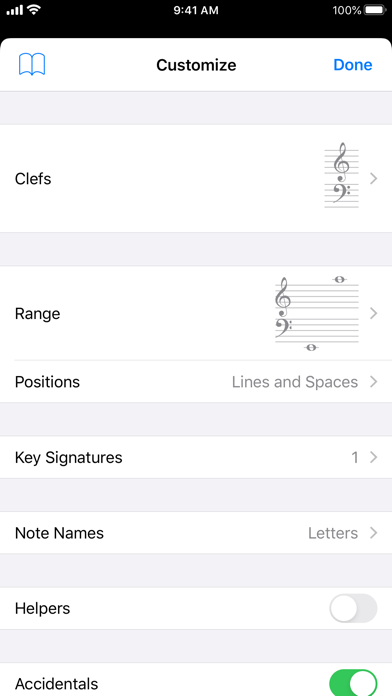
À propos de cette application
Tenuto is a collection of 24 highly-customizable exercises designed to enhance your musicality. From recognizing chords on a keyboard to identifying intervals by ear, it has an exercise for you. Tenuto also includes six musical calculators for accidentals, intervals, scales, chords, analysis symbols, and twelve-tone matrices.
A short description of the exercises and calculators follows.
––––––
• Note Identification
• Key Signature Identification
• Interval Identification
• Scale Identification
• Chord Identification
Tap the button corresponding to the written staff line. For example: if shown a C, E, and G with a sharp; tap the "Augmented Triad" button.
––––––
• Note Construction
• Key Signature Construction
• Interval Construction
• Scale Construction
• Chord Construction
Construct the specified label by moving notes and/or adding accidentals. For example: if shown a C and an "Augmented 4th" label, move the second note to F and add a sharp.
––––––
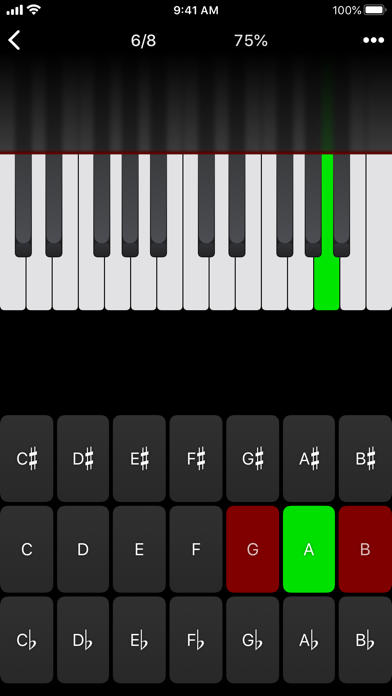
• Keyboard Reverse Identification
Tap the piano key corresponding to the written note on the staff. While similar to Note Identification, this exercise uses a piano keyboard rather than note name buttons.
• Keyboard Note Identification
• Keyboard Interval Identification
• Keyboard Scale Identification
• Keyboard Chord Identification
Tap the button corresponding to the highlighted piano key(s). If the C and G keys are highlighted, tap the "P5" (Perfect 5th) button.
––––––
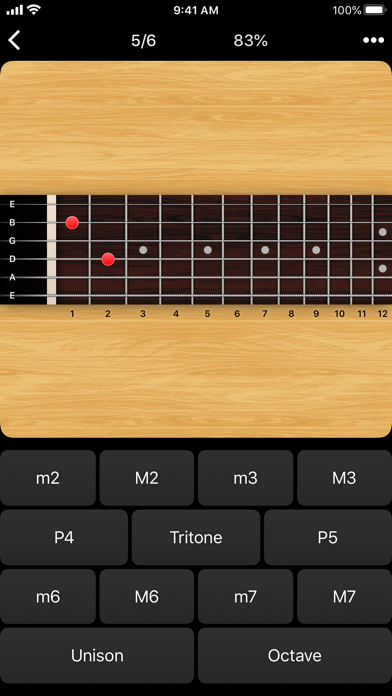
• Fretboard Note Identification
• Fretboard Interval Identification
• Fretboard Scale Identification
• Fretboard Chord Identification
Tap the button corresponding to the marked fretboard position(s). If the 2nd fret of the D string is marked, tap the "E" button.
––––––
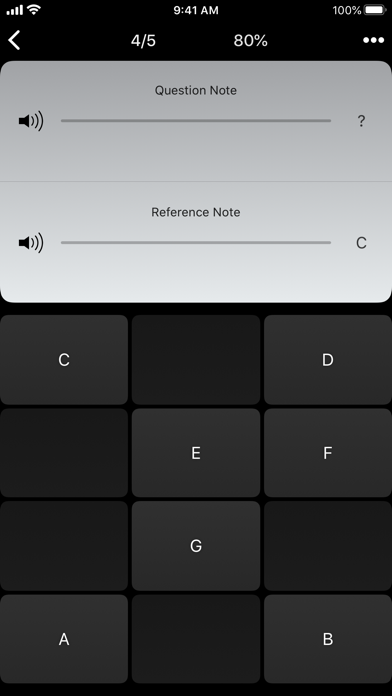
• Keyboard Ear Training
• Note Ear Training
Listen to the played reference and question notes. Select the piano key or note button corresponding to the question note.
• Interval Ear Training
• Scale Ear Training
• Chord Ear Training
Tap the button corresponding to the played notes. If E and F are played, tap the "Minor 2nd" button.
––––––
• Accidental Calculator
Display the accidental for a note and key.
• Interval Calculator
Display the interval for a note, type, and key.
• Chord Calculator
Display the scale for a tonic and scale type.
• Chord Calculator
Display the chord for a note, type, and key.
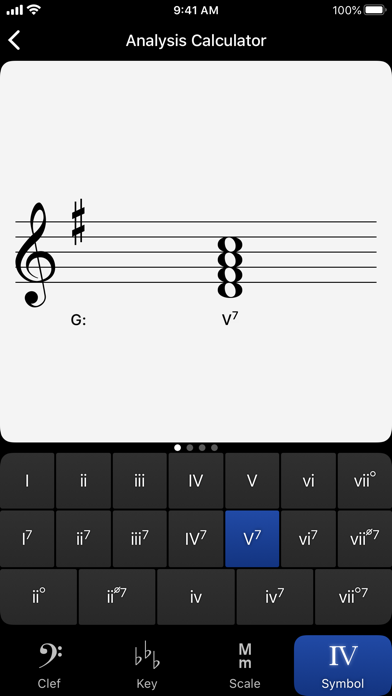
• Analysis Calculator
Display the chord for a symbol and key.
• Matrix Calculator
Display the twelve-tone matrix for a specified tone row.
A short description of the exercises and calculators follows.
––––––
• Note Identification
• Key Signature Identification
• Interval Identification
• Scale Identification
• Chord Identification
Tap the button corresponding to the written staff line. For example: if shown a C, E, and G with a sharp; tap the "Augmented Triad" button.
––––––
• Note Construction
• Key Signature Construction
• Interval Construction
• Scale Construction
• Chord Construction
Construct the specified label by moving notes and/or adding accidentals. For example: if shown a C and an "Augmented 4th" label, move the second note to F and add a sharp.
––––––
• Keyboard Reverse Identification
Tap the piano key corresponding to the written note on the staff. While similar to Note Identification, this exercise uses a piano keyboard rather than note name buttons.
• Keyboard Note Identification
• Keyboard Interval Identification
• Keyboard Scale Identification
• Keyboard Chord Identification
Tap the button corresponding to the highlighted piano key(s). If the C and G keys are highlighted, tap the "P5" (Perfect 5th) button.
––––––
• Fretboard Note Identification
• Fretboard Interval Identification
• Fretboard Scale Identification
• Fretboard Chord Identification
Tap the button corresponding to the marked fretboard position(s). If the 2nd fret of the D string is marked, tap the "E" button.
––––––
• Keyboard Ear Training
• Note Ear Training
Listen to the played reference and question notes. Select the piano key or note button corresponding to the question note.
• Interval Ear Training
• Scale Ear Training
• Chord Ear Training
Tap the button corresponding to the played notes. If E and F are played, tap the "Minor 2nd" button.
––––––
• Accidental Calculator
Display the accidental for a note and key.
• Interval Calculator
Display the interval for a note, type, and key.
• Chord Calculator
Display the scale for a tonic and scale type.
• Chord Calculator
Display the chord for a note, type, and key.
• Analysis Calculator
Display the chord for a symbol and key.
• Matrix Calculator
Display the twelve-tone matrix for a specified tone row.
Détails
| Développeur | musictheory.net |
|---|---|
| Catégorie | Musique |
| Prix | 5,99 € |
| Classification par âge | 4+ |
| Version | 5.1 |
| Taille | 11.2 MB |
| iOS minimum | 15.8 |
| ID de bundle | net.musictheory.Tenuto |
| Publié | 2011-08-30 |
| Dernière mise à jour | 2026-04-28 |
| Langues | 1 langues |
Ce que cette page répond
- Tenuto critiques d'application
- Tenuto évaluation d'application
- Tenuto téléchargement
- Tenuto classement de l'App Store
- avis sur Tenuto
- avis et évaluations de Tenuto
- est Tenuto légitime
- est Tenuto une arnaque
- avis d'utilisateurs réels de Tenuto
- évaluation de Tenuto
- plaintes concernant Tenuto
- ce que les gens disent de Tenuto
- avis Tenuto application
- avantages et inconvénients de Tenuto
- expérience de Tenuto
- devrais-je faire confiance à Tenuto
- retour d'expérience de Tenuto
- avis sur Tenuto 2026
- vérification de Tenuto
- vérification de sécurité de Tenuto
