
Najlepsza pozycja teraz
#5
w 13 sklepach
Szczyt
#2Dni śledzone
59Oceny
22 Historia wykresu
59 dni zarejestrowanych przez nas
Sklepy
wykres w 13 dzisiaj
Oceny
22 w App Store
Cena
zmieniono 24 raz(y) w naszym oknie
Instalacje i przychody
Apple nie publikuje żadnych — nie zgadujemy
Obecnie na wykresie
#5 🇺🇸 Najlepsze płatne · Muzyka #11 🇬🇧 Najlepsze płatne · Muzyka #18 🇩🇪 Najlepsze płatne · Muzyka #44 🇨🇦 Najlepsze płatne #50 🇫🇷 Najlepsze płatne · Muzyka #54 🇺🇸 Najlepsze płatne #55 🇮🇹 Najlepsze płatne #80 🇳🇱 Najlepsze płatne #83 🇫🇷 Najlepsze płatne #90 🇬🇧 Najlepsze płatne #91 🇩🇪 Najlepsze płatne #91 🇧🇷 Najlepsze płatne #96 🇦🇺 Najlepsze płatne
Historia
Zbudowane na podstawie codziennych zrzutów Astriny — jeden punkt dziennie.
Pozycja na wykresie — 🇺🇸 Najlepsze płatne
23.07 26.08 24.09
Pokaż liczby
| Dzień | Pozycja |
|---|---|
| 23.07 | #5 |
| 24.07 | #5 |
| 25.07 | #6 |
| 31.07 | #3 |
| 01.08 | #4 |
| 02.08 | #5 |
| 03.08 | #4 |
| 04.08 | #4 |
| 05.08 | #4 |
| 06.08 | #5 |
| 07.08 | #6 |
| 08.08 | #5 |
| 09.08 | #4 |
| 10.08 | #5 |
| 11.08 | #4 |
| 12.08 | #3 |
| 13.08 | #4 |
| 14.08 | #3 |
| 15.08 | #3 |
| 16.08 | #4 |
| 17.08 | #5 |
| 18.08 | #3 |
| 19.08 | #3 |
| 20.08 | #3 |
| 21.08 | #3 |
| 22.08 | #3 |
| 23.08 | #3 |
| 24.08 | #3 |
| 25.08 | #3 |
| 26.08 | #3 |
| 27.08 | #3 |
| 28.08 | #3 |
| 29.08 | #4 |
| 30.08 | #6 |
| 31.08 | #4 |
| 01.09 | #4 |
| 02.09 | #4 |
| 03.09 | #4 |
| 04.09 | #3 |
| 05.09 | #4 |
| 06.09 | #6 |
| 07.09 | #8 |
| 08.09 | #5 |
| 09.09 | #5 |
| 10.09 | #6 |
| 11.09 | #6 |
| 12.09 | #5 |
| 13.09 | #4 |
| 14.09 | #5 |
| 15.09 | #4 |
| 16.09 | #5 |
| 17.09 | #3 |
| 18.09 | #4 |
| 19.09 | #5 |
| 20.09 | #5 |
| 21.09 | #4 |
| 22.09 | #5 |
| 23.09 | #5 |
| 24.09 | #5 |
Liczba ocen
31.08 12.09 24.09
Pokaż liczby
| Dzień | Oceny |
|---|---|
| 31.08 | 655 |
| 01.09 | 655 |
| 02.09 | 655 |
| 03.09 | 655 |
| 04.09 | 655 |
| 05.09 | 655 |
| 06.09 | 655 |
| 07.09 | 655 |
| 08.09 | 656 |
| 09.09 | 657 |
| 10.09 | 657 |
| 11.09 | 657 |
| 12.09 | 658 |
| 13.09 | 659 |
| 14.09 | 659 |
| 15.09 | 660 |
| 16.09 | 660 |
| 17.09 | 660 |
| 18.09 | 660 |
| 19.09 | 660 |
| 20.09 | 660 |
| 21.09 | 660 |
| 22.09 | 660 |
| 23.09 | 660 |
| 24.09 | 660 |
Zrzuty ekranu
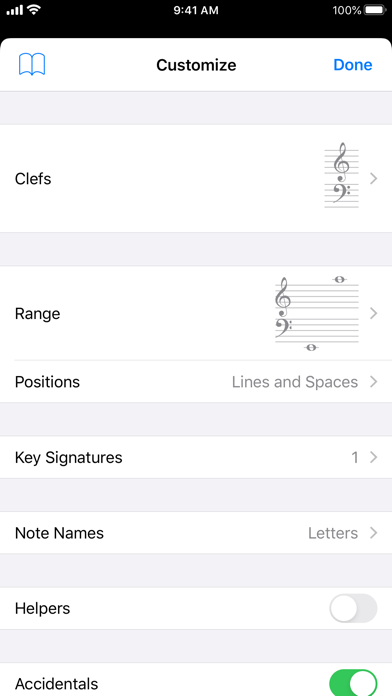
O tej aplikacji
Tenuto is a collection of 24 highly-customizable exercises designed to enhance your musicality. From recognizing chords on a keyboard to identifying intervals by ear, it has an exercise for you. Tenuto also includes six musical calculators for accidentals, intervals, scales, chords, analysis symbols, and twelve-tone matrices.
A short description of the exercises and calculators follows.
––––––
• Note Identification
• Key Signature Identification
• Interval Identification
• Scale Identification
• Chord Identification
Tap the button corresponding to the written staff line. For example: if shown a C, E, and G with a sharp; tap the "Augmented Triad" button.
––––––
• Note Construction
• Key Signature Construction
• Interval Construction
• Scale Construction
• Chord Construction
Construct the specified label by moving notes and/or adding accidentals. For example: if shown a C and an "Augmented 4th" label, move the second note to F and add a sharp.
––––––
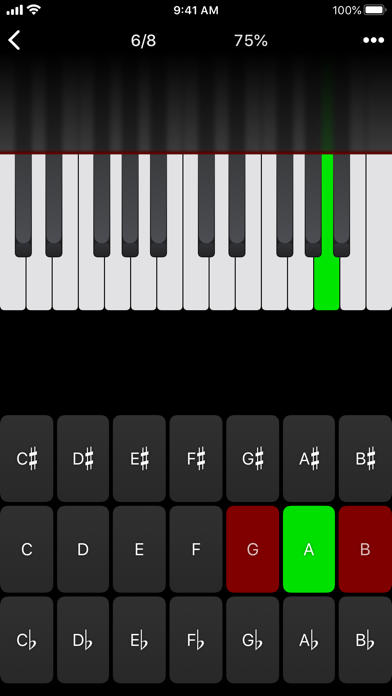
• Keyboard Reverse Identification
Tap the piano key corresponding to the written note on the staff. While similar to Note Identification, this exercise uses a piano keyboard rather than note name buttons.
• Keyboard Note Identification
• Keyboard Interval Identification
• Keyboard Scale Identification
• Keyboard Chord Identification
Tap the button corresponding to the highlighted piano key(s). If the C and G keys are highlighted, tap the "P5" (Perfect 5th) button.
––––––
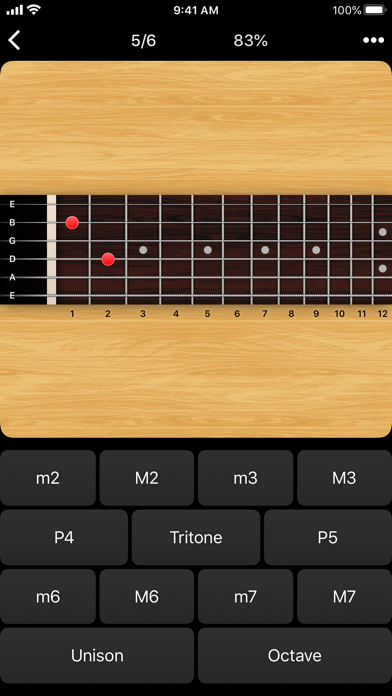
• Fretboard Note Identification
• Fretboard Interval Identification
• Fretboard Scale Identification
• Fretboard Chord Identification
Tap the button corresponding to the marked fretboard position(s). If the 2nd fret of the D string is marked, tap the "E" button.
––––––
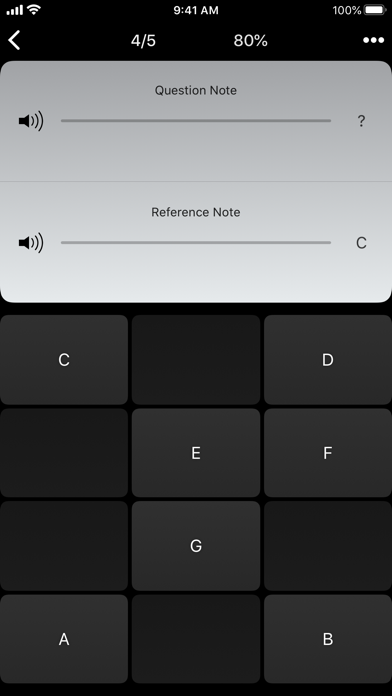
• Keyboard Ear Training
• Note Ear Training
Listen to the played reference and question notes. Select the piano key or note button corresponding to the question note.
• Interval Ear Training
• Scale Ear Training
• Chord Ear Training
Tap the button corresponding to the played notes. If E and F are played, tap the "Minor 2nd" button.
––––––
• Accidental Calculator
Display the accidental for a note and key.
• Interval Calculator
Display the interval for a note, type, and key.
• Chord Calculator
Display the scale for a tonic and scale type.
• Chord Calculator
Display the chord for a note, type, and key.
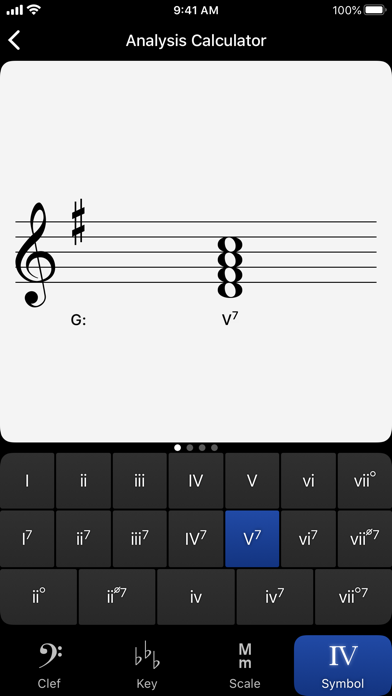
• Analysis Calculator
Display the chord for a symbol and key.
• Matrix Calculator
Display the twelve-tone matrix for a specified tone row.
A short description of the exercises and calculators follows.
––––––
• Note Identification
• Key Signature Identification
• Interval Identification
• Scale Identification
• Chord Identification
Tap the button corresponding to the written staff line. For example: if shown a C, E, and G with a sharp; tap the "Augmented Triad" button.
––––––
• Note Construction
• Key Signature Construction
• Interval Construction
• Scale Construction
• Chord Construction
Construct the specified label by moving notes and/or adding accidentals. For example: if shown a C and an "Augmented 4th" label, move the second note to F and add a sharp.
––––––
• Keyboard Reverse Identification
Tap the piano key corresponding to the written note on the staff. While similar to Note Identification, this exercise uses a piano keyboard rather than note name buttons.
• Keyboard Note Identification
• Keyboard Interval Identification
• Keyboard Scale Identification
• Keyboard Chord Identification
Tap the button corresponding to the highlighted piano key(s). If the C and G keys are highlighted, tap the "P5" (Perfect 5th) button.
––––––
• Fretboard Note Identification
• Fretboard Interval Identification
• Fretboard Scale Identification
• Fretboard Chord Identification
Tap the button corresponding to the marked fretboard position(s). If the 2nd fret of the D string is marked, tap the "E" button.
––––––
• Keyboard Ear Training
• Note Ear Training
Listen to the played reference and question notes. Select the piano key or note button corresponding to the question note.
• Interval Ear Training
• Scale Ear Training
• Chord Ear Training
Tap the button corresponding to the played notes. If E and F are played, tap the "Minor 2nd" button.
––––––
• Accidental Calculator
Display the accidental for a note and key.
• Interval Calculator
Display the interval for a note, type, and key.
• Chord Calculator
Display the scale for a tonic and scale type.
• Chord Calculator
Display the chord for a note, type, and key.
• Analysis Calculator
Display the chord for a symbol and key.
• Matrix Calculator
Display the twelve-tone matrix for a specified tone row.
Szczegóły
| Deweloper | musictheory.net |
|---|---|
| Kategoria | Muzyka |
| Cena | 5,99 € |
| Ocena wiekowa | 4+ |
| Wersja | 5.1 |
| Rozmiar | 11.2 MB |
| Minimalny iOS | 15.8 |
| ID pakietu | net.musictheory.Tenuto |
| Wydano | 2011-08-30 |
| Ostatnia aktualizacja | 2026-04-28 |
| Języki | 1 języki |
Na co odpowiada ta strona
- Tenuto recenzje aplikacji
- Tenuto ocena aplikacji
- Tenuto pobranie
- Tenuto pozycja w sklepie z aplikacjami
- recenzje Tenuto
- recenzje i oceny Tenuto
- czy Tenuto jest legalny
- czy Tenuto to oszustwo
- prawdziwe recenzje użytkowników Tenuto
- ocena Tenuto
- skargi na Tenuto
- co ludzie mówią o Tenuto
- recenzje Tenuto aplikacja
- zalety i wady Tenuto
- doświadczenie Tenuto
- czy powinienem zaufać Tenuto
- opinie o Tenuto
- recenzja Tenuto 2026
- sprawdzenie Tenuto
- sprawdzenie bezpieczeństwa Tenuto
