
Sunrise Alarm for Smart Lights
Evan Michael James Blanke Santé et Fitness 4+ 5,99 €
5.00 · 1 évaluations
Meilleure position maintenant
#48
à travers 4 vitrines
Pic
#10Jours suivis
24Évaluations
1 Historique des graphiques
24 jours enregistrés par nous
Vitrines
graphique en 4 aujourd'hui
Évaluations
1 sur l'App Store
Prix
changé 6 fois dans notre fenêtre
Installations et revenus
Apple ne publie rien — nous ne devinons pas
Actuellement dans le classement
Historique
Construit à partir des propres instantanés quotidiens d'Astrina — un point par jour.
Position dans le graphique — 🇫🇷 Meilleurs payants
03.09 21.09 24.09
Afficher les chiffres
| Jour | Position |
|---|---|
| 03.09 | #19 |
| 04.09 | #30 |
| 05.09 | #40 |
| 21.09 | #10 |
| 22.09 | #24 |
| 23.09 | #38 |
| 24.09 | #48 |
Nombre d'évaluations
03.09 21.09 24.09
Afficher les chiffres
| Jour | Évaluations |
|---|---|
| 03.09 | 1 |
| 04.09 | 1 |
| 05.09 | 1 |
| 21.09 | 1 |
| 22.09 | 1 |
| 23.09 | 1 |
| 24.09 | 1 |
Captures d'écran


À propos de cette application
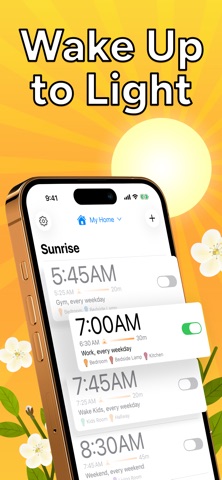
Sunrise Alarm turns the HomeKit lights you already own into a gradual sunrise in the morning and a slow sunset at night. Most people wake up more alert and sleep better in as few as six days. One-time purchase, no subscription, no new hardware.
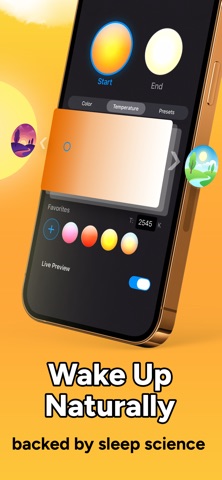
Sleep research explains why: light, not sound, is what tells your body it’s time to wake up. A gradual rise from dark to bright works with your biology in a way a loud alarm never can.
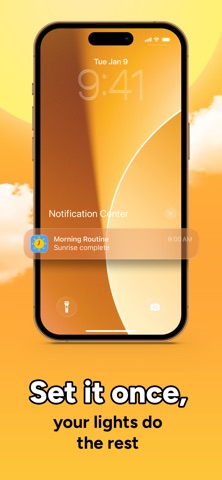
Your sunrise runs directly on your Home hub, so it wakes you even if your phone is off or out of battery. You’ll need an Apple Home hub (a HomePod or an Apple TV) and at least one HomeKit-enabled light to get started.
Works with Philips Hue, Nanoleaf, LIFX, and all other HomeKit-certified devices, including bulbs, strips, blinds, shades, plugs, switches, and more. If it’s a light, blind, plug, or switch in Apple Home, it works.
No account, no cloud, no tracking. Your alarm data stays on your device and within Apple Home.
Your body already knows how to wake up. Now your lights do too.
FEATURES
- Sequence lights across a room or your whole home, each fading in on its own schedule so the sunrise builds around you
- Wind down at night with sunset alarms that gradually dim your lights to help you ease into sleep
- Open blinds, shades, and window coverings on your sunrise schedule, so real daylight, not just your lights, joins your wake-up
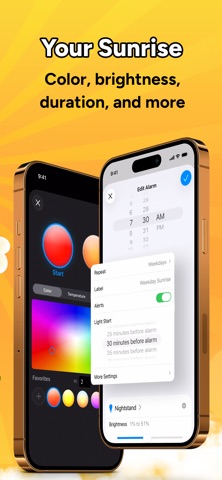
- Customize color, brightness, and fade duration to match your sleep environment
- Create different schedules for weekdays, weekends, or any routine
- Turn plugs on or off when your alarm runs (fan, heater, coffee maker)
REQUIREMENTS
- Apple Home hub (a HomePod, Apple TV, or an iPad set up as a hub) and at least one HomeKit-enabled device
Sleep research explains why: light, not sound, is what tells your body it’s time to wake up. A gradual rise from dark to bright works with your biology in a way a loud alarm never can.
Your sunrise runs directly on your Home hub, so it wakes you even if your phone is off or out of battery. You’ll need an Apple Home hub (a HomePod or an Apple TV) and at least one HomeKit-enabled light to get started.
Works with Philips Hue, Nanoleaf, LIFX, and all other HomeKit-certified devices, including bulbs, strips, blinds, shades, plugs, switches, and more. If it’s a light, blind, plug, or switch in Apple Home, it works.
No account, no cloud, no tracking. Your alarm data stays on your device and within Apple Home.
Your body already knows how to wake up. Now your lights do too.
FEATURES
- Sequence lights across a room or your whole home, each fading in on its own schedule so the sunrise builds around you
- Wind down at night with sunset alarms that gradually dim your lights to help you ease into sleep
- Open blinds, shades, and window coverings on your sunrise schedule, so real daylight, not just your lights, joins your wake-up
- Customize color, brightness, and fade duration to match your sleep environment
- Create different schedules for weekdays, weekends, or any routine
- Turn plugs on or off when your alarm runs (fan, heater, coffee maker)
REQUIREMENTS
- Apple Home hub (a HomePod, Apple TV, or an iPad set up as a hub) and at least one HomeKit-enabled device
Détails
| Développeur | Evan Michael James Blanke |
|---|---|
| Catégorie | Santé et Fitness |
| Prix | 5,99 € |
| Classification par âge | 4+ |
| Version | 1.4.2 |
| Taille | 7.3 MB |
| iOS minimum | 17.0 |
| ID de bundle | org.Sunrise-Alarm |
| Publié | 2025-10-02 |
| Dernière mise à jour | 2026-09-20 |
| Langues | 1 langues |
Ce que cette page répond
- Sunrise Alarm for Smart Lights critiques d'application
- Sunrise Alarm for Smart Lights évaluation d'application
- Sunrise Alarm for Smart Lights téléchargement
- Sunrise Alarm for Smart Lights classement de l'App Store
- avis sur Sunrise Alarm for Smart Lights
- avis et évaluations de Sunrise Alarm for Smart Lights
- est Sunrise Alarm for Smart Lights légitime
- est Sunrise Alarm for Smart Lights une arnaque
- avis d'utilisateurs réels de Sunrise Alarm for Smart Lights
- évaluation de Sunrise Alarm for Smart Lights
- plaintes concernant Sunrise Alarm for Smart Lights
- ce que les gens disent de Sunrise Alarm for Smart Lights
- avis Sunrise Alarm for Smart Lights application
- avantages et inconvénients de Sunrise Alarm for Smart Lights
- expérience de Sunrise Alarm for Smart Lights
- devrais-je faire confiance à Sunrise Alarm for Smart Lights
- retour d'expérience de Sunrise Alarm for Smart Lights
- avis sur Sunrise Alarm for Smart Lights 2026
- vérification de Sunrise Alarm for Smart Lights
- vérification de sécurité de Sunrise Alarm for Smart Lights
