
Handy Recorder PRO
ZOOM Corporation Musique 4+ 1,99 €
1.67 · 3 évaluations
Meilleure position maintenant
#44
à travers 3 vitrines
Pic
#12Jours suivis
18Évaluations
3 Historique des graphiques
18 jours enregistrés par nous
Vitrines
graphique en 3 aujourd'hui
Évaluations
3 sur l'App Store
Prix
changé 6 fois dans notre fenêtre
Installations et revenus
Apple ne publie rien — nous ne devinons pas
Actuellement dans le classement
Historique
Construit à partir des propres instantanés quotidiens d'Astrina — un point par jour.
Nombre d'évaluations
04.09 21.09 24.09
Afficher les chiffres
| Jour | Évaluations |
|---|---|
| 04.09 | 3 |
| 05.09 | 3 |
| 16.09 | 3 |
| 21.09 | 3 |
| 22.09 | 3 |
| 23.09 | 3 |
| 24.09 | 3 |
Captures d'écran


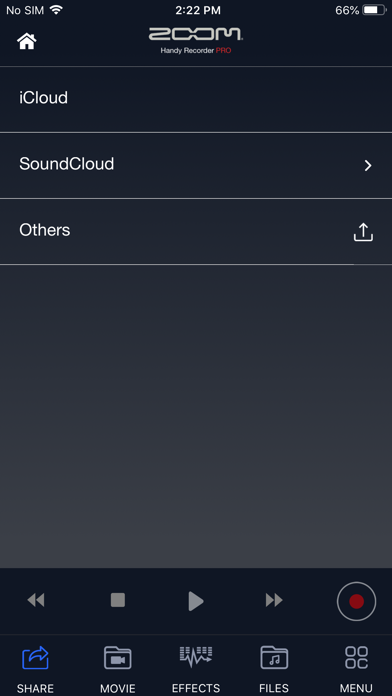
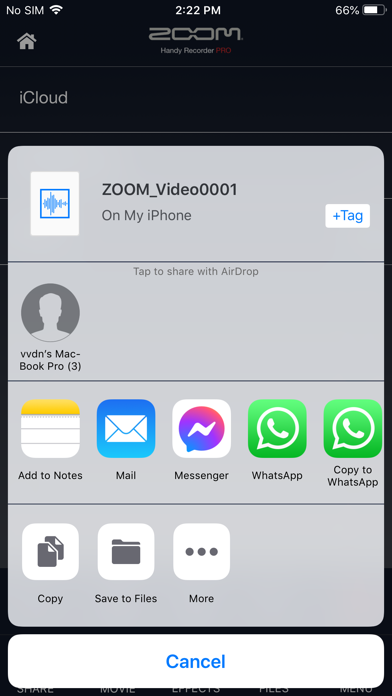
À propos de cette application
Handy Recorder PRO is an audio recording app with greatly expanded expandability.
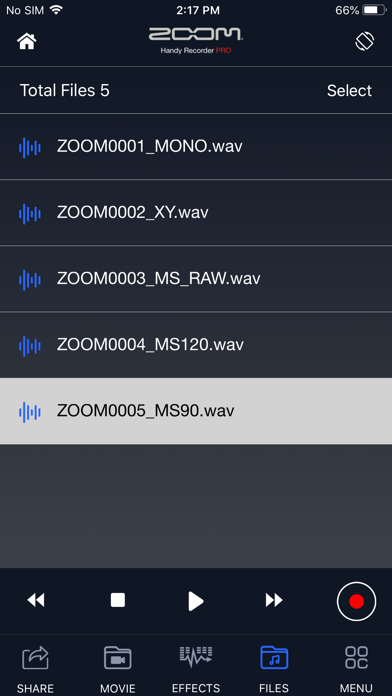
In addition to the functions of the free version of Handy Recorder, it supports a File browser app and iOS standard sharing function to enhance the convenience of linking with other apps, various cloud services, and PCs.
As a unique new feature, we have added a "MOVIE" function that takes an audio track from a video, applies various effects such as EQ and reverb, and then merges it with the original video.
◇ Same high-quality sound recorder function as the free version
The HandyRecorder app allows you to record high-quality audio with your iOS device. Use it with a ZOOM iQ series mic, which are designed to capture audio of the best quality with iOS devices, and record using the high-fidelity linear PCM and space-saving AAC formats. This app includes normalize and divide functions that can be used on recorded files. In addition, it has compressor, EQ and reverb effects. Moreover, you can directly upload your recordings from Handy Recorder to the iCloud and SoundCloud file-sharing site, allowing you to bring your creations to the world over the Internet.
Features
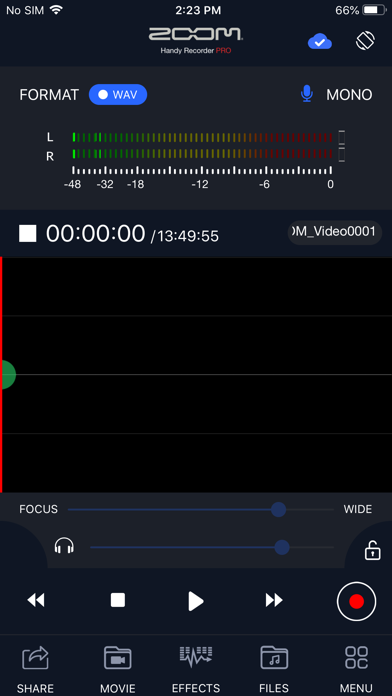
■ Stereo linear PCM and AAC recording
-You can record files using either high-quality linear PCM format or AAC format at a bit rate of 64, 128 or 160 kbps.
-The AUTO REC function can be used to start and stop recording automatically in response to the input signal level.
■ Works like a hardware recorder
-The operation screen was designed to simulate a ZOOM hardware Handy Recorder, so this app is as easy to operate as these products.
■ Effects
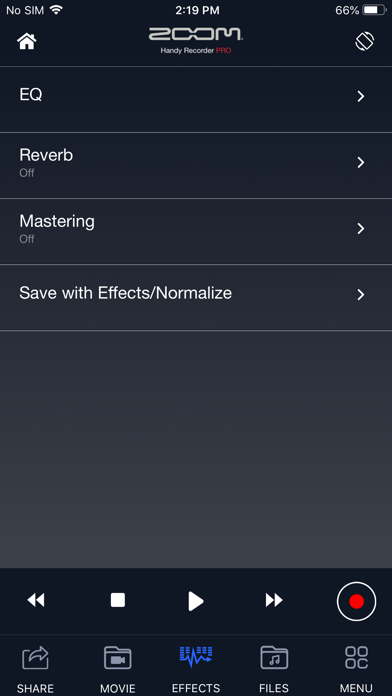
-Recorded files can be processed using the included effects.
•6 BAND EQ
•REVERB (ROOM, JAZZ CLUB, CONCERT HALL, ARENA, STADIUM)
•MASTERING (MAXIMIZE, ULTRA MAXIMIZE, CLEAR & POWER, WIDE, MONO)
-Pro+C8cessed recordings can also be saved as separate files.
-Use the NORMALIZE function to optimize the volume.
■File editing
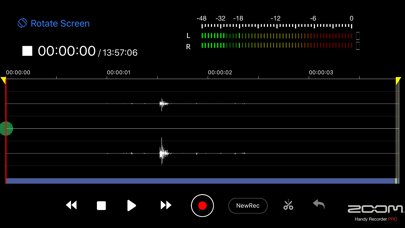
-In addition to deleting files, you can use the divide function to split files at the point that you want.
■Uploading to Cloud Services
-The app includes a function that allows you to upload your recordings directly to the SoundCloud audio-sharing site. You can name your recordings and make sharing settings in the Handy Recorder app.
-iCloud drive is supported. Not only uploading selected file manually, but also “Auto Sync” function allows you to upload automatically soon after REC finished.
■Optimized for the iQ series
-By using the iQ5/iQ7 in MS recording mode, you can adjust the stereo width.
-Select from three iQ5's AUTO GAIN settings (CONCERT, SOLO, MEETING) according to the application.*
-Use the DIRECT MONITOR function to monitor the input signal through the headphones jack on the iQ series without latency
-The left and right channels of the iQ series input signal can be reversed.*
*These setting are saved in the iQ series mic itself and will be applied when using it with other apps.
For more information, please visit our website.
www.zoomcorp.com
In addition to the functions of the free version of Handy Recorder, it supports a File browser app and iOS standard sharing function to enhance the convenience of linking with other apps, various cloud services, and PCs.
As a unique new feature, we have added a "MOVIE" function that takes an audio track from a video, applies various effects such as EQ and reverb, and then merges it with the original video.
◇ Same high-quality sound recorder function as the free version
The HandyRecorder app allows you to record high-quality audio with your iOS device. Use it with a ZOOM iQ series mic, which are designed to capture audio of the best quality with iOS devices, and record using the high-fidelity linear PCM and space-saving AAC formats. This app includes normalize and divide functions that can be used on recorded files. In addition, it has compressor, EQ and reverb effects. Moreover, you can directly upload your recordings from Handy Recorder to the iCloud and SoundCloud file-sharing site, allowing you to bring your creations to the world over the Internet.
Features
■ Stereo linear PCM and AAC recording
-You can record files using either high-quality linear PCM format or AAC format at a bit rate of 64, 128 or 160 kbps.
-The AUTO REC function can be used to start and stop recording automatically in response to the input signal level.
■ Works like a hardware recorder
-The operation screen was designed to simulate a ZOOM hardware Handy Recorder, so this app is as easy to operate as these products.
■ Effects
-Recorded files can be processed using the included effects.
•6 BAND EQ
•REVERB (ROOM, JAZZ CLUB, CONCERT HALL, ARENA, STADIUM)
•MASTERING (MAXIMIZE, ULTRA MAXIMIZE, CLEAR & POWER, WIDE, MONO)
-Pro+C8cessed recordings can also be saved as separate files.
-Use the NORMALIZE function to optimize the volume.
■File editing
-In addition to deleting files, you can use the divide function to split files at the point that you want.
■Uploading to Cloud Services
-The app includes a function that allows you to upload your recordings directly to the SoundCloud audio-sharing site. You can name your recordings and make sharing settings in the Handy Recorder app.
-iCloud drive is supported. Not only uploading selected file manually, but also “Auto Sync” function allows you to upload automatically soon after REC finished.
■Optimized for the iQ series
-By using the iQ5/iQ7 in MS recording mode, you can adjust the stereo width.
-Select from three iQ5's AUTO GAIN settings (CONCERT, SOLO, MEETING) according to the application.*
-Use the DIRECT MONITOR function to monitor the input signal through the headphones jack on the iQ series without latency
-The left and right channels of the iQ series input signal can be reversed.*
*These setting are saved in the iQ series mic itself and will be applied when using it with other apps.
For more information, please visit our website.
www.zoomcorp.com
Détails
| Développeur | ZOOM Corporation |
|---|---|
| Catégorie | Musique |
| Prix | 1,99 € |
| Classification par âge | 4+ |
| Version | 5.10.0 |
| Taille | 14.8 MB |
| iOS minimum | 13.0 |
| ID de bundle | jp.co.zoom.handyrecorderpro |
| Publié | 2020-12-10 |
| Dernière mise à jour | 2026-09-11 |
| Langues | 6 langues |
Ce que cette page répond
- Handy Recorder PRO critiques d'application
- Handy Recorder PRO évaluation d'application
- Handy Recorder PRO téléchargement
- Handy Recorder PRO classement de l'App Store
- avis sur Handy Recorder PRO
- avis et évaluations de Handy Recorder PRO
- est Handy Recorder PRO légitime
- est Handy Recorder PRO une arnaque
- avis d'utilisateurs réels de Handy Recorder PRO
- évaluation de Handy Recorder PRO
- plaintes concernant Handy Recorder PRO
- ce que les gens disent de Handy Recorder PRO
- avis Handy Recorder PRO application
- avantages et inconvénients de Handy Recorder PRO
- expérience de Handy Recorder PRO
- devrais-je faire confiance à Handy Recorder PRO
- retour d'expérience de Handy Recorder PRO
- avis sur Handy Recorder PRO 2026
- vérification de Handy Recorder PRO
- vérification de sécurité de Handy Recorder PRO
