
Pommie - Pomodoro Timer
Geoff Hackworth Productividad 4+ £3.99
4.82 · 11 calificaciones
Mejor posición ahora
#45
a través de 4 tiendas
Pico
#26Días rastreados
9Calificaciones
11 Historial de gráficos
9 días registrados por nosotros
Tiendas
gráficos en 4 hoy
Calificaciones
11 en la App Store
Precio
cambiado 2 vez(es) en nuestra ventana
Instalaciones e ingresos
Apple no publica ninguno — no adivinamos
Actualmente en la lista
Historia
Construido a partir de las propias instantáneas diarias de Astrina — un punto por día.
Número de valoraciones
02.09 03.09 04.09
Mostrar los números
| Día | Calificaciones |
|---|---|
| 02.09 | 6 |
| 03.09 | 6 |
| 04.09 | 6 |
Capturas de pantalla


Acerca de esta aplicación
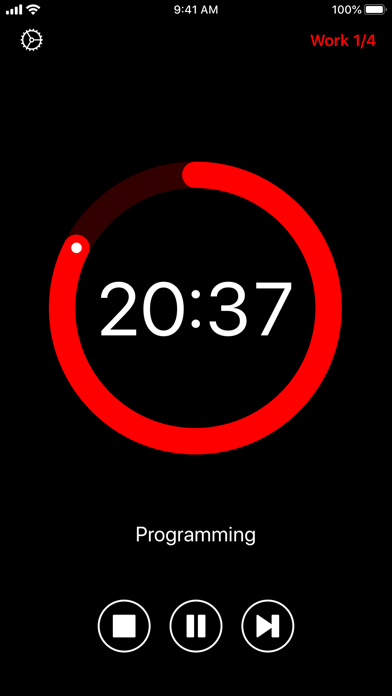
Increase your focus and boost your productivity by managing your time into strict work and break periods. Focus on a task for 25 minutes then take a 5 minute break. Repeat this three more times, taking a longer 15 minute break before starting the cycle again.
Features:
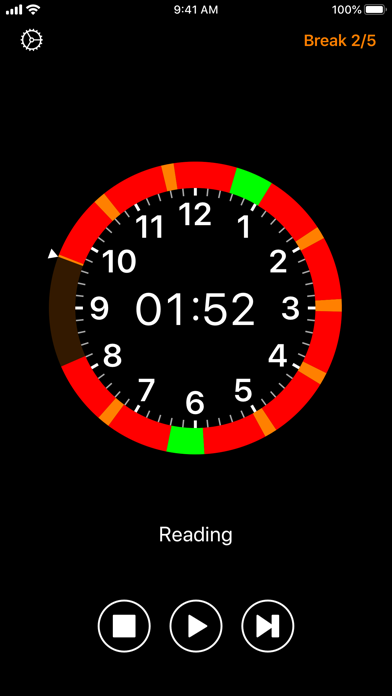
• Simple, distraction-free and intuitive interface.
• Audio and visual alerts when the next period starts. Over 35 sounds available.
• Configurable work and break durations.
• Open, pause or stop the timer directly from notifications.
• Interactive iOS notifications to view and control the timer.
• Planner View shows when Work and Break periods will occur for the next 10 hours.
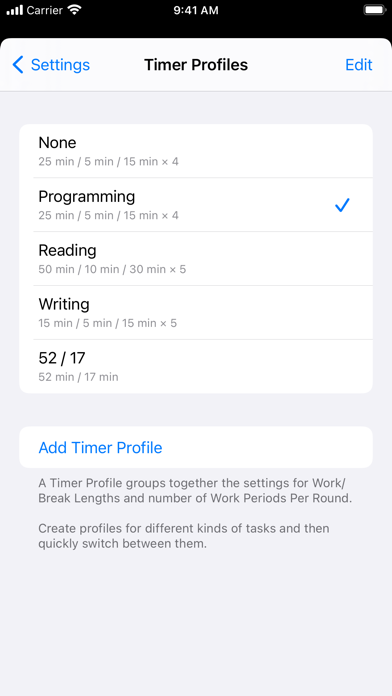
• Use Timer Profiles to configure timer settings for different kinds of task.
• Timer Profiles appear in iOS search results. Tap a result to automatically launch the app and change the timer settings.
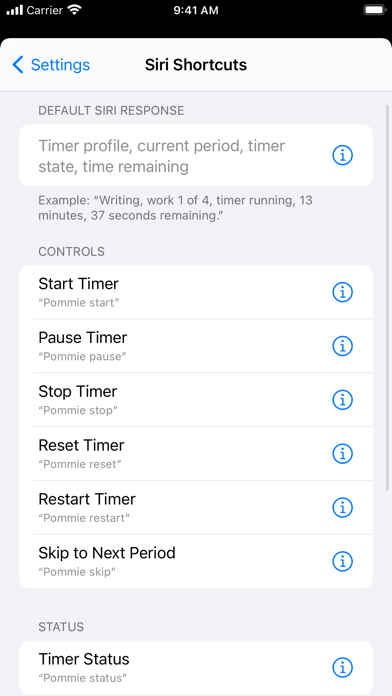
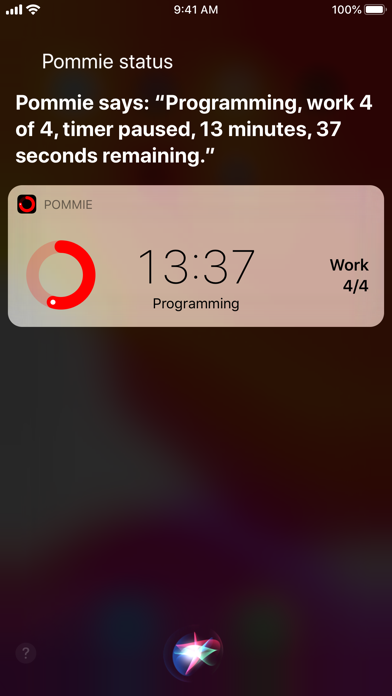
• Siri shortcuts for controlling the timer, getting its status and selecting a Timer Profile.
• Shortcuts run in the background without opening the app. A custom, animated, response view shows the current timer status.
• Customise which timer status information is included in the response displayed/spoken by Siri.
• Use Pommie shortcuts in Apple's Shortcuts app to control Pommie. Background execution is supported.
• Manage shortcuts in Pommie's settings screen, the Shortcuts app, or in the Siri & Search section of Apple's Settings app.
• Home Screen Widgets to quickly view and control the timer.
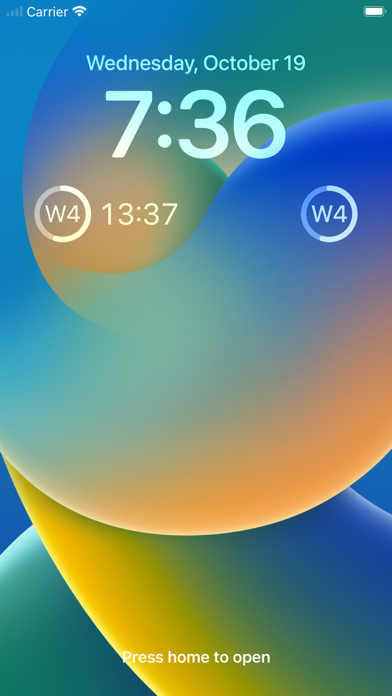
• Lock Screen Widgets to quickly view the timer.
• External display support showing a custom screen-filling view of the timer.
• iPad multitasking.
• iPad external keyboard shortcuts to control the timer.
• Dynamic Text and VoiceOver for the visually impaired.
• Handoff the timer to or from Pommie running on another iOS or Mac device.
• Independent Apple Watch app, including complications, with its own timer.
For more information see https://hacknicity.com/pommie
The Pomodoro Technique® is a registered trademark by Francesco Cirillo. Pommie is not affiliated with, associated with, or endorsed by the Pomodoro Technique® or Francesco Cirillo.
Features:
• Simple, distraction-free and intuitive interface.
• Audio and visual alerts when the next period starts. Over 35 sounds available.
• Configurable work and break durations.
• Open, pause or stop the timer directly from notifications.
• Interactive iOS notifications to view and control the timer.
• Planner View shows when Work and Break periods will occur for the next 10 hours.
• Use Timer Profiles to configure timer settings for different kinds of task.
• Timer Profiles appear in iOS search results. Tap a result to automatically launch the app and change the timer settings.
• Siri shortcuts for controlling the timer, getting its status and selecting a Timer Profile.
• Shortcuts run in the background without opening the app. A custom, animated, response view shows the current timer status.
• Customise which timer status information is included in the response displayed/spoken by Siri.
• Use Pommie shortcuts in Apple's Shortcuts app to control Pommie. Background execution is supported.
• Manage shortcuts in Pommie's settings screen, the Shortcuts app, or in the Siri & Search section of Apple's Settings app.
• Home Screen Widgets to quickly view and control the timer.
• Lock Screen Widgets to quickly view the timer.
• External display support showing a custom screen-filling view of the timer.
• iPad multitasking.
• iPad external keyboard shortcuts to control the timer.
• Dynamic Text and VoiceOver for the visually impaired.
• Handoff the timer to or from Pommie running on another iOS or Mac device.
• Independent Apple Watch app, including complications, with its own timer.
For more information see https://hacknicity.com/pommie
The Pomodoro Technique® is a registered trademark by Francesco Cirillo. Pommie is not affiliated with, associated with, or endorsed by the Pomodoro Technique® or Francesco Cirillo.
Detalles
| Desarrollador | Geoff Hackworth |
|---|---|
| Categoría | Productividad |
| Precio | £3.99 |
| Clasificación por edad | 4+ |
| Versión | 8.7 |
| Tamaño | 16.4 MB |
| iOS mínimo | 13.0 |
| ID del paquete | com.hacknicity.pommie |
| Lanzado | 2014-12-21 |
| Última actualización | 2022-12-17 |
| Idiomas | 1 idiomas |
Lo que esta página responde
- Pommie - Pomodoro Timer reseñas de aplicaciones
- Pommie - Pomodoro Timer calificación de la aplicación
- Pommie - Pomodoro Timer descarga
- Pommie - Pomodoro Timer rango en la tienda de aplicaciones
- reseñas de Pommie - Pomodoro Timer
- reseñas y calificaciones de Pommie - Pomodoro Timer
- es Pommie - Pomodoro Timer legítimo
- es Pommie - Pomodoro Timer una estafa
- reseñas de usuarios reales de Pommie - Pomodoro Timer
- calificación de Pommie - Pomodoro Timer
- quejas de Pommie - Pomodoro Timer
- lo que la gente dice sobre Pommie - Pomodoro Timer
- reseñas de Pommie - Pomodoro Timer aplicación
- pros y contras de Pommie - Pomodoro Timer
- experiencia de Pommie - Pomodoro Timer
- debería confiar en Pommie - Pomodoro Timer
- comentarios de Pommie - Pomodoro Timer
- reseña de Pommie - Pomodoro Timer 2026
- verificación de Pommie - Pomodoro Timer
- verificación de seguridad de Pommie - Pomodoro Timer
