
PassDiary Password Manager
Epicomm Technologies Ltd Продуктивность 17+ 0,99 €
5.00 · 4 оценок
Лучшая позиция сейчас
#40
по 3 витринам
Пик
#38Дней отслеживаем
8Оценки
4 История чартов
8 дней записано нами
Витрины
сегодня в чартах: 3
Оценки
4 в App Store
Цена
менялась раз: 2 за наше окно
Установки и выручка
Apple их не публикует — мы не гадаем
Сейчас в чартах
История
Построено по ежедневным снимкам Astrina — одна точка в день.
Позиция в чарте — 🇬🇧 Топ платных
20.08 31.08 22.09
Показать цифры
| День | Позиция |
|---|---|
| 20.08 | #38 |
| 27.08 | #39 |
| 31.08 | #43 |
| 10.09 | #44 |
| 22.09 | #40 |
Количество оценок
31.08 10.09 22.09
Показать цифры
| День | Оценки |
|---|---|
| 31.08 | 13 |
| 10.09 | 13 |
| 22.09 | 13 |
Скриншоты

Об этом приложении
Passdiary is a password manager and password wallet that let you securely store all your accounts important information in a vault. Passdiary does not access any of your precious information and none of your data will be stored in cloud or any other server.
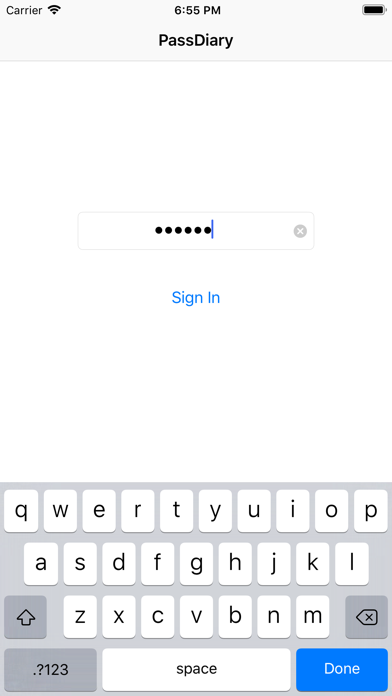
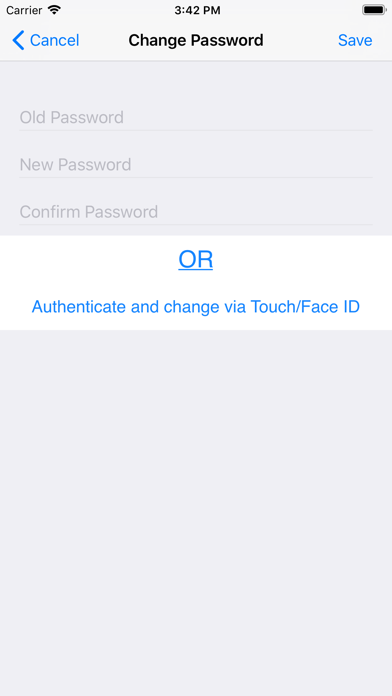
To access all your stored accounts passwords you just required to remember one password of Passdiary. Passdiary can be used to store the information of your email accounts, shopping accounts, social accounts, credit/debit cards, device logins and a lot. Using Passdiary first time? Passdiary is available just for $1 with lifetime access for iOS platforms and can be accessed on mobiles, tablets and iPad.
Passdiary Features:-
-Passdiary App is very simple and easy to use
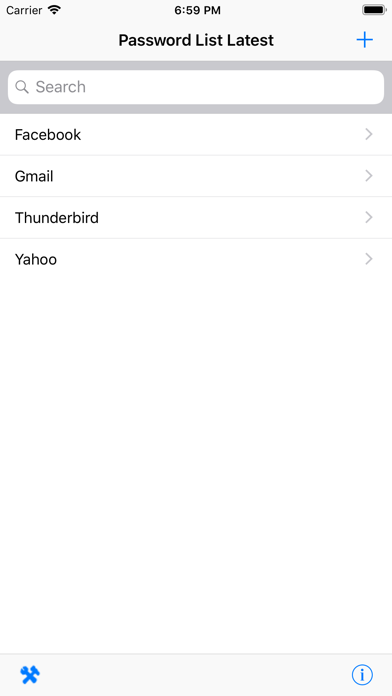
-Smart search to Password listing page
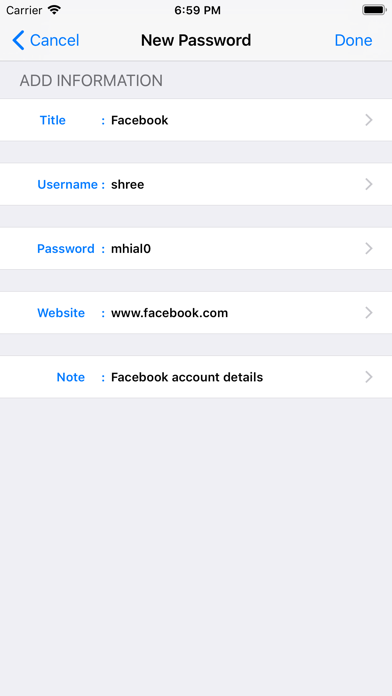
-Password details can be saved with website URL, title, username & password with description
-Random password generation using alphabets, numbers, special characters
-Working offline (Does not require internet connectivity)
-Passwords are safely stored on the device
-Application is very highly secured against vulnerabilities
-Strong Encryption (256-bit Advanced Encryption Standard
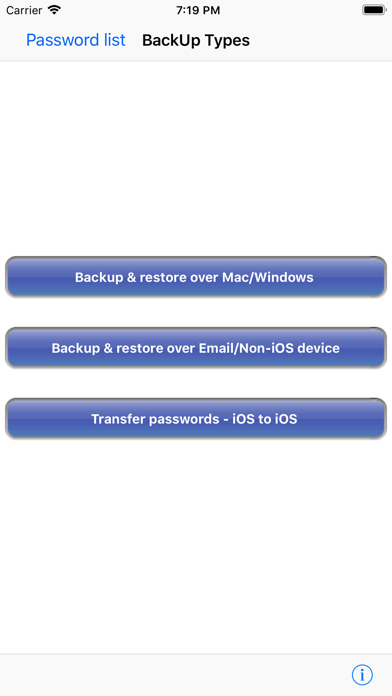
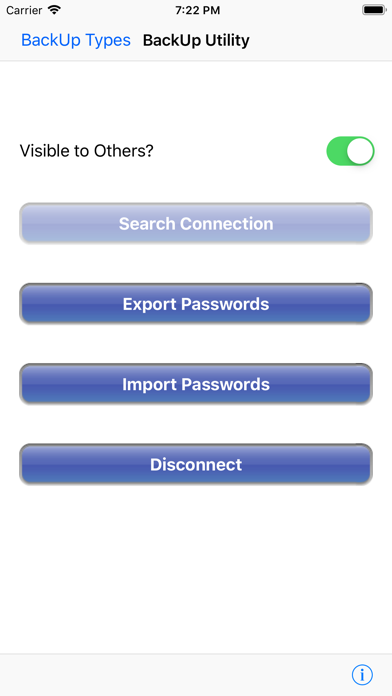
-Backup utility to back up your passwords on a PC/Mac which is having Java installed.
-Every query related on how to use the app is provided on website.
Password diary – Makes easy to keep a record of all your account password with descriptions
Password vault for storage – Let you store and easily search all your passwords at a single place
Secure password vault – Passdiary does not connect with internet and does not synchronize with any of your accounts.
What is Backup utility?
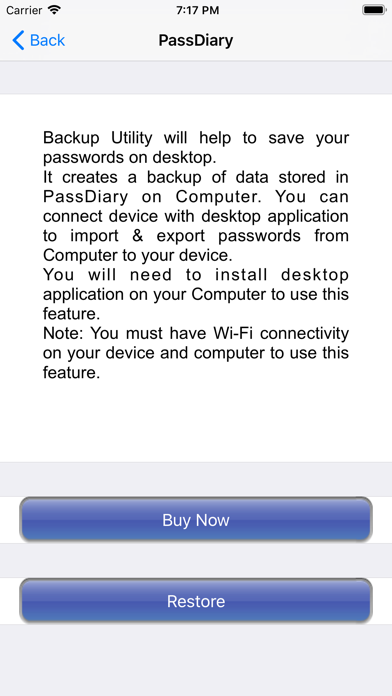
Backup Utility is developed for Passdiary users, so as to save and restore passwords whenever required.
The backup utility is a Desktop software for Windows/Mac devices which transfers your passwords from your Tablet/iPhone/iPod device to your computer and vice-versa with some easy steps.
How Backup utility works?
In the back up process a file (.epk) is exported to Windows/Mac device from your mobile uses 256 Bit encryption security. Your backup file on PC cannot be opened by any other program.
Desktop utility will never connect to Internet and all your passwords are safe with 256 Bit encryption security used to encrypt backup file.
Desktop utility also works with Mountain Lion OS. The use of this facility is recommended in situations where you are resetting your device to factory settings or formatting your desktop with iTunes or re-installing the iTunes. It also works for circumstances in which your Computer iTunes is infected with Trojan, or you want to switch to another device. iTunes also provides backup features but it may not necessarily support backups in situations mentioned above
Backup Utility is available as an In App purchase just for $0.99 or price equivalent to your country’s currency. Please check http://passdiary.com to see the snapshots that will give you an idea as to how you can do this and get going.
To access all your stored accounts passwords you just required to remember one password of Passdiary. Passdiary can be used to store the information of your email accounts, shopping accounts, social accounts, credit/debit cards, device logins and a lot. Using Passdiary first time? Passdiary is available just for $1 with lifetime access for iOS platforms and can be accessed on mobiles, tablets and iPad.
Passdiary Features:-
-Passdiary App is very simple and easy to use
-Smart search to Password listing page
-Password details can be saved with website URL, title, username & password with description
-Random password generation using alphabets, numbers, special characters
-Working offline (Does not require internet connectivity)
-Passwords are safely stored on the device
-Application is very highly secured against vulnerabilities
-Strong Encryption (256-bit Advanced Encryption Standard
-Backup utility to back up your passwords on a PC/Mac which is having Java installed.
-Every query related on how to use the app is provided on website.
Password diary – Makes easy to keep a record of all your account password with descriptions
Password vault for storage – Let you store and easily search all your passwords at a single place
Secure password vault – Passdiary does not connect with internet and does not synchronize with any of your accounts.
What is Backup utility?
Backup Utility is developed for Passdiary users, so as to save and restore passwords whenever required.
The backup utility is a Desktop software for Windows/Mac devices which transfers your passwords from your Tablet/iPhone/iPod device to your computer and vice-versa with some easy steps.
How Backup utility works?
In the back up process a file (.epk) is exported to Windows/Mac device from your mobile uses 256 Bit encryption security. Your backup file on PC cannot be opened by any other program.
Desktop utility will never connect to Internet and all your passwords are safe with 256 Bit encryption security used to encrypt backup file.
Desktop utility also works with Mountain Lion OS. The use of this facility is recommended in situations where you are resetting your device to factory settings or formatting your desktop with iTunes or re-installing the iTunes. It also works for circumstances in which your Computer iTunes is infected with Trojan, or you want to switch to another device. iTunes also provides backup features but it may not necessarily support backups in situations mentioned above
Backup Utility is available as an In App purchase just for $0.99 or price equivalent to your country’s currency. Please check http://passdiary.com to see the snapshots that will give you an idea as to how you can do this and get going.
Подробности
| Разработчик | Epicomm Technologies Ltd |
|---|---|
| Категория | Продуктивность |
| Цена | 0,99 € |
| Возрастной рейтинг | 17+ |
| Версия | 1.7.9 |
| Размер | 27.9 MB |
| Минимальная iOS | 9.0 |
| Bundle ID | com.epicomm.passwordkeeperapp |
| Выпущено | 2009-12-17 |
| Обновлено | 2022-04-20 |
| Языки | 1 языков |
На какие запросы отвечает эта страница
- PassDiary Password Manager отзывы о приложении
- PassDiary Password Manager оценка приложения
- PassDiary Password Manager скачать
- PassDiary Password Manager место в чарте App Store
- PassDiary Password Manager отзывы
- PassDiary Password Manager отзывы и рейтинг
- PassDiary Password Manager честный или нет
- PassDiary Password Manager развод или нет
- PassDiary Password Manager реальные отзывы
- PassDiary Password Manager рейтинг
- PassDiary Password Manager жалобы
- что пишут о PassDiary Password Manager
- PassDiary Password Manager приложение отзывы
- PassDiary Password Manager плюсы и минусы
- PassDiary Password Manager опыт использования
- стоит ли доверять PassDiary Password Manager
- PassDiary Password Manager мнения
- PassDiary Password Manager обзор 2026
- PassDiary Password Manager проверка
- PassDiary Password Manager проверка на безопасность
