
Beste Position jetzt
#5
über 13 Verkaufsstellen
Höhepunkt
#2Verfolgte Tage
58Bewertungen
22 Diagrammhistorie
58 Tage von uns aufgezeichnet
Läden
Diagramm in 13 heute
Bewertungen
22 im App Store
Preis
hat 23 Mal in unserem Fenster geändert
Installationen und Einnahmen
Apple veröffentlicht keine — wir raten nicht
Aktuell in den Charts
Verlauf
Basierend auf Astrinas eigenen täglichen Momentaufnahmen — ein Punkt pro Tag.
Chartposition — 🇺🇸 Top Bezahlt
23.07 25.08 23.09
Zeige die Zahlen
| Tag | Position |
|---|---|
| 23.07 | #5 |
| 24.07 | #5 |
| 25.07 | #6 |
| 31.07 | #3 |
| 01.08 | #4 |
| 02.08 | #5 |
| 03.08 | #4 |
| 04.08 | #4 |
| 05.08 | #4 |
| 06.08 | #5 |
| 07.08 | #6 |
| 08.08 | #5 |
| 09.08 | #4 |
| 10.08 | #5 |
| 11.08 | #4 |
| 12.08 | #3 |
| 13.08 | #4 |
| 14.08 | #3 |
| 15.08 | #3 |
| 16.08 | #4 |
| 17.08 | #5 |
| 18.08 | #3 |
| 19.08 | #3 |
| 20.08 | #3 |
| 21.08 | #3 |
| 22.08 | #3 |
| 23.08 | #3 |
| 24.08 | #3 |
| 25.08 | #3 |
| 26.08 | #3 |
| 27.08 | #3 |
| 28.08 | #3 |
| 29.08 | #4 |
| 30.08 | #6 |
| 31.08 | #4 |
| 01.09 | #4 |
| 02.09 | #4 |
| 03.09 | #4 |
| 04.09 | #3 |
| 05.09 | #4 |
| 06.09 | #6 |
| 07.09 | #8 |
| 08.09 | #5 |
| 09.09 | #5 |
| 10.09 | #6 |
| 11.09 | #6 |
| 12.09 | #5 |
| 13.09 | #4 |
| 14.09 | #5 |
| 15.09 | #4 |
| 16.09 | #5 |
| 17.09 | #3 |
| 18.09 | #4 |
| 19.09 | #5 |
| 20.09 | #5 |
| 21.09 | #4 |
| 22.09 | #5 |
| 23.09 | #5 |
Anzahl der Bewertungen
31.08 11.09 23.09
Zeige die Zahlen
| Tag | Bewertungen |
|---|---|
| 31.08 | 655 |
| 01.09 | 655 |
| 02.09 | 655 |
| 03.09 | 655 |
| 04.09 | 655 |
| 05.09 | 655 |
| 06.09 | 655 |
| 07.09 | 655 |
| 08.09 | 656 |
| 09.09 | 657 |
| 10.09 | 657 |
| 11.09 | 657 |
| 12.09 | 658 |
| 13.09 | 659 |
| 14.09 | 659 |
| 15.09 | 660 |
| 16.09 | 660 |
| 17.09 | 660 |
| 18.09 | 660 |
| 19.09 | 660 |
| 20.09 | 660 |
| 21.09 | 660 |
| 22.09 | 660 |
| 23.09 | 660 |
Screenshots
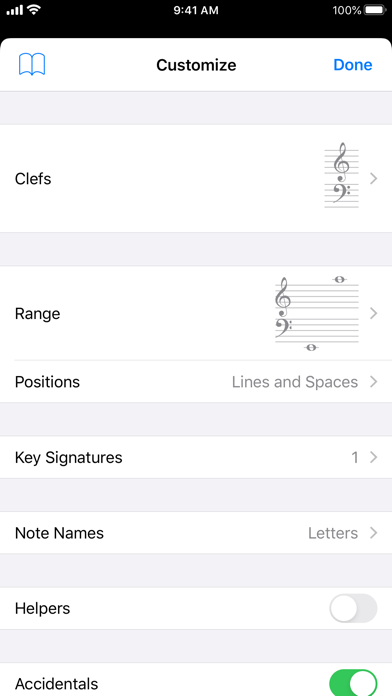
Über diese App
Tenuto is a collection of 24 highly-customizable exercises designed to enhance your musicality. From recognizing chords on a keyboard to identifying intervals by ear, it has an exercise for you. Tenuto also includes six musical calculators for accidentals, intervals, scales, chords, analysis symbols, and twelve-tone matrices.
A short description of the exercises and calculators follows.
––––––
• Note Identification
• Key Signature Identification
• Interval Identification
• Scale Identification
• Chord Identification
Tap the button corresponding to the written staff line. For example: if shown a C, E, and G with a sharp; tap the "Augmented Triad" button.
––––––
• Note Construction
• Key Signature Construction
• Interval Construction
• Scale Construction
• Chord Construction
Construct the specified label by moving notes and/or adding accidentals. For example: if shown a C and an "Augmented 4th" label, move the second note to F and add a sharp.
––––––
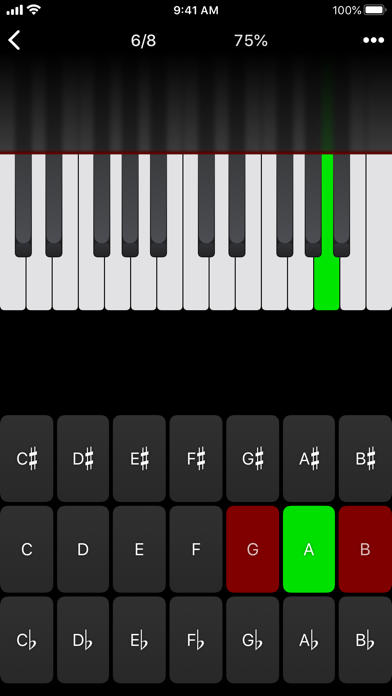
• Keyboard Reverse Identification
Tap the piano key corresponding to the written note on the staff. While similar to Note Identification, this exercise uses a piano keyboard rather than note name buttons.
• Keyboard Note Identification
• Keyboard Interval Identification
• Keyboard Scale Identification
• Keyboard Chord Identification
Tap the button corresponding to the highlighted piano key(s). If the C and G keys are highlighted, tap the "P5" (Perfect 5th) button.
––––––
• Fretboard Note Identification
• Fretboard Interval Identification
• Fretboard Scale Identification
• Fretboard Chord Identification
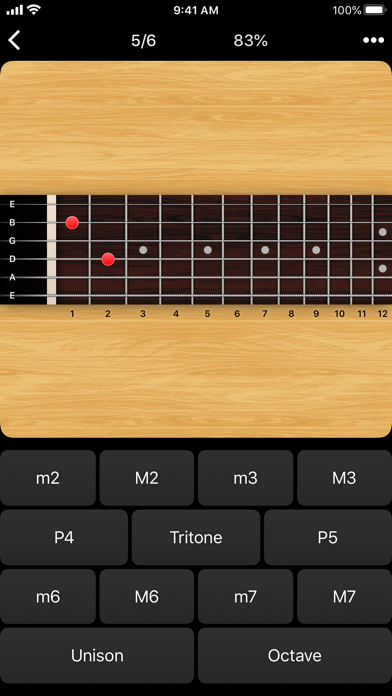
Tap the button corresponding to the marked fretboard position(s). If the 2nd fret of the D string is marked, tap the "E" button.
––––––
• Keyboard Ear Training
• Note Ear Training
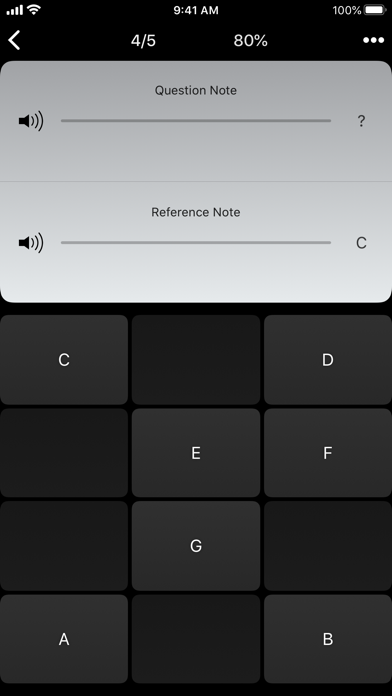
Listen to the played reference and question notes. Select the piano key or note button corresponding to the question note.
• Interval Ear Training
• Scale Ear Training
• Chord Ear Training
Tap the button corresponding to the played notes. If E and F are played, tap the "Minor 2nd" button.
––––––
• Accidental Calculator
Display the accidental for a note and key.
• Interval Calculator
Display the interval for a note, type, and key.
• Chord Calculator
Display the scale for a tonic and scale type.
• Chord Calculator
Display the chord for a note, type, and key.
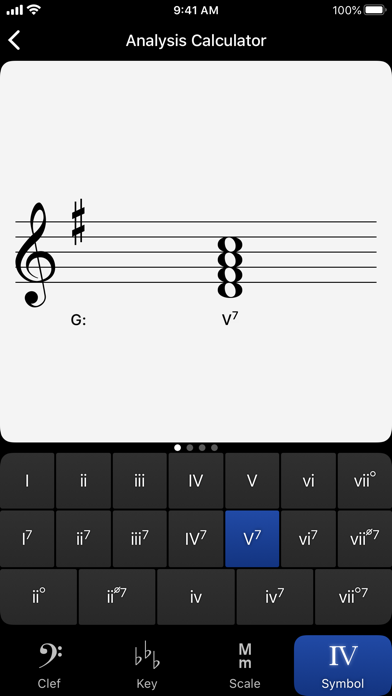
• Analysis Calculator
Display the chord for a symbol and key.
• Matrix Calculator
Display the twelve-tone matrix for a specified tone row.
A short description of the exercises and calculators follows.
––––––
• Note Identification
• Key Signature Identification
• Interval Identification
• Scale Identification
• Chord Identification
Tap the button corresponding to the written staff line. For example: if shown a C, E, and G with a sharp; tap the "Augmented Triad" button.
––––––
• Note Construction
• Key Signature Construction
• Interval Construction
• Scale Construction
• Chord Construction
Construct the specified label by moving notes and/or adding accidentals. For example: if shown a C and an "Augmented 4th" label, move the second note to F and add a sharp.
––––––
• Keyboard Reverse Identification
Tap the piano key corresponding to the written note on the staff. While similar to Note Identification, this exercise uses a piano keyboard rather than note name buttons.
• Keyboard Note Identification
• Keyboard Interval Identification
• Keyboard Scale Identification
• Keyboard Chord Identification
Tap the button corresponding to the highlighted piano key(s). If the C and G keys are highlighted, tap the "P5" (Perfect 5th) button.
––––––
• Fretboard Note Identification
• Fretboard Interval Identification
• Fretboard Scale Identification
• Fretboard Chord Identification
Tap the button corresponding to the marked fretboard position(s). If the 2nd fret of the D string is marked, tap the "E" button.
––––––
• Keyboard Ear Training
• Note Ear Training
Listen to the played reference and question notes. Select the piano key or note button corresponding to the question note.
• Interval Ear Training
• Scale Ear Training
• Chord Ear Training
Tap the button corresponding to the played notes. If E and F are played, tap the "Minor 2nd" button.
––––––
• Accidental Calculator
Display the accidental for a note and key.
• Interval Calculator
Display the interval for a note, type, and key.
• Chord Calculator
Display the scale for a tonic and scale type.
• Chord Calculator
Display the chord for a note, type, and key.
• Analysis Calculator
Display the chord for a symbol and key.
• Matrix Calculator
Display the twelve-tone matrix for a specified tone row.
Details
| Entwickler | musictheory.net |
|---|---|
| Kategorie | Musik |
| Preis | 5,99 € |
| Altersfreigabe | 4+ |
| Version | 5.1 |
| Größe | 11.2 MB |
| Minimale iOS-Version | 15.8 |
| Bundle-ID | net.musictheory.Tenuto |
| Veröffentlicht | 2011-08-30 |
| Zuletzt aktualisiert | 2026-04-28 |
| Sprachen | 1 Sprachen |
Was diese Seite beantwortet
- Tenuto App-Bewertungen
- Tenuto App-Bewertung
- Tenuto Download
- Tenuto App-Store-Rang
- Tenuto Bewertungen
- Tenuto Bewertungen und Bewertungen
- ist Tenuto legitim
- ist Tenuto ein Betrug
- Tenuto echte Nutzerbewertungen
- Tenuto Bewertung
- Tenuto Beschwerden
- was die Leute über Tenuto sagen
- Tenuto app Bewertungen
- Tenuto Vor- und Nachteile
- Tenuto Erfahrung
- sollte ich Tenuto vertrauen
- Tenuto Feedback
- Tenuto Bewertung 2026
- Tenuto Überprüfung
- Tenuto Sicherheitsüberprüfung
