niveau à bulle & clinomètre
Peter Breitling Dienstprogramme 4+ 1,99 €
4.29 · 7 Bewertungen
Beste Position jetzt
#42
über 4 Verkaufsstellen
Höhepunkt
#38Verfolgte Tage
17Bewertungen
7 Diagrammhistorie
17 Tage von uns aufgezeichnet
Läden
Diagramm in 4 heute
Bewertungen
7 im App Store
Preis
hat 2 Mal in unserem Fenster geändert
Installationen und Einnahmen
Apple veröffentlicht keine — wir raten nicht
Aktuell in den Charts
Verlauf
Basierend auf Astrinas eigenen täglichen Momentaufnahmen — ein Punkt pro Tag.
Anzahl der Bewertungen
31.08 01.09 12.09
Zeige die Zahlen
| Tag | Bewertungen |
|---|---|
| 31.08 | 9 |
| 01.09 | 9 |
| 12.09 | 9 |
Screenshots
Über diese App
This professional tool called Clinometer is the most precise (all you can get with some calculations) slope measurement tool for the iPhone, iPod Touch and iPad using all sides of the device plus the camera. It can be used for simple applications like aligning a frame as well as for more sophisticated fields of applications where an arbitrary slope needs to be measured exactly. Read the reviews (and write your own) for all the applications you find! Thank for all your positive feedback! Please use our support link if you have questions and suggestions, we don't read the iTunes reviews every day!
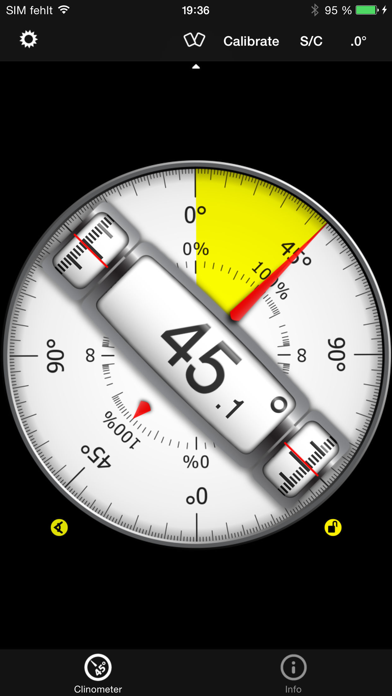
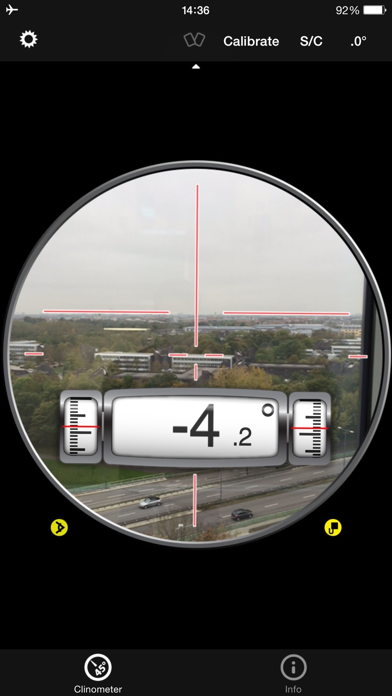
With this tool, the slope can be measured by all edges of the device and through the camera. The current features include:
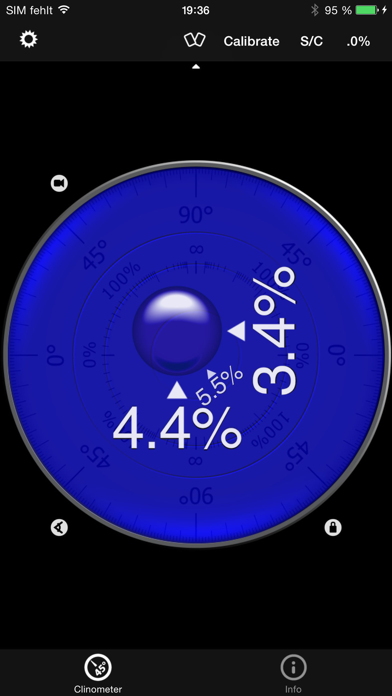
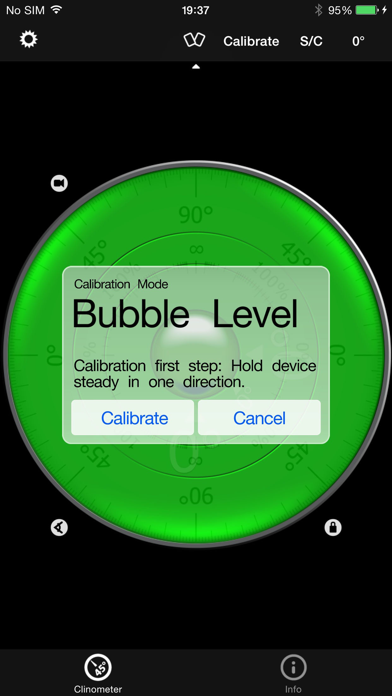
◆ 3 Modes (incl. auto switching): Clinometer mode (auto when holding upright), Camera mode (any direction, manual activation) and Bubble level (smoothly fading in when holding flat).
◆ Relative angles: Besides measuring absolute angles, for every mode you can measure the relative angle between device positions
◆ Advanced two way calibration on all sides: For every 4 sides plus the bubble mode you can calibrate in two steps, which allows you to calibrate exactly even on non-level surfaces. Each direction can be calibrated individually to achieve the optimal precision.
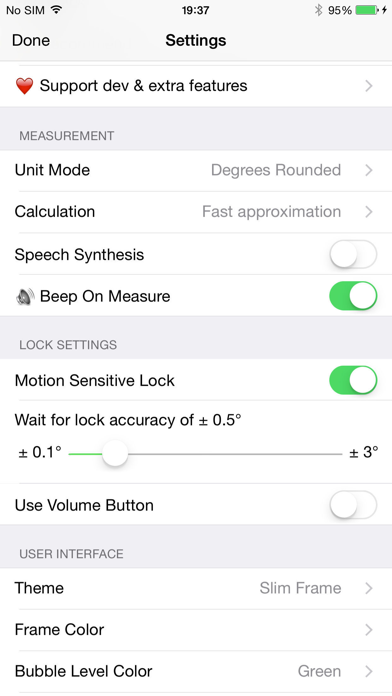
◆ Speech synthesis: The device will speak the current reading, so you don't have to watch the display while measuring/aligning your object.
◆ Five different unit modes: The device can display the slope in degrees (rounded or in tenth of degrees), percentage, rise over run (common for roof slope measurement in :12) and 1V:H (common in engineering)
◆ Dial Rotation: You can smoothly rotate the background dial and thus define which side of the device represents 0° and 90° degrees.
◆ Motion-sensitive Lock feature: Besides the common instant simple tap hold mechanism you can activate the motion-sensitive lock. If activated the device waits for the final lock until you hold your device steady enough for at least 2 seconds. You can set the lock sensitivity between 0.1° and 1.0° degrees.
◆ Peer Mode: Use two devices to measure angles: One as a display, the other as the measurement device that can be attached to the hardware you want to align.
◆ Fullscreen Mode: The full screen mode can be toggled by tapping the center of the screen and by the upper and lower arrows in the center. This prevents you from erroneous inputs while measuring.
◆ Different color schemes: Press the S/C Button to instantly switch the color. The color can be selected differently for the bubble and the clinometer mode. The predefined color sets include day and night color schemes (Black on White, White on Black and Red).
◆ Adjustable Auto-Lock: You can prevent the device from turning into the sleep mode.
According to wikipedia: An inclinometer or clinometer is an instrument for measuring angles of slope (or tilt), elevation or inclination of an object with respect to gravity. It is also known as a tilt meter, tilt indicator, slope alert, slope gauge, gradient meter, gradiometer, level gauge, level meter, declinometer, and pitch & roll indicator.
For recreational use only. After the calibration it CAN (!) be very accurate especially for the main axis after calibration. The measurement is performed as well as possible (we try our best) by using the three inbuilt accelerometers.
THANK YOU FOR YOUR SUPPORT!
We will improve the application long-term. This was the first application of this kind shortly after the opening of the App Store. Since then it is continuously updated and enriched with new features.
With this tool, the slope can be measured by all edges of the device and through the camera. The current features include:
◆ 3 Modes (incl. auto switching): Clinometer mode (auto when holding upright), Camera mode (any direction, manual activation) and Bubble level (smoothly fading in when holding flat).
◆ Relative angles: Besides measuring absolute angles, for every mode you can measure the relative angle between device positions
◆ Advanced two way calibration on all sides: For every 4 sides plus the bubble mode you can calibrate in two steps, which allows you to calibrate exactly even on non-level surfaces. Each direction can be calibrated individually to achieve the optimal precision.
◆ Speech synthesis: The device will speak the current reading, so you don't have to watch the display while measuring/aligning your object.
◆ Five different unit modes: The device can display the slope in degrees (rounded or in tenth of degrees), percentage, rise over run (common for roof slope measurement in :12) and 1V:H (common in engineering)
◆ Dial Rotation: You can smoothly rotate the background dial and thus define which side of the device represents 0° and 90° degrees.
◆ Motion-sensitive Lock feature: Besides the common instant simple tap hold mechanism you can activate the motion-sensitive lock. If activated the device waits for the final lock until you hold your device steady enough for at least 2 seconds. You can set the lock sensitivity between 0.1° and 1.0° degrees.
◆ Peer Mode: Use two devices to measure angles: One as a display, the other as the measurement device that can be attached to the hardware you want to align.
◆ Fullscreen Mode: The full screen mode can be toggled by tapping the center of the screen and by the upper and lower arrows in the center. This prevents you from erroneous inputs while measuring.
◆ Different color schemes: Press the S/C Button to instantly switch the color. The color can be selected differently for the bubble and the clinometer mode. The predefined color sets include day and night color schemes (Black on White, White on Black and Red).
◆ Adjustable Auto-Lock: You can prevent the device from turning into the sleep mode.
According to wikipedia: An inclinometer or clinometer is an instrument for measuring angles of slope (or tilt), elevation or inclination of an object with respect to gravity. It is also known as a tilt meter, tilt indicator, slope alert, slope gauge, gradient meter, gradiometer, level gauge, level meter, declinometer, and pitch & roll indicator.
For recreational use only. After the calibration it CAN (!) be very accurate especially for the main axis after calibration. The measurement is performed as well as possible (we try our best) by using the three inbuilt accelerometers.
THANK YOU FOR YOUR SUPPORT!
We will improve the application long-term. This was the first application of this kind shortly after the opening of the App Store. Since then it is continuously updated and enriched with new features.
Details
| Entwickler | Peter Breitling |
|---|---|
| Kategorie | Dienstprogramme |
| Preis | 1,99 € |
| Altersfreigabe | 4+ |
| Version | 4.9.4 |
| Größe | 14.4 MB |
| Minimale iOS-Version | 11.0 |
| Bundle-ID | com.yourcompany.Clinometer |
| Veröffentlicht | 2019-02-07 |
| Zuletzt aktualisiert | 2022-12-18 |
| Sprachen | 3 Sprachen |
Was diese Seite beantwortet
- niveau à bulle & clinomètre App-Bewertungen
- niveau à bulle & clinomètre App-Bewertung
- niveau à bulle & clinomètre Download
- niveau à bulle & clinomètre App-Store-Rang
- niveau à bulle & clinomètre Bewertungen
- niveau à bulle & clinomètre Bewertungen und Bewertungen
- ist niveau à bulle & clinomètre legitim
- ist niveau à bulle & clinomètre ein Betrug
- niveau à bulle & clinomètre echte Nutzerbewertungen
- niveau à bulle & clinomètre Bewertung
- niveau à bulle & clinomètre Beschwerden
- was die Leute über niveau à bulle & clinomètre sagen
- niveau à bulle & clinomètre app Bewertungen
- niveau à bulle & clinomètre Vor- und Nachteile
- niveau à bulle & clinomètre Erfahrung
- sollte ich niveau à bulle & clinomètre vertrauen
- niveau à bulle & clinomètre Feedback
- niveau à bulle & clinomètre Bewertung 2026
- niveau à bulle & clinomètre Überprüfung
- niveau à bulle & clinomètre Sicherheitsüberprüfung
