
1Writer - Markdown Text Editor
Ngoc Luu Produktywność 17+ £4.99
4.63 · 87 ocen
Najlepsza pozycja teraz
#30
w 4 sklepach
Szczyt
#6Dni śledzone
53Oceny
87 Historia wykresu
53 dni zarejestrowanych przez nas
Sklepy
wykres w 4 dzisiaj
Oceny
87 w App Store
Cena
zmieniono 13 raz(y) w naszym oknie
Instalacje i przychody
Apple nie publikuje żadnych — nie zgadujemy
Obecnie na wykresie
Historia
Zbudowane na podstawie codziennych zrzutów Astriny — jeden punkt dziennie.
Pozycja na wykresie — 🇩🇪 Najlepsze płatne
03.08 21.08 23.09
Pokaż liczby
| Dzień | Pozycja |
|---|---|
| 03.08 | #23 |
| 05.08 | #39 |
| 06.08 | #15 |
| 10.08 | #24 |
| 13.08 | #37 |
| 15.08 | #37 |
| 17.08 | #38 |
| 18.08 | #35 |
| 19.08 | #15 |
| 21.08 | #41 |
| 22.08 | #37 |
| 25.08 | #44 |
| 28.08 | #46 |
| 06.09 | #37 |
| 07.09 | #29 |
| 08.09 | #27 |
| 13.09 | #43 |
| 19.09 | #15 |
| 22.09 | #42 |
| 23.09 | #30 |
Liczba ocen
31.08 14.09 23.09
Pokaż liczby
| Dzień | Oceny |
|---|---|
| 31.08 | 20 |
| 01.09 | 20 |
| 09.09 | 20 |
| 10.09 | 20 |
| 11.09 | 20 |
| 13.09 | 20 |
| 14.09 | 20 |
| 15.09 | 20 |
| 16.09 | 20 |
| 17.09 | 20 |
| 18.09 | 20 |
| 21.09 | 20 |
| 22.09 | 20 |
| 23.09 | 20 |
Zrzuty ekranu
O tej aplikacji
1Writer combines all the basic text editing features you would expect with all the advanced features you will ever need. Use 1Writer to write, research, revise, and share your ideas with maximum efficiency.
- - - - - - - - - -
"The only Dropbox- and Markdown-enabled text editor for iPhone that’s clicked with me has been 1Writer. It’s simple, looks great, and gets the job done." - TheSweetSetup.com
"Really great app, really recommend it." - Federico Viticci, MacStories.net
"The app interface is beautiful and distraction-free, with loads of other awesome features lurking beneath its simple exterior. It's now my go-to iPhone text editor." - Chris Gonzales, ToolsandToys.net
"For users that want a great visual experience paired with great support for custom actions and third party apps, 1Writer is an excellent choice." - iMore.com
"1Writer is the most powerful text editor available for iPhone." - Phillip Gruneich
- - - - - - - - - -
CREATE
- Write :: generate and edit plain text or Markdown files.
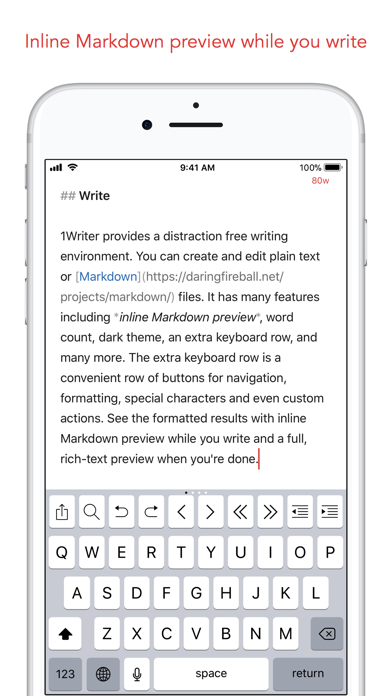
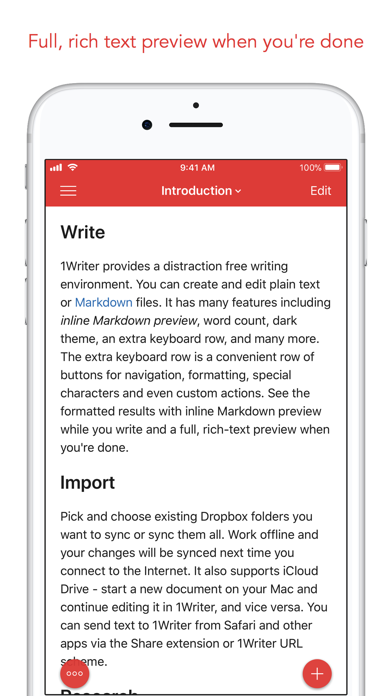
- Preview :: see the formatted results with Markdown syntax highlighting while you write and a full, rich-text preview when you're done.
- Extended keyboard :: a convenient row of buttons for navigation, formatting, special characters (customizable--pick the characters you use the most).
- Insert photo :: pick a photo or take a new one, and 1Writer will upload it to Dropbox and generate the Markdown-syntax to add it to your document--all in a single action!
- Snippets :: TextExpander Touch support.
- Custom URL actions :: insert a document template, encode a selection and replace the original text, look up synonyms and much more.
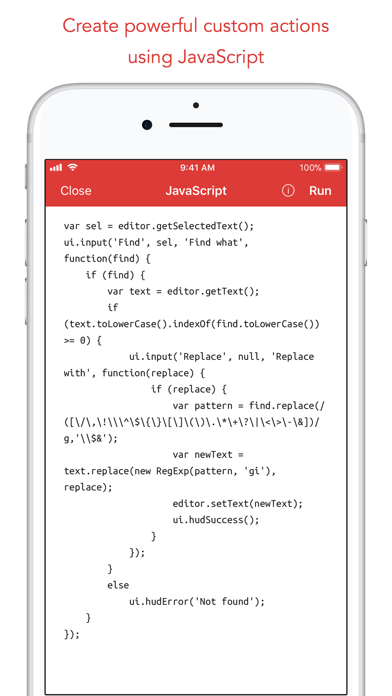
- JavaScript :: create even more powerful custom actions using JavaScript—text manipulation, perform a find & replace, interact with the clipboard—the possibilities are endless.
IMPORT
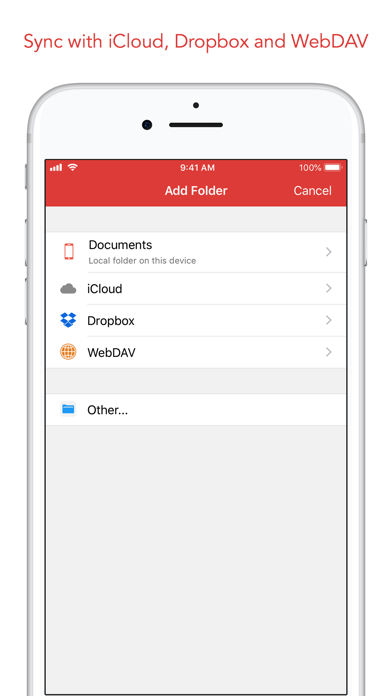
- Sync with iCloud, Dropbox and WebDAV.
- Share extension :: send text to 1Writer from other apps. In Safari, the extension uses the current URL, page title and selected text to create a new document.
- Create, append, prepend, or replace text directly from other apps using the 1Writer URL scheme.
EXPORT
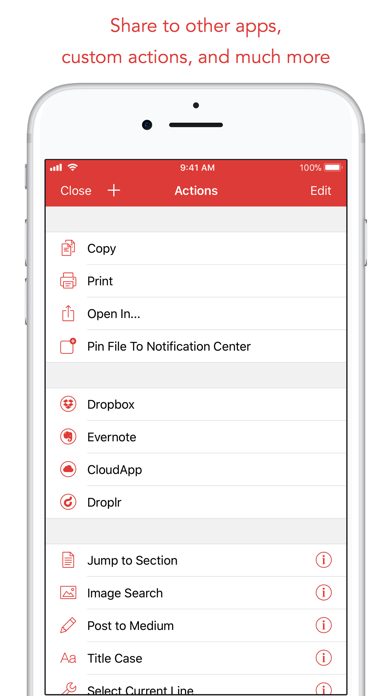
- CloudApp and Dropbox :: generate a link to share your document in plain text or PDF.
- Evernote :: pick your notebook, add tags and turn a text selection or the entire document into a new, rich-text note.
- Copy HTML :: put the formatted text for your document directly on the clipboard.
- Custom actions :: open a web search, tweet a selection, save a series of items in a list and much more.
PERSONALIZE
- Support Dark Mode on iOS 13.
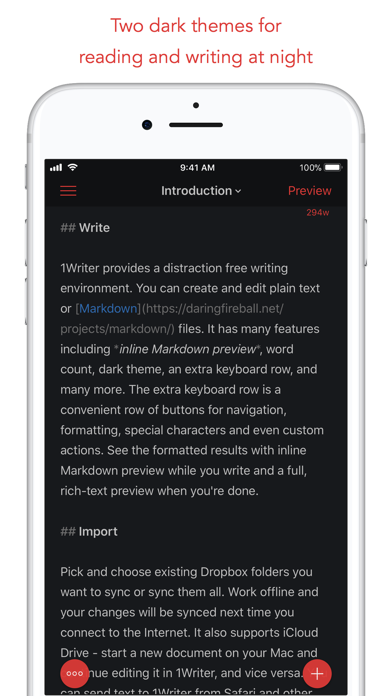
- 2 dark themes for more comfortable reading and writing at night.
- Choose from 20 different fonts.
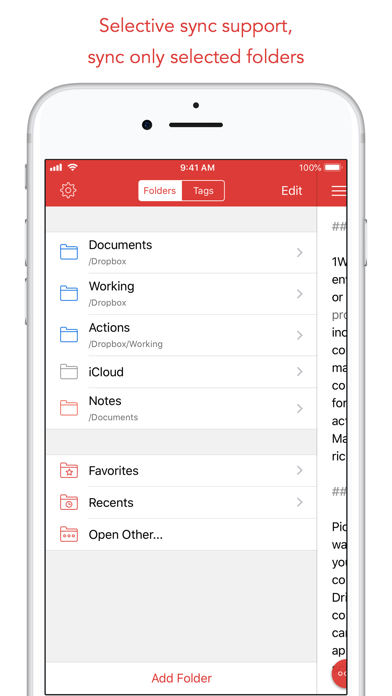
- Bookmark and sync the Dropbox/WebDAV folders you want to have quick access to the sub-folders and documents you need.
- Use a passcode or Touch ID/Face ID to protect the app from unauthorized users.
RESEARCH
- In-app web browser :: research, look up information without having to leave the app.
- Bookmarks :: create and access your favorite websites.
- Save the current text selection to the clipboard in Markdown syntax.
- 1Password support :: login to all your accounts using the 1Password extension.
EVEN MORE GREAT FEATURES
- Drag and drop.
- Open in Place.
- Multiple windows on iOS 13.
- MultiMarkdown.
- Search documents from Spotlight.
- Find & replace within document.
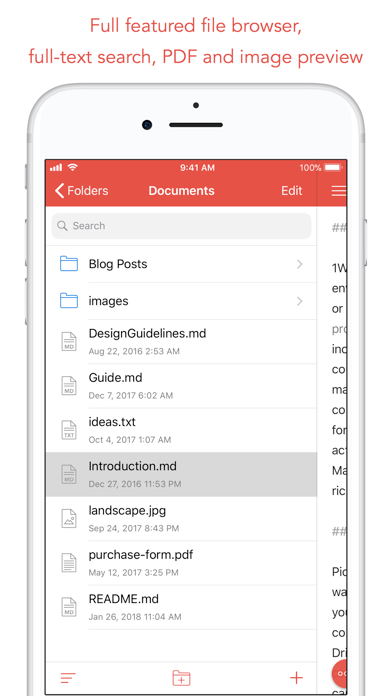
- Photo and PDF preview.
- Today widget :: access your recent documents from the Notification Center or create a new document in one tap.
- Checklist support :: create a list of things to do or topics to research, and easily check them off.
- Full-text search and hashtag support :: search within a folder to find the document you need, and view related documents that have the same tag.
- - - - - - - - - -
"The only Dropbox- and Markdown-enabled text editor for iPhone that’s clicked with me has been 1Writer. It’s simple, looks great, and gets the job done." - TheSweetSetup.com
"Really great app, really recommend it." - Federico Viticci, MacStories.net
"The app interface is beautiful and distraction-free, with loads of other awesome features lurking beneath its simple exterior. It's now my go-to iPhone text editor." - Chris Gonzales, ToolsandToys.net
"For users that want a great visual experience paired with great support for custom actions and third party apps, 1Writer is an excellent choice." - iMore.com
"1Writer is the most powerful text editor available for iPhone." - Phillip Gruneich
- - - - - - - - - -
CREATE
- Write :: generate and edit plain text or Markdown files.
- Preview :: see the formatted results with Markdown syntax highlighting while you write and a full, rich-text preview when you're done.
- Extended keyboard :: a convenient row of buttons for navigation, formatting, special characters (customizable--pick the characters you use the most).
- Insert photo :: pick a photo or take a new one, and 1Writer will upload it to Dropbox and generate the Markdown-syntax to add it to your document--all in a single action!
- Snippets :: TextExpander Touch support.
- Custom URL actions :: insert a document template, encode a selection and replace the original text, look up synonyms and much more.
- JavaScript :: create even more powerful custom actions using JavaScript—text manipulation, perform a find & replace, interact with the clipboard—the possibilities are endless.
IMPORT
- Sync with iCloud, Dropbox and WebDAV.
- Share extension :: send text to 1Writer from other apps. In Safari, the extension uses the current URL, page title and selected text to create a new document.
- Create, append, prepend, or replace text directly from other apps using the 1Writer URL scheme.
EXPORT
- CloudApp and Dropbox :: generate a link to share your document in plain text or PDF.
- Evernote :: pick your notebook, add tags and turn a text selection or the entire document into a new, rich-text note.
- Copy HTML :: put the formatted text for your document directly on the clipboard.
- Custom actions :: open a web search, tweet a selection, save a series of items in a list and much more.
PERSONALIZE
- Support Dark Mode on iOS 13.
- 2 dark themes for more comfortable reading and writing at night.
- Choose from 20 different fonts.
- Bookmark and sync the Dropbox/WebDAV folders you want to have quick access to the sub-folders and documents you need.
- Use a passcode or Touch ID/Face ID to protect the app from unauthorized users.
RESEARCH
- In-app web browser :: research, look up information without having to leave the app.
- Bookmarks :: create and access your favorite websites.
- Save the current text selection to the clipboard in Markdown syntax.
- 1Password support :: login to all your accounts using the 1Password extension.
EVEN MORE GREAT FEATURES
- Drag and drop.
- Open in Place.
- Multiple windows on iOS 13.
- MultiMarkdown.
- Search documents from Spotlight.
- Find & replace within document.
- Photo and PDF preview.
- Today widget :: access your recent documents from the Notification Center or create a new document in one tap.
- Checklist support :: create a list of things to do or topics to research, and easily check them off.
- Full-text search and hashtag support :: search within a folder to find the document you need, and view related documents that have the same tag.
Szczegóły
| Deweloper | Ngoc Luu |
|---|---|
| Kategoria | Produktywność |
| Cena | £4.99 |
| Ocena wiekowa | 17+ |
| Wersja | 3.3.8 |
| Rozmiar | 18.7 MB |
| Minimalny iOS | 13.0 |
| ID pakietu | com.ngocluu.onewriter |
| Wydano | 2013-08-14 |
| Ostatnia aktualizacja | 2025-09-24 |
| Języki | 5 języki |
Na co odpowiada ta strona
- 1Writer - Markdown Text Editor recenzje aplikacji
- 1Writer - Markdown Text Editor ocena aplikacji
- 1Writer - Markdown Text Editor pobranie
- 1Writer - Markdown Text Editor pozycja w sklepie z aplikacjami
- recenzje 1Writer - Markdown Text Editor
- recenzje i oceny 1Writer - Markdown Text Editor
- czy 1Writer - Markdown Text Editor jest legalny
- czy 1Writer - Markdown Text Editor to oszustwo
- prawdziwe recenzje użytkowników 1Writer - Markdown Text Editor
- ocena 1Writer - Markdown Text Editor
- skargi na 1Writer - Markdown Text Editor
- co ludzie mówią o 1Writer - Markdown Text Editor
- recenzje 1Writer - Markdown Text Editor aplikacja
- zalety i wady 1Writer - Markdown Text Editor
- doświadczenie 1Writer - Markdown Text Editor
- czy powinienem zaufać 1Writer - Markdown Text Editor
- opinie o 1Writer - Markdown Text Editor
- recenzja 1Writer - Markdown Text Editor 2026
- sprawdzenie 1Writer - Markdown Text Editor
- sprawdzenie bezpieczeństwa 1Writer - Markdown Text Editor
