
Najlepsza pozycja teraz
#22
w 5 sklepach
Szczyt
#12Dni śledzone
11Oceny
2 Historia wykresu
11 dni zarejestrowanych przez nas
Sklepy
wykres w 5 dzisiaj
Oceny
2 w App Store
Cena
zmieniono 1 raz(y) w naszym oknie
Instalacje i przychody
Apple nie publikuje żadnych — nie zgadujemy
Obecnie na wykresie
Historia
Zbudowane na podstawie codziennych zrzutów Astriny — jeden punkt dziennie.
Pozycja na wykresie — 🇫🇷 Najlepsze płatne
23.09 24.09
Pokaż liczby
| Dzień | Pozycja |
|---|---|
| 23.09 | #12 |
| 24.09 | #22 |
Liczba ocen
23.09 24.09
Pokaż liczby
| Dzień | Oceny |
|---|---|
| 23.09 | 2 |
| 24.09 | 2 |
Zrzuty ekranu
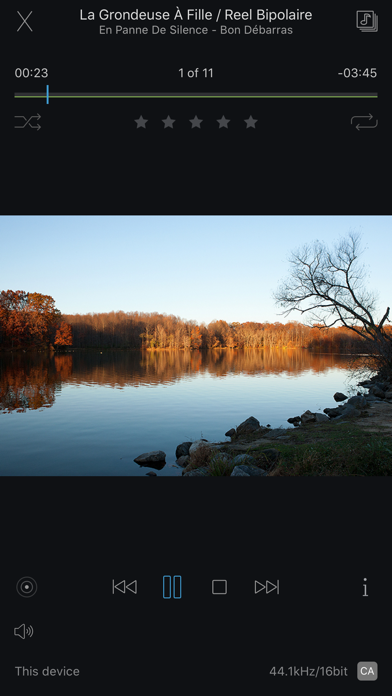

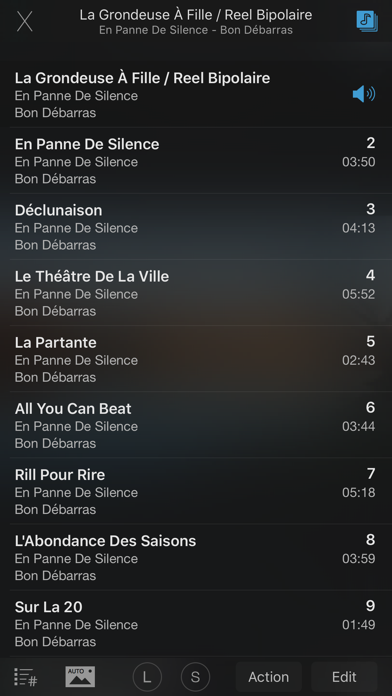
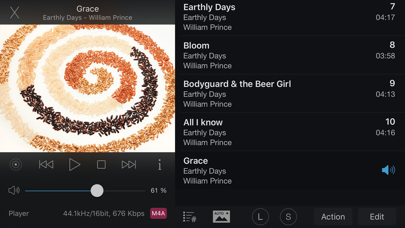
O tej aplikacji
JRemote is a full featured native iOS remote for JRiver Media Center. JRemote was developed to offer you full remote control of your JRiver Media Center from any of your iDevices.
Please note that you need JRiver Media Center version 15 or later. We recommend you always run the latest version.
Features and specs:
Universal app
JRemote is a universal iOS application. The application will run on both iPhone/iPod touch as well as iPad’s. Each version is optimized for it`s screen size.
Navigation
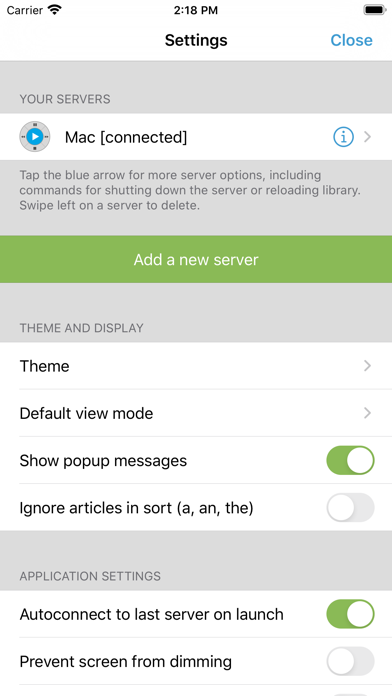
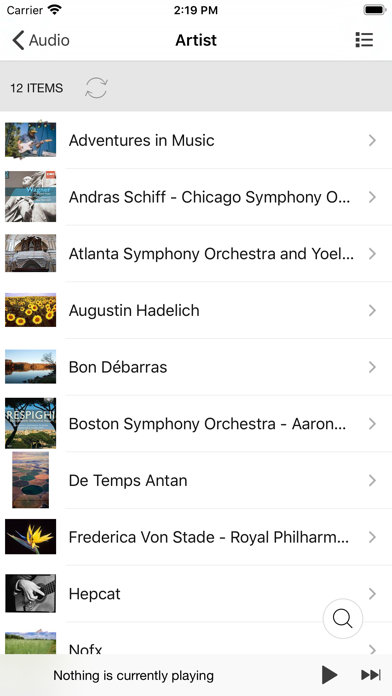
JRemote uses the navigation setup from JRMC itself. This allows you to customize the navigation menu and sub-menus from within the JRiver application.
- Multiple view modes (list, imagelist, thumbnails)
- Search using JRMC`s fuzzy search engine
- Virtual remote for controlling theater view
DLNA and zones
Use JRemote to control all your DLNA supported devices. Any device supported in JRMC can be controlled from JRemote by switching to that specific zone.
You can link and unlink zone for multi-room playback.
Easy setup
Connecting to your computer is fully automatic, no need to enter your IP-address and Port number.
You only need to enter the access key found in JRMC`s option panel (We do provide an option for you to add IP-address and Port manually if needed).
- JRemote will let you connect to your server from outside your wifi, using standard mobile networks. For this to work you need to configure port forwarding on your internet router.
- Wake-On-LAN is supported if you provide your machines MAC address. (Automatic when adding a server by access key)
- JRemote is CarPlay enabled.
Edit and view metadata
Any metadata attached to a specific file can be viewed and edited. You can update multiple files in one operation.
Rating may be set from multiple locations depending on iPhone/iPad version.
Player controls
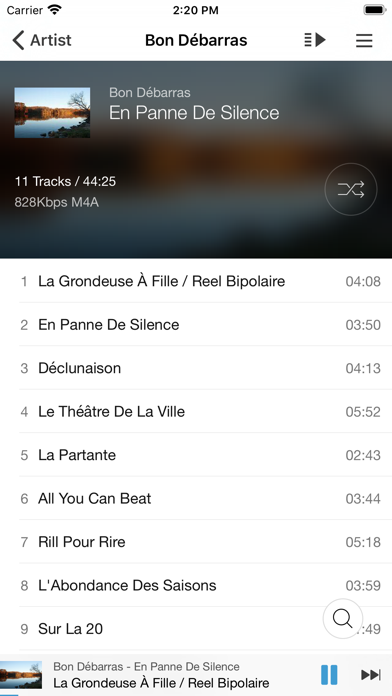
JRemote includes all common playback controls including repeat mode, and shuffle mode.
Control volume and progress from sliders while getting feedback from the HUD display
Audio streaming
JRemote lets you stream all your audio files to the device itself. Just select “This device” as the current zone.
- Gapless playback
- Stream any file up to 96kHz, 24 bit
- Downloaded progress indicator
- Supported audio formats include AAC, AIFF, ALAC, APE, DSF/DFF, FLAC, M4A, MP3, OGG, and WAV.
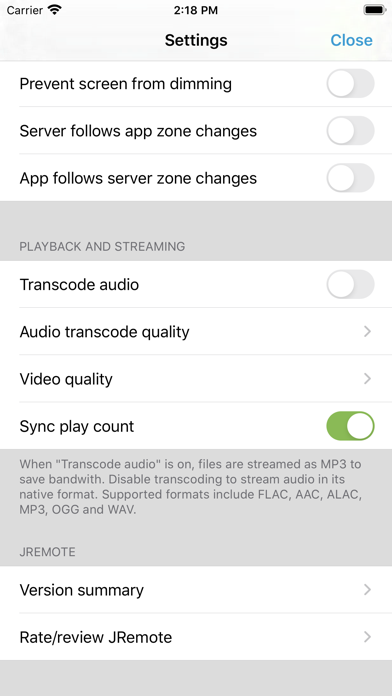
- All files may be transcoded to MP3 from 128Kbs up to 320Kbs
Please note that you need JRiver Media Center version 15 or later. We recommend you always run the latest version.
Features and specs:
Universal app
JRemote is a universal iOS application. The application will run on both iPhone/iPod touch as well as iPad’s. Each version is optimized for it`s screen size.
Navigation
JRemote uses the navigation setup from JRMC itself. This allows you to customize the navigation menu and sub-menus from within the JRiver application.
- Multiple view modes (list, imagelist, thumbnails)
- Search using JRMC`s fuzzy search engine
- Virtual remote for controlling theater view
DLNA and zones
Use JRemote to control all your DLNA supported devices. Any device supported in JRMC can be controlled from JRemote by switching to that specific zone.
You can link and unlink zone for multi-room playback.
Easy setup
Connecting to your computer is fully automatic, no need to enter your IP-address and Port number.
You only need to enter the access key found in JRMC`s option panel (We do provide an option for you to add IP-address and Port manually if needed).
- JRemote will let you connect to your server from outside your wifi, using standard mobile networks. For this to work you need to configure port forwarding on your internet router.
- Wake-On-LAN is supported if you provide your machines MAC address. (Automatic when adding a server by access key)
- JRemote is CarPlay enabled.
Edit and view metadata
Any metadata attached to a specific file can be viewed and edited. You can update multiple files in one operation.
Rating may be set from multiple locations depending on iPhone/iPad version.
Player controls
JRemote includes all common playback controls including repeat mode, and shuffle mode.
Control volume and progress from sliders while getting feedback from the HUD display
Audio streaming
JRemote lets you stream all your audio files to the device itself. Just select “This device” as the current zone.
- Gapless playback
- Stream any file up to 96kHz, 24 bit
- Downloaded progress indicator
- Supported audio formats include AAC, AIFF, ALAC, APE, DSF/DFF, FLAC, M4A, MP3, OGG, and WAV.
- All files may be transcoded to MP3 from 128Kbs up to 320Kbs
Szczegóły
| Deweloper | JRiver |
|---|---|
| Kategoria | Rozrywka |
| Cena | 14,99 € |
| Ocena wiekowa | 4+ |
| Wersja | 3.46 |
| Rozmiar | 52.8 MB |
| Minimalny iOS | 13.0 |
| ID pakietu | com.banjomedia.jremote |
| Wydano | 2011-12-21 |
| Ostatnia aktualizacja | 2026-09-18 |
| Języki | 3 języki |
Na co odpowiada ta strona
- JRemote recenzje aplikacji
- JRemote ocena aplikacji
- JRemote pobranie
- JRemote pozycja w sklepie z aplikacjami
- recenzje JRemote
- recenzje i oceny JRemote
- czy JRemote jest legalny
- czy JRemote to oszustwo
- prawdziwe recenzje użytkowników JRemote
- ocena JRemote
- skargi na JRemote
- co ludzie mówią o JRemote
- recenzje JRemote aplikacja
- zalety i wady JRemote
- doświadczenie JRemote
- czy powinienem zaufać JRemote
- opinie o JRemote
- recenzja JRemote 2026
- sprawdzenie JRemote
- sprawdzenie bezpieczeństwa JRemote
