
TV Cast Pro for Fire TV
Kraus und Karnath GbR 2Kit Consulting Zdjęcia i wideo 17+ £9.99
3.78 · 1,008 ocen
Najlepsza pozycja teraz
#39
w 4 sklepach
Szczyt
#28Dni śledzone
22Oceny
1,008 Historia wykresu
22 dni zarejestrowanych przez nas
Sklepy
wykres w 4 dzisiaj
Oceny
1,008 w App Store
Cena
zmieniono 8 raz(y) w naszym oknie
Instalacje i przychody
Apple nie publikuje żadnych — nie zgadujemy
Obecnie na wykresie
Historia
Zbudowane na podstawie codziennych zrzutów Astriny — jeden punkt dziennie.
Pozycja na wykresie — 🇬🇧 Najlepsze płatne
23.07 01.09 24.09
Pokaż liczby
| Dzień | Pozycja |
|---|---|
| 23.07 | #58 |
| 08.08 | #51 |
| 21.08 | #49 |
| 28.08 | #56 |
| 31.08 | #44 |
| 01.09 | #30 |
| 07.09 | #29 |
| 12.09 | #54 |
| 14.09 | #42 |
| 22.09 | #44 |
| 24.09 | #39 |
Liczba ocen
08.09 14.09 24.09
Pokaż liczby
| Dzień | Oceny |
|---|---|
| 08.09 | 7,638 |
| 09.09 | 7,639 |
| 10.09 | 7,640 |
| 11.09 | 7,641 |
| 14.09 | 7,639 |
| 15.09 | 7,640 |
| 21.09 | 7,642 |
| 23.09 | 7,643 |
| 24.09 | 7,644 |
Zrzuty ekranu
O tej aplikacji
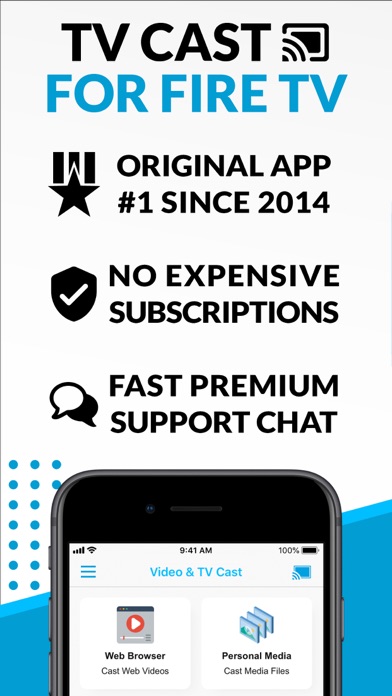
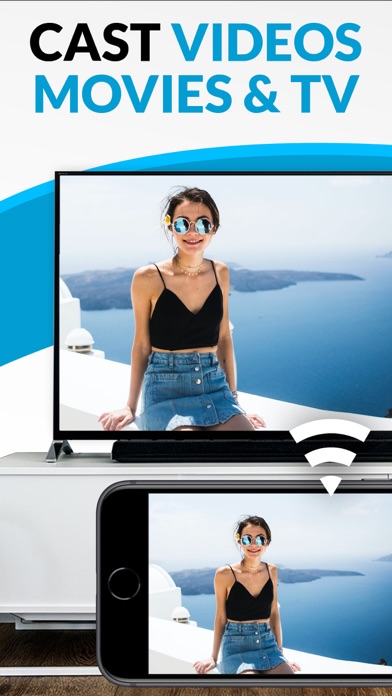
Watch web videos, online movies, live TV streams and your personal photos, videos & music on your Amazon Fire TV. Enjoy the show on your big screen.
With Video & TV Cast you can browse through the web and stream any video you want on your Amazon Fire TV (movies, TV shows, sports, music and more). Just navigate to your favorite website and wait for the video link detection. The video link will appear below the browser. Tap it and the video will be sent to your big screen instantly! Streaming personal media from your device is also supported.
>>> Important Notes
* The app only works with an Amazon Fire TV or Fire TV Stick.
* iTunes movies and DRM-protected videos like Amazon Prime, Netflix, Hulu, Vudu, DirecTV, Xfinity, HBO Now are not supported!
* The app streams only the video part of a website and not the whole website content (No screen or tab mirroring!).
* Sometimes it is necessary to play the video on your iPad or iPhone first before it gets discovered by the app for streaming. It may also be neccessary to start casting multiple times until it works with specific videos.
* If a video is not working at all, please check the FAQ on the app startpage. If that does not help you, please drop us an email before leaving a negative comment on the App Store. We will try to add support for that website as soon as possible.
>>> PRO FEATURES
* Remote Playbar: A remote control that allows you to fast forward or rewind videos while browsing. It syncs across all your iPads & iPhones that are connected to the same Fire TV. So your video can be controlled by different users in the same room.
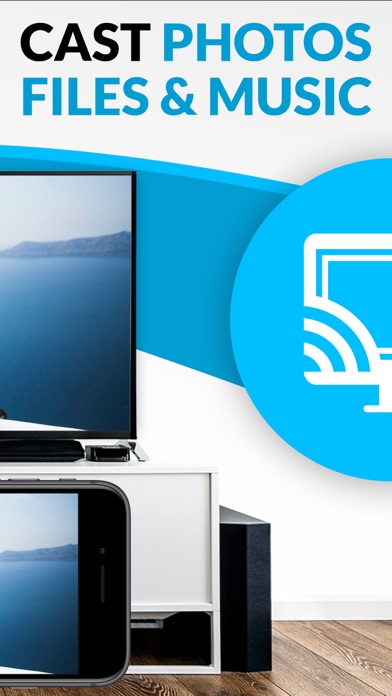
* Personal Media: Cast unlimited personal photos, videos and music directly from your device or from cloud services like iCloud and Dropbox.
* Ad-Blocker + No Sponsoring Ads: The Pro app version has no ads and the Ad-Blocker blocks ads & popups on most websites that you visit. You can update, enable/disable ad-blocking at any time in the settings.
* Bookmarks: Save unlimited website bookmarks. Synchronize and transfer them between different TV Cast apps and iOS devices by using backup and restore via iCloud.
* Desktop Mode: Change the browser user-agent and cloak your iPhone/iPad as a desktop PC to load the desktop website instead of the mobile website. Please note that this will NOT enable video casting on websites that serve Flash videos in desktop mode.
* Change Homepage: Set your personal homepage in the settings.
>>> A MESSAGE FROM THE DEVELOPERS
Countless websites have been reported to us and we already support more than 90% of all videos on the internet. But we also know things can get even better. Your feedback and priorities will drive our work ahead, and you’ll see new features and more supported websites in our next app updates.
Disclaimer: This app is not affiliated with Amazon or any other trademark mentioned here. Amazon and all related marks are trademarks of Amazon.com, Inc. or its affiliates. This app was not created or endorsed by Amazon.
With Video & TV Cast you can browse through the web and stream any video you want on your Amazon Fire TV (movies, TV shows, sports, music and more). Just navigate to your favorite website and wait for the video link detection. The video link will appear below the browser. Tap it and the video will be sent to your big screen instantly! Streaming personal media from your device is also supported.
>>> Important Notes
* The app only works with an Amazon Fire TV or Fire TV Stick.
* iTunes movies and DRM-protected videos like Amazon Prime, Netflix, Hulu, Vudu, DirecTV, Xfinity, HBO Now are not supported!
* The app streams only the video part of a website and not the whole website content (No screen or tab mirroring!).
* Sometimes it is necessary to play the video on your iPad or iPhone first before it gets discovered by the app for streaming. It may also be neccessary to start casting multiple times until it works with specific videos.
* If a video is not working at all, please check the FAQ on the app startpage. If that does not help you, please drop us an email before leaving a negative comment on the App Store. We will try to add support for that website as soon as possible.
>>> PRO FEATURES
* Remote Playbar: A remote control that allows you to fast forward or rewind videos while browsing. It syncs across all your iPads & iPhones that are connected to the same Fire TV. So your video can be controlled by different users in the same room.
* Personal Media: Cast unlimited personal photos, videos and music directly from your device or from cloud services like iCloud and Dropbox.
* Ad-Blocker + No Sponsoring Ads: The Pro app version has no ads and the Ad-Blocker blocks ads & popups on most websites that you visit. You can update, enable/disable ad-blocking at any time in the settings.
* Bookmarks: Save unlimited website bookmarks. Synchronize and transfer them between different TV Cast apps and iOS devices by using backup and restore via iCloud.
* Desktop Mode: Change the browser user-agent and cloak your iPhone/iPad as a desktop PC to load the desktop website instead of the mobile website. Please note that this will NOT enable video casting on websites that serve Flash videos in desktop mode.
* Change Homepage: Set your personal homepage in the settings.
>>> A MESSAGE FROM THE DEVELOPERS
Countless websites have been reported to us and we already support more than 90% of all videos on the internet. But we also know things can get even better. Your feedback and priorities will drive our work ahead, and you’ll see new features and more supported websites in our next app updates.
Disclaimer: This app is not affiliated with Amazon or any other trademark mentioned here. Amazon and all related marks are trademarks of Amazon.com, Inc. or its affiliates. This app was not created or endorsed by Amazon.
Szczegóły
| Deweloper | Kraus und Karnath GbR 2Kit Consulting |
|---|---|
| Kategoria | Zdjęcia i wideo |
| Cena | £9.99 |
| Ocena wiekowa | 17+ |
| Wersja | 3.11 |
| Rozmiar | 35.7 MB |
| Minimalny iOS | 12.0 |
| ID pakietu | de.2kit.cast-browser-firetv-pro |
| Wydano | 2016-06-17 |
| Ostatnia aktualizacja | 2026-02-09 |
| Języki | 1 języki |
Na co odpowiada ta strona
- TV Cast Pro for Fire TV recenzje aplikacji
- TV Cast Pro for Fire TV ocena aplikacji
- TV Cast Pro for Fire TV pobranie
- TV Cast Pro for Fire TV pozycja w sklepie z aplikacjami
- recenzje TV Cast Pro for Fire TV
- recenzje i oceny TV Cast Pro for Fire TV
- czy TV Cast Pro for Fire TV jest legalny
- czy TV Cast Pro for Fire TV to oszustwo
- prawdziwe recenzje użytkowników TV Cast Pro for Fire TV
- ocena TV Cast Pro for Fire TV
- skargi na TV Cast Pro for Fire TV
- co ludzie mówią o TV Cast Pro for Fire TV
- recenzje TV Cast Pro for Fire TV aplikacja
- zalety i wady TV Cast Pro for Fire TV
- doświadczenie TV Cast Pro for Fire TV
- czy powinienem zaufać TV Cast Pro for Fire TV
- opinie o TV Cast Pro for Fire TV
- recenzja TV Cast Pro for Fire TV 2026
- sprawdzenie TV Cast Pro for Fire TV
- sprawdzenie bezpieczeństwa TV Cast Pro for Fire TV
