
SpaceCraft Granular Synth
Mark Watt Music 4+ 9,99 €
4.79 · 56 ratings
Best position now
#49
across 3 storefronts
Peak
#25Days tracked
10Ratings
56 Chart history
10 days recorded by us
Storefronts
charting in 3 today
Ratings
56 on the App Store
Price
changed 2 time(s) in our window
Installs and revenue
Apple publishes none — we do not guess
Currently charting
History
Built from Astrina’s own daily snapshots — one point per day.
Chart position — 🇫🇷 Top Paid
16.09 20.09 21.09
Show the numbers
| Day | Position |
|---|---|
| 16.09 | #39 |
| 20.09 | #25 |
| 21.09 | #49 |
Number of ratings
16.09 20.09 21.09
Show the numbers
| Day | Ratings |
|---|---|
| 16.09 | 25 |
| 20.09 | 25 |
| 21.09 | 25 |
Screenshots
About this app
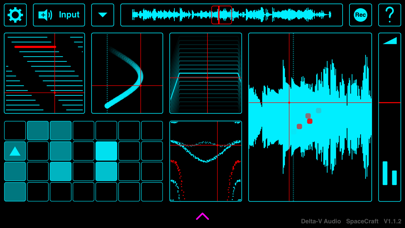
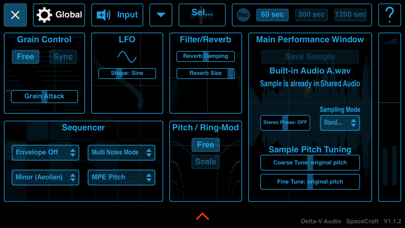
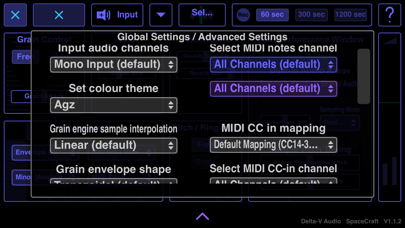
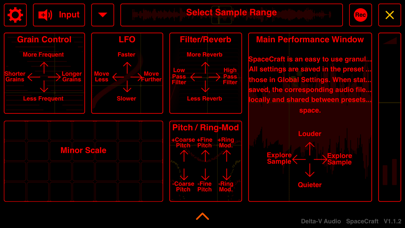
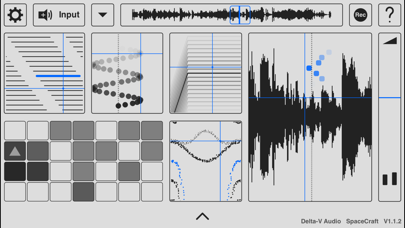
With SpaceCraft (MIDI, MPE, AUv3, IAA) you can transform any sound into a playable musical instrument via Granular Synthesis. You can create textures, soundscapes and arpeggiated rhythms from sounds such as your voice, ambient noise or the high quality built-in audio samples.
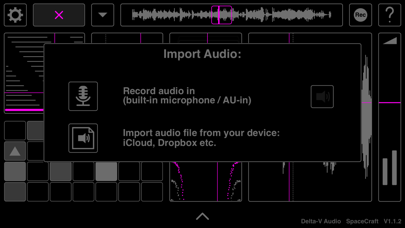
Tap the 'Input' button (top left) to record audio via your device's microphone or load a file from your device (access* to iCloud, Dropbox, Google Drive, Audioshare*** etc.). Experiment with turning everyday sounds into unusual instruments.
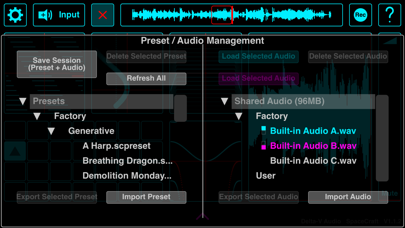
Save your creations and corresponding samples via presets. Also, tap the 'rec' button (top right) to record your performance (maximum 20 minutes). This is used in standalone only as the AUv3 host can be used to record the output.
Supports AUv3 and IAA (recommended to use in the effects slot to allow live input audio recording).
* NOT COMPATIBLE with GarageBand as AUv3 (but can be loaded as Inter App Audio (IAA) or via an effects insert in the GarageBand sampler, with no MIDI capability)
** iOS11 and above provides equivalent folder access to the built-in iOS 'Files' app. Note that iOS10 and below has limited access to folders (no Audioshare folder access for iOS10 and below)
*** Access to Audioshare files is done via the iOS files app
Tap the 'Input' button (top left) to record audio via your device's microphone or load a file from your device (access* to iCloud, Dropbox, Google Drive, Audioshare*** etc.). Experiment with turning everyday sounds into unusual instruments.
Save your creations and corresponding samples via presets. Also, tap the 'rec' button (top right) to record your performance (maximum 20 minutes). This is used in standalone only as the AUv3 host can be used to record the output.
Supports AUv3 and IAA (recommended to use in the effects slot to allow live input audio recording).
* NOT COMPATIBLE with GarageBand as AUv3 (but can be loaded as Inter App Audio (IAA) or via an effects insert in the GarageBand sampler, with no MIDI capability)
** iOS11 and above provides equivalent folder access to the built-in iOS 'Files' app. Note that iOS10 and below has limited access to folders (no Audioshare folder access for iOS10 and below)
*** Access to Audioshare files is done via the iOS files app
Details
| Developer | Mark Watt |
|---|---|
| Category | Music |
| Price | 9,99 € |
| Age rating | 4+ |
| Version | 1.2.2 |
| Size | 103 MB |
| Minimum iOS | 9.3 |
| Bundle ID | com.deltavaudio.spacecraftios |
| Released | 2018-07-02 |
| Last updated | 2021-02-08 |
What this page answers
- SpaceCraft Granular Synth app reviews
- SpaceCraft Granular Synth app rating
- SpaceCraft Granular Synth download
- SpaceCraft Granular Synth app store rank
- SpaceCraft Granular Synth reviews
- SpaceCraft Granular Synth reviews and ratings
- is SpaceCraft Granular Synth legit
- is SpaceCraft Granular Synth a scam
- SpaceCraft Granular Synth real user reviews
- SpaceCraft Granular Synth rating
- SpaceCraft Granular Synth complaints
- what people say about SpaceCraft Granular Synth
- SpaceCraft Granular Synth pros and cons
- SpaceCraft Granular Synth experience
- should I trust SpaceCraft Granular Synth
- SpaceCraft Granular Synth feedback
- SpaceCraft Granular Synth review 2026
- SpaceCraft Granular Synth check
- SpaceCraft Granular Synth safety check
- reviews about SpaceCraft Granular Synth
